
golf impact screen depth behind hitting mat
Golf Impact Screen Depth Behind Hitting Mat: Exact Distances for 16, 18, and 20-Foot Rooms
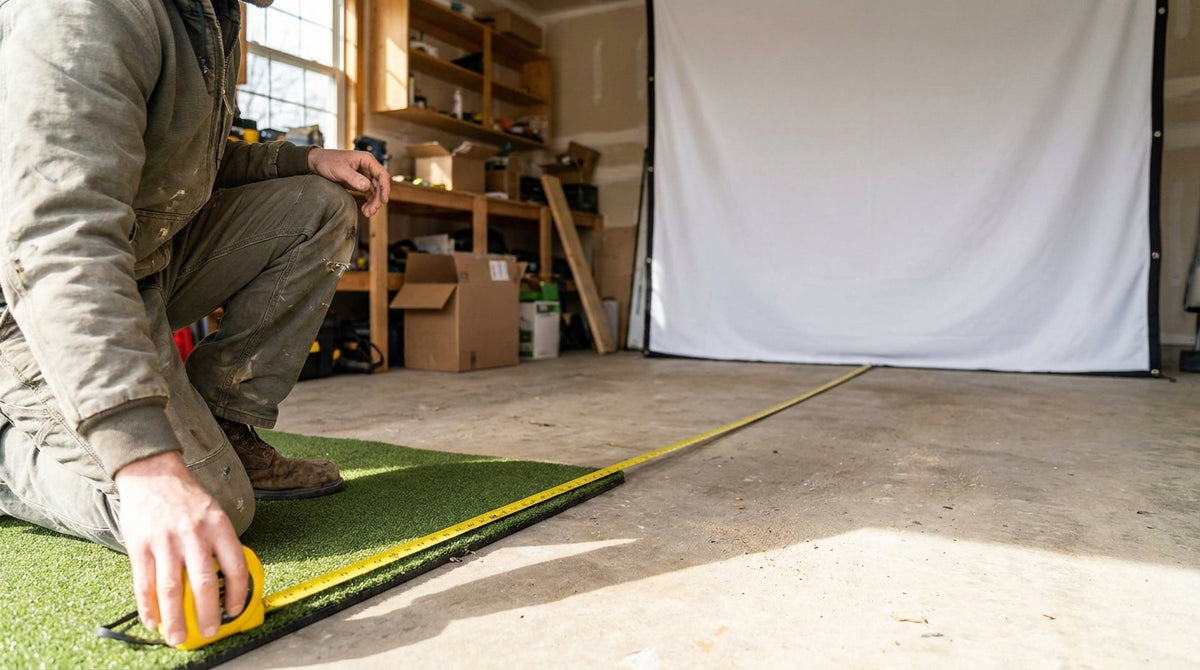
Ten feet. That's the distance between your ball and your screen that decides whether your room works at all, and almost nobody measures it before they buy. Under 10 feet is classified as the danger zone regardless of how good your screen is, with 10–12 feet the recommended range for home builds (Source: Home Performance Lab, Golf Simulator Impact Screen Distance Guide, 2026).
Here's the part that trips people up: golf impact screen depth behind hitting mat is only one slice of the math. You also have to budget air behind the screen, and—depending on your launch monitor—a big chunk of floor behind you. Get that wrong and you either eat a rebound off your shins or you buy a radar unit that physically cannot read your ball.
Let's put real numbers on all three zones.
Building one now? Carl’s Place HotShot mat system — from $500.
Why 10 Feet Is the Magic Number for Impact Screen Depth Behind the Hitting Mat
The 10-foot rule isn't arbitrary caution. It's derived from how far a ball actually comes back at you.
A high-quality impact screen under correct tension returns the ball 1 to 3 feet off the screen face (Source: Home Performance Lab / Carl's Place impact screen bounce-back testing). Do the subtraction: at a 10-foot tee-to-screen distance, a normal rebound dies roughly 7 feet short of where you're standing.
That 7-foot cushion is your entire margin for error. It covers off-center strikes, a screen that's drifted loose since install, and the occasional thin one that comes screaming back flatter than usual.
Push the mat to 8 feet and that cushion shrinks to 5. At 6 feet, you're in the rebound zone. We covered the full rebound physics in our guide to golf impact screen ball bounce back distance, but the short version is that distance is the cheapest safety feature you can buy.
The Three Zones You're Actually Budgeting
Total room depth breaks into three chunks, and every one of them is non-negotiable square footage.
Zone 1: Behind the screen
Minimum 12 inches, ideally 16–24 inches of open air so the screen can flex and absorb ball energy instead of rebounding like a trampoline (Source: Carl's Place / SimSpace Golf impact screen tension guidance). Hang a screen tight against drywall and you've built a drum, not an absorber. Our deep dive on impact screen air gap clearance walks through what happens when that gap disappears.
Zone 2: Tee to screen
10 feet minimum, 10–12 feet ideal. This is the number this whole article orbits.
Zone 3: Behind the golfer
This is where launch monitor choice completely rewrites your room requirement—and it's the zone people forget to measure entirely.
Radar vs Camera: The Same Room, Two Different Answers
Radar units track the ball in flight, so they need to sit well behind you and watch a long enough flight window to work.
Radar launch monitors require 6–9.5 feet of space behind the golfer—TrackMan 4 is optimal at 7 feet, Garmin R10 wants 6–8 feet, FlightScope Mevo+ wants 7–9 feet in Regular Mode—pushing minimum total room depth to 18–23 feet (Source: TrackMan Tech Specs, FlightScope Mevo+ manual, Garmin R10 manual, compiled by Home Performance Lab Launch Monitor Placement Guide, 2026).
Radar depth is additive. You pay for tee-to-screen distance and unit-to-ball distance. That's the whole reason a 16-foot basement can't run a standard radar setup no matter how you shuffle the furniture.
Camera and photometric units flip the problem sideways. SkyTrak+ sits 11.5–12.5 inches from the ball, Foresight GC3 and Bushnell Launch Pro sit about a foot to the side and roughly 2 feet forward, and Uneekor EYE XO mounts overhead entirely—dropping minimum room depth to 15–17 feet (Source: Home Performance Lab Launch Monitor Placement Guide, 2026).
Photometric placement is lateral, not longitudinal. If your room is short, that single fact is the difference between having a simulator and having a net.
Minimum Total Room Depth by Launch Monitor Type
Feet of minimum total room depth (screen buffer + tee-to-screen + behind-golfer space). Source: Compiled from TrackMan, FlightScope, Garmin, SkyTrak, Foresight and Uneekor published specs via Home Performance Lab Launch Monitor Placement Guide (2026) and My Golf Simulator
What the Data Says About Short Rooms
If you're stuck under 18 feet, two data points matter more than anything else.
First, the radar workaround exists. FlightScope Mevo+ Short Indoor Mode cuts minimum total room length from 20–22 feet down to 15–16 feet and allows an 8-foot minimum tee-to-screen distance, with 13 feet optimal (Source: FlightScope Mevo+ specifications, via My Golf Simulator Tee-to-Screen Distance guide, 2025 update). It's the only mainstream radar answer for a short room, and it trades away some of the ball-flight measurement window to get there.
Second, moving the mat closer isn't just a safety problem—it's a data problem. Radar units need roughly 8 feet of ball flight before the screen to read spin accurately, while camera systems are largely insensitive to ball-flight distance (Source: Home Performance Lab, Golf Simulator Impact Screen Distance Guide, 2026). Crowd a radar unit and your spin numbers quietly turn into guesses.
For a benchmark, the most commonly cited comfortable indoor golf room is 10 ft high x 14 ft wide x 18 ft deep, with 4:3 screens in the 9x12 to 10x13 foot range as the practical sweet spot for garage builds (Source: Carl's Place, Measuring Your Space For An Indoor Golf Simulator). Measure your room against that before you commit to a screen size.
Know your depth? Get the screen sized for it.
Our impact screens come in the 8x10.5, 9x12 and 10x13 sizes that pair with 16, 18 and 20-foot rooms — built for real bounce-back control, not just a flat image.
Shop Impact ScreensDepth Budget by Room Size
Here's the whole thing laid out. Find your room depth, read across.
Depth Budget and Screen Pairing by Room Size
Swipe to compare →
| Total room depth | Tee-to-screen | Space behind golfer | Screen-to-wall buffer | Launch monitor that fits | Recommended screen size (4:3) |
|---|---|---|---|---|---|
| 16 ft | 10 ft | 4.5 ft | 16 in | Photometric only (SkyTrak+, GC3, Launch Pro); overhead EYE XO if ceiling allows | 8x10.5 ft |
| 18 ft | 10–11 ft | 5.5–6.5 ft | 16 in | Photometric comfortable; TrackMan 4 at its 18 ft minimum; radar otherwise marginal | 9x12 ft |
| 20 ft | 10–12 ft | 7–8.5 ft | 16–24 in | All systems viable, including TrackMan 4 at 7 ft optimal and Mevo+ Regular Mode | 9x12 to 10x13 ft |
| 24 ft | 10–12 ft | 9 ft + seating | 24 in | All systems, plus room for a hitting bay and spectators | 10x13 ft |
Does Club Selection Change Your Mat Position?
Not as much as you'd think, and that's good news.
The ball leaves the face at essentially the same speed whether you're 10 or 12 feet out. What changes is launch angle—a wedge climbs steeply and hits high on the screen, a driver stays flatter and strikes closer to center.
The practical implication is vertical, not horizontal. Wedges are the reason low-ceiling rooms need careful screen placement, and why you sometimes see ball marks well above the projected image area.
Set your mat once at 10–12 feet and leave it. Sliding the mat back for driver and forward for wedges just wrecks your alignment and your launch monitor calibration.
Three Depth Mistakes That Cost Real Money
Measuring to the wall, not the screen. Your screen hangs 16–24 inches off that wall. A 17-foot room with a proper buffer is really a 15.5-foot usable room.
Buying the launch monitor before measuring. A radar unit in a 16-foot room is a $2,000 mistake you can't fix with furniture. Measure first, then pick the tech that fits.
Forgetting the garage door track or stairwell. Overhead obstructions eat into where you can actually stand, and stairs eat the back of the room. If you're working around a door, our guide to hanging a screen over a garage door covers the workarounds.
The One-Minute Check
Run a tape measure from your back wall to your screen wall. Subtract 18 inches for the screen buffer. Subtract 10 feet for tee-to-screen. Whatever is left is your behind-golfer space.
More than 7 feet left over? Any launch monitor works. Between 4 and 6 feet? Photometric or overhead camera only. Under 4 feet? You need a shorter tee-to-screen than is safe—rethink the room orientation before you buy anything.
Once your depth is locked, the screen size falls right out of the table above. Browse our impact screen collection to match the right size and tier to the room you actually have—and check current pricing on each PDP.
Planning the whole bay? Use Build Your Bay: pick your room size, screen and mat, and we match every part (enclosure, framing, back cover, hitting mat) and add it all to your cart in one click.


Not sure which simulator fits your room?
The two-minute Simulator Finder Quiz checks your space and budget against every system we carry.

Keep Reading
Related guides

golf simulatorGolf Simulator Basement Conversion Checklist: The 7 Steps to Run Before You Buy Anything

DIY golf simulatorGolf Simulator Garage Build Cost Breakdown: Every Line Item at Three Budget Tiers

enclosure frame heightGolf Simulator Ceiling Height Requirements for a Garage Build: The Real Numbers Before You Buy a Frame