
ball bounce back distance
Golf Impact Screen Ball Bounce Back Distance: How Far Balls Really Rebound (and How to Stop It)
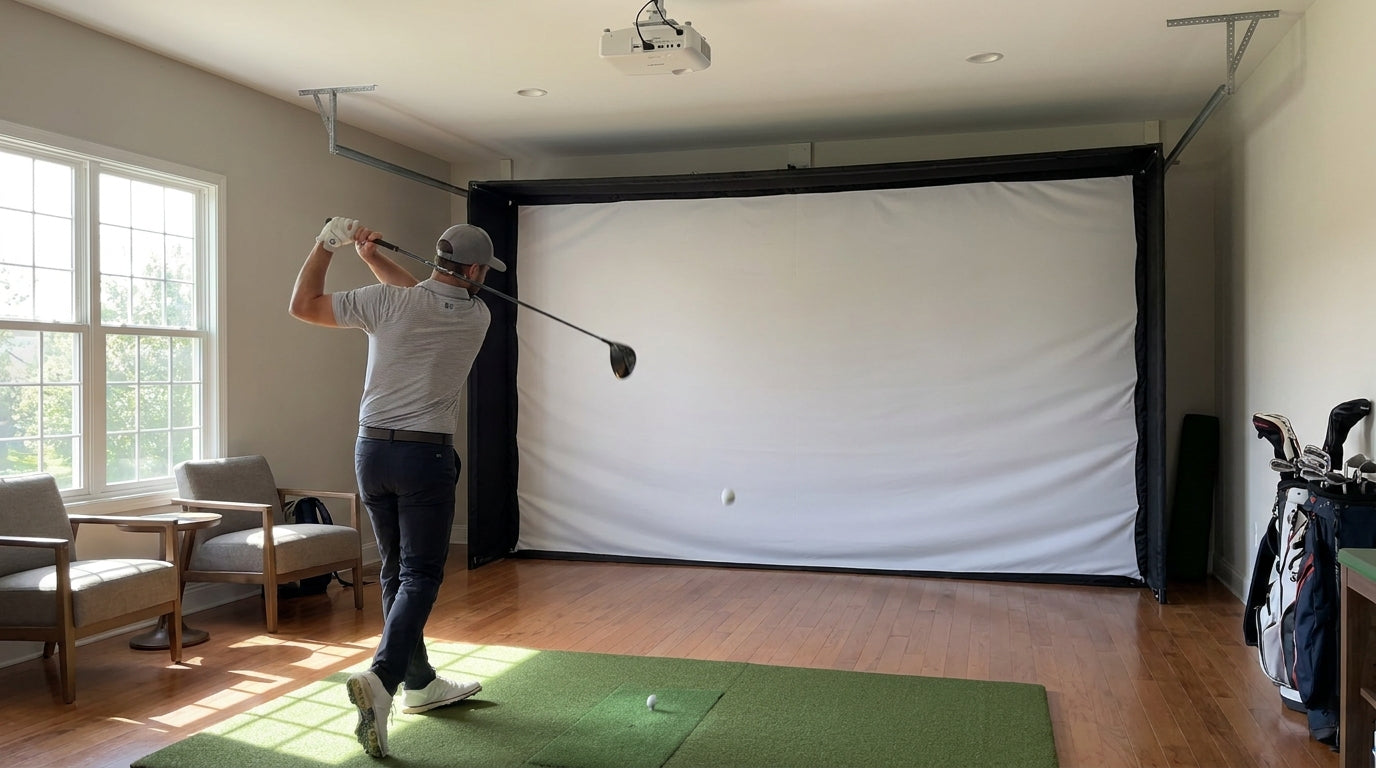
Here's the number that should change how you set up your bay: with a 10-foot tee-to-screen distance, a golf ball off a properly tensioned impact screen typically bounces back just 1 to 3 feet before dropping to the floor (Source: My Golf Simulator / Carl's Place). That's it. A polite little hop and gravity takes over.
Now the scary version. Hang that same screen too tight, and a flush center strike can rocket back 8 to 15 feet depending on ball speed (Source: My Golf Simulator). Same screen. Same swing. Wildly different outcome. The difference is almost entirely setup, and golf impact screen ball bounce back distance is something you control far more than you think.
Let's break down what actually sends a ball back at your shins, and how to make it drop straight down instead.
Building one now? Carl’s Place Preferred impact screen — from $299.
Why Golf Balls Bounce Back Off an Impact Screen at All
A screen has one job: absorb the kinetic energy of your shot and dump it. When it does that well, the screen deforms inward, soaks up the hit, and the ball loses almost all its forward energy. It falls.
When the screen can't absorb that energy — because it's strung drum-tight with no give — it behaves like a trampoline. The energy has to go somewhere, so it goes back into the ball. That's recoil.
So bounce-back isn't really about the ball. It's about how much of your ball's energy the screen returns versus eats. Three levers control that: slack, the air gap behind the screen, and the material itself.
The Slack Test: The 10-Inch Rule
This is the single easiest fix, and most people get it wrong by hanging their screen too tight because it "looks cleaner."
The target: push your hand into the center of the screen and it should travel back about 25 cm — roughly 10 inches — before it stops (Source: My Golf Simulator). Tighter than "flat with no wrinkles" and you've built a trampoline. That give is what lets the screen billow inward on impact and kill the ball's energy.
If your screen is pulled so tight it twangs when you flick it, that's your bounce-back problem right there. Loosen it. We go deep on getting this dialed in our impact screen tensioning system guide.
The Air Gap Behind the Screen Matters More Than You'd Guess
Your screen needs room to deform backward. If it's pinned flat against a wall, it can't billow — so it bounces.
Leave a 12 to 24 inch air gap between the screen and the wall (Carl's Place specifically recommends 12 to 16 inches) to absorb kinetic energy and reduce ricochet (Source: My Golf Simulator / Carl's Place). That empty space is doing real work — it gives the screen somewhere to go so it can dump energy instead of springing it back at you.
If your room is tight, read our breakdown on how much gap to leave behind your screen before you mount anything permanently.
What the Data Says
Here's how the numbers stack up when you put them side by side.
A correctly tensioned screen at 10 feet returns the ball just 1 to 3 feet (Source: My Golf Simulator / Carl's Place). Mess up the tension and slack, and center strikes can come back 8 to 15 feet (Source: My Golf Simulator) — far enough to reach you.
Material plays in too. Single-layer 14 oz polyester screens are rated for ball speeds of 130 to 150 mph, while premium multi-layer screens handle impacts up to 250 mph (Source: Virtual Golf Simulator / Carl's Place). And triple-layer screens produce a 42% reduction in impact noise versus single-layer poly — because those extra layers absorb more energy on contact (Source: My Golf Simulator). More energy absorbed means less energy fired back at you as bounce-back.
Golf Impact Screen Price by Quality Tier
Source: My Golf Simulator pricing tiers ($250 standard / $400 preferred / $600 premium); Budget/DIY is an industry estimate
Screen Construction vs. Bounce-Back Behavior
Not all screens recoil the same. A firmer single-layer screen gives you a harder, more reflective surface — which means more bounce-back. Multi-layer builds stretch and absorb, so the ball drops more reliably.
Impact Screen Layer Construction vs. Performance
Swipe to compare →
| Construction | Ball Speed Rating | Best Use & Bounce-Back Behavior |
|---|---|---|
| Single-layer (14 oz poly) | 130–150 mph | Recreational/home use; firmer surface, more bounce-back |
| Double-layer | Up to ~200 mph | Home theater + sports use; moderate energy absorption |
| Triple-layer w/ spacer | Up to 250 mph | Pro use; ~42% quieter, stretches to minimize recoil |
Standing Distance: Your Last Line of Defense
Even with perfect tension and a great screen, where you stand decides whether a rogue rebound ever reaches you. It's the single biggest controllable factor.
The recommended ideal tee-to-screen standing distance is 10 to 12 feet, with 8 to 10 feet acceptable and 6 to 8 feet the absolute minimum that carries higher bounce-back risk (Source: My Golf Simulator). Stand at 11 feet and a 2-foot rebound dies in open air. Stand at 6 feet with a tight screen and that 8-to-15-foot rebound is a problem.
If you're squeezed for space, don't guess — our guide on how far to stand from a golf impact screen walks through the exact tradeoffs.
Your Anti-Bounce-Back Checklist
Run through this before your next session:
- Slack: Hand pushes ~10 inches into the center. Not drum-tight.
- Air gap: 12 to 24 inches behind the screen so it can deform.
- Distance: Stand 10 to 12 feet back whenever the room allows.
- Material: Match the screen's speed rating to your fastest club. Faster swings deform the screen more and recoil harder.
Get those four right and bounce-back stops being a safety worry and becomes a non-event — the ball drops, you reload, you swing again.
Ready to build a setup that drops balls straight down instead of firing them back? Browse our impact screens collection and pick the layer construction that matches your swing speed and your space.
Related reading: Golf Simulator Impact Screen for a Corner Setup: How to Angle It Without Wrecking Your Bounce-Back


Not sure which simulator fits your room?
The two-minute Simulator Finder Quiz checks your space and budget against every system we carry.

Keep Reading
Related guides

golf simulatorGolf Simulator Enclosure Lighting Plan: Where to Mount Fixtures So They Never Wash Out Your Screen

golf simulatorGolf Simulator Basement Conversion Checklist: The 7 Steps to Run Before You Buy Anything

DIY golf simulatorGolf Simulator Garage Build Cost Breakdown: Every Line Item at Three Budget Tiers