
golf simulator
Golf Simulator Hitting Mat Sizing Guide: Exact Dimensions for 10x12, 12x15, and 16x18 Rooms
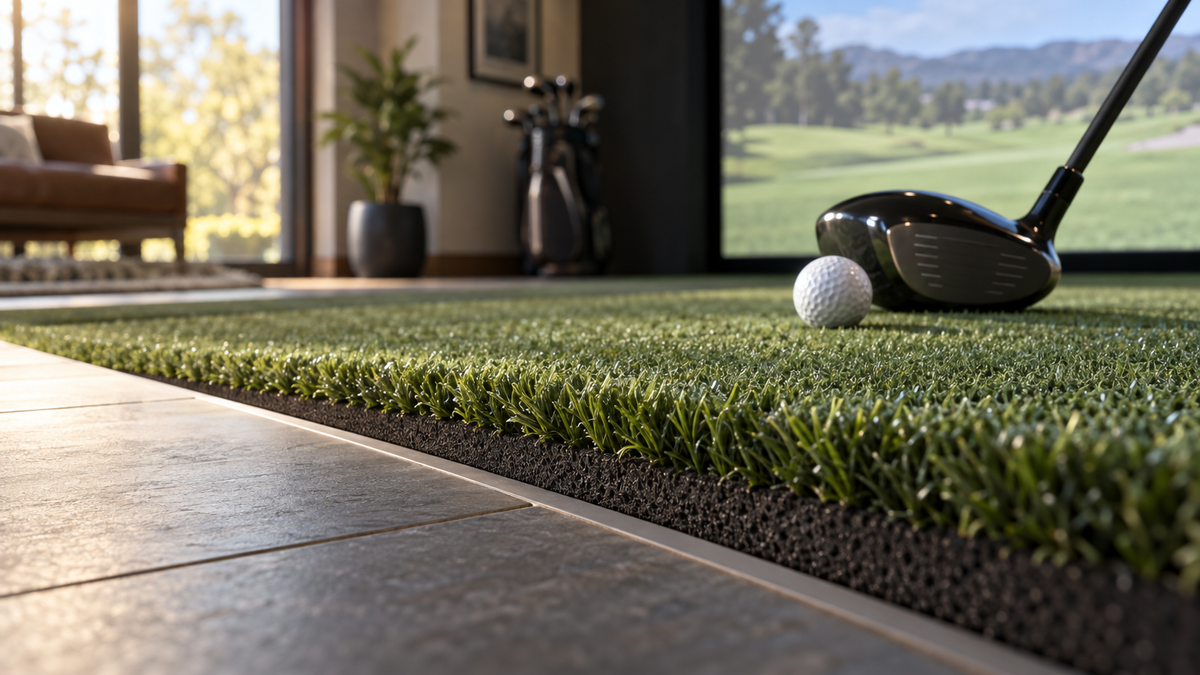
A 10-foot-wide room cannot hold a centered hitting mat. That sounds dramatic until you measure it: Foresight Sports recommends an absolute minimum room width of 13 ft for a comfortable swing diameter, which is three feet wider than the 10 ft most retailer guides print as "minimum" (Source: Foresight Sports, cited in Golf Workout Program ceiling-height guide). So in a narrow bay the mat does not go in the middle. It gets pushed to the hitting side, and everything else, your stance turf, your launch monitor, your ball tray, gets arranged around that decision.
This golf simulator hitting mat sizing guide works the other direction from most. Instead of picking a mat and hoping it fits, you start with room width, hitting side, and where your launch monitor sits. The mat footprint falls out of those three numbers.
Start With the Footprint Range You Actually Have
Most hitting mats fall between 3'x5' and 5'x5', with 4'x5' and 5'x5' being the two most commonly stocked residential sizes (Source: Greatmats, "How Big Are Golf Hitting Mats"). That is the whole menu. You are not choosing from infinite options, you are choosing between about four footprints and whether to add stance turf around them.
A 5'x5' gives you a true square where a right-handed and left-handed player can both set up without stepping off the edge. A 4'x5' saves a foot of width and works fine if one golfer uses the bay. Anything smaller than 4' wide and you are hitting off a strip with your trail foot on the floor, which is a legitimate choice, just not an accident you want to discover after delivery.
Your Launch Monitor Decides More Than Your Room Does
This is the part people skip. Clearance from the tee varies more than ten-fold depending on the unit. A SkyTrak-style side unit sits 12 inches beside the ball. A camera-based side unit like a GCQuad wants 22 inches. Radar units sit behind you: a Mevo-class unit needs 8 ft, and a Full Swing KIT needs 10 ft (Source: Shop Indoor Golf launch monitor placement reference).
Side-mounted units dictate mat width. Behind-the-ball radar dictates how far back the stance area has to sit, and that is the single biggest driver of total footprint in a small room.
Clearance each launch monitor needs from the tee (drives mat footprint)
Inches from the tee to the unit. Source: Shop Indoor Golf launch monitor placement reference
Overhead units dodge the whole problem by mounting roughly 3.5 ft in front of the ball and taking zero floor space. If your bay is tight, that matters more than any spec on the box, and it is a big reason overhead units keep showing up in small-room builds. We broke the two main ones down in our Uneekor EYE XO2 vs ProTee VX comparison.
Exact Mat Dimensions by Room Size
10 x 12 ft room (the hard minimum)
TruGolf lists 10 ft wide x 12 ft deep x 9 ft ceiling as its minimum bay (Source: TruGolf, "Golf Simulator Room Dimensions"). At that width, go 4'x5' maximum and set it off-center: mat pushed toward your hitting side with roughly 2 ft of wall clearance behind the ball on the lead side. One-handedness only. A right-handed player gets a right-side mat, full stop.
Depth is the other squeeze. With 12 ft total and 8 to 10 ft needed from mat to screen, your stance area gets what is left. A behind-the-ball radar unit does not fit here. Pick a side or overhead unit.
12 x 15 ft room (the realistic sweet spot)
This is TruGolf's entry-recommended tier, and it is where a 5'x5' mat finally centers. Required depth splits by tracking tech, though: roughly 13.1 ft for photometric camera systems versus 16.4 ft for radar (Source: GolfBays golf simulator room size and space guide). A 15 ft room is comfortable for a camera unit and genuinely tight for radar.
So in a 12x15: 5'x5' mat, centered, with 2 ft of stance turf on the trail side if you want both-handed play. If you are running radar, drop to a strip plus stance turf and buy back the depth.
16 x 18 ft room (the ideal tier)
Here you stop compromising. Run a 5'x5' hitting mat flanked by stance turf out to 10 ft of total width, which lets a righty and a lefty each have a real setup without moving anything. Modular turf systems built from 2 ft sections let you configure 4, 6, 8, or 10 ft widths with extendable length (Source: Fiberbuilt Golf modular turf system overview). That is the practical answer for odd room widths, you size the surface to the bay instead of forcing the bay around a fixed square.
Hitting surface options: footprint, thickness and what they cost
Swipe to compare →
| Option | Footprint / thickness | Price |
|---|---|---|
| Carl's Place HotShot Golf Mat System | Full system, base plus replaceable strip | from $499.95 |
| Carl's Place HotShot Mat Base | Base only, sized to your bay width | from $425.00 |
| Carl's Place HotShot Hitting Strips | Strip only, the wear part you replace | from $79.95 |
| Carl's Place Interlocking Floor Tiles | Foam subfloor for a flush recess | from $59.95 |
| Big Moss Simulator Landing Turf | Stance and landing turf around the mat | from $1,816.95 |
| DIY recessed strip over foam subfloor | 12" x 30" strip over 1" EVA tiles | Builder-reported, varies |
What the Data Says About Thickness and Ceiling Height
Mat height eats ceiling clearance one-for-one, and almost nobody budgets for it. Studio-grade mats are commonly listed around 2 inches tall, while slim mats run about 1.13 inches total (Source: PlayBetter / Fiberbuilt product specs and SimSpace Golf spec sheets). That is nearly an inch of swing room sitting under your feet.
Then there is the monitor's own floor. Trackman specifies a 9'10" minimum ceiling, stricter than the 8.5 to 9 ft most retailer guides publish (Source: Trackman space requirements, cited in Golfers Authority / Golf Workout Program). If your unit sets a 3 m floor and your basement gives you 9'6", recessing a 2-inch mat flush is not cosmetic, it is the difference between building and not building. Our ceiling height requirements guide runs the same math from the frame side.
Construction affects data too. Fiberbuilt claims its vibration absorption layer handles 94.7% of clubhead vibration, and reviewers separately note that cheap sub-$100 mats can skew launch monitor readings by several percentage points while quality mats hold spin within 1 to 3% of professional systems (Source: Fiberbuilt Golf manufacturer claim and Golfers Authority hitting mat reviews). Those are vendor and review figures rather than independent tests, but they are the only published numbers tying mat construction to data fidelity, and the direction is consistent: thin and cheap costs you both wrists and accuracy.
Hitting Strip vs Full Mat: When the Strip Wins
The strip wins on money and loses on flexibility. Builders report replacing a hitting strip costs a fraction of replacing a full mat, with one builder avoiding a roughly $1,000 insert by framing a 5'x10' base with a cut-in divot strip for about $630 (Source: Golf Simulator Forum, "hitting strip vs hitting mat" and "mat setup to save money" threads).
Pick the strip when one golfer hits from a consistent centered spot, because wear concentrates in a single lane and that lane is the cheap replaceable part. Pick the full mat when multiple people with different handedness share the bay and your wear pattern spreads across the surface.
How to Recess a Mat So It Sits Flush
The recess depth target is not your bare slab. It is the total height of your subfloor-plus-turf stackup. Flush builds commonly run a 1-inch EVA foam interlocking tile subfloor under turf with a 12"x30" hitting strip cut in to match, and builders report that when the mat and strip are both 1-1/4 inches thick, no leveling shims are needed (Source: Carl's Place installation guidance and Golf Simulator Forum build threads).
Order of operations: lay your foam tiles, lay turf, measure the finished height, then cut the opening and drop in a strip whose total thickness matches that number. Measuring the hole before the floor goes down is how people end up with a lip that catches a club. If you are framing from scratch, sequence this alongside your electrical plan, because both are things you cannot easily change once the floor and frame close up.
Sizing It Up
Measure your room width first. Decide your hitting side. Check where your launch monitor has to sit. The mat footprint is whatever is left after those three, and in most rooms that lands on a 4'x5' or 5'x5' with stance turf filling the rest.
Ready to build around it? Start with a HotShot Golf Mat System from $499.95, add interlocking floor tiles from $59.95 for the recess, and size your screen to match by browsing our full impact screen collection.


Not sure which simulator fits your room?
The two-minute Simulator Finder Quiz checks your space and budget against every system we carry.

Keep Reading
Related guides

golf simulatorGolf Simulator Enclosure Cost to Build: Every Line Item, DIY vs Pre-Made (2026 Numbers)

golf simulatorGolf Simulator Room Electrical Plan: Where Every Outlet Goes Before the Frame Closes Up

golf simulatorGolf Simulator Enclosure Lighting Plan: Where to Mount Fixtures So They Never Wash Out Your Screen