
air gap behind screen
Golf Impact Screen Air Gap Behind Screen: How Much Clearance You Actually Need
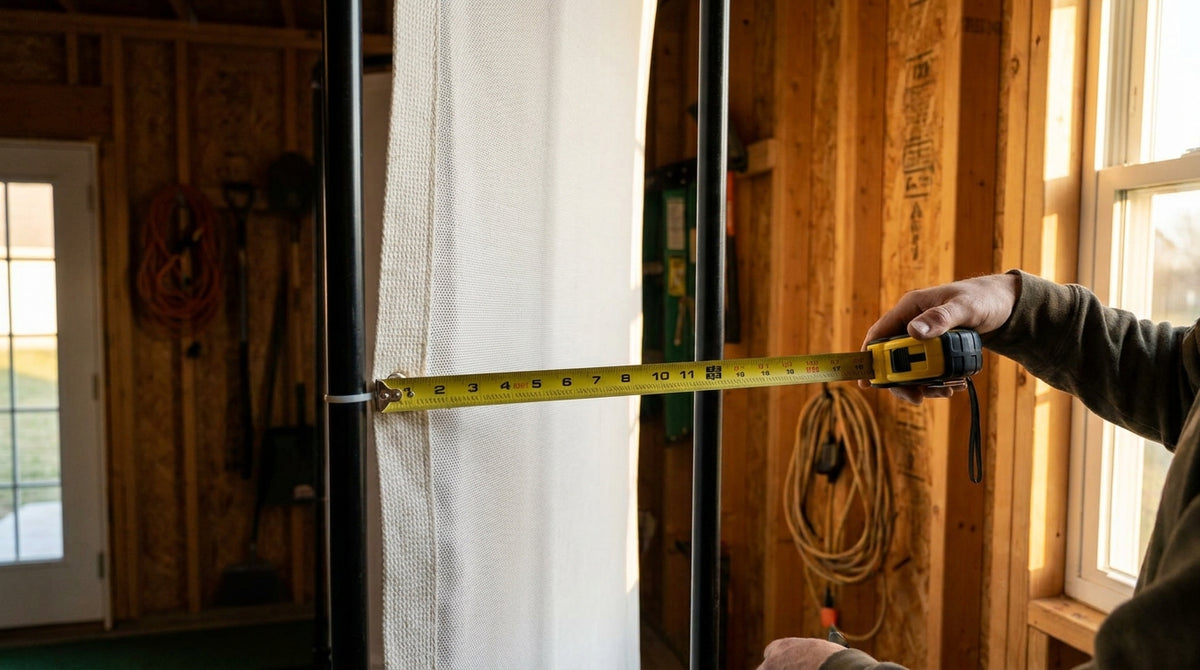
Twelve inches of empty air is the cheapest component in your golf simulator build — and the one most people forget to budget for. The golf impact screen air gap behind screen is simply the space between the back of the fabric and whatever sits behind it: drywall, studs, a garage door, a poured foundation wall. That gap isn't wasted room. It's the shock absorber. Screen makers hang their screens 12 to 16 inches off any rear surface, and anything touching the back of the screen causes premature wear (Source: Carl's Place, bounce-back troubleshooting guide). Pin a good screen flat against sheetrock and you're asking the fabric to stop a golf ball in roughly zero inches of travel. It will do it — for a few months. Then it won't.
What the Air Gap Behind Your Screen Actually Does
A golf ball hitting an impact screen carries a lot of kinetic energy. That energy has to go somewhere, and there are only two options: the screen converts it into motion, or the screen absorbs it as a hard shock load.
Motion is what you want. The screen belly-flexes backward several inches, decelerates the ball over that travel distance, then springs forward and returns it to you softly. That's a controlled stop spread over a long distance.
Building one now? Carl’s Place Preferred impact screen — from $299.
Shock is what you get when the screen bottoms out on a wall. Travel stops instantly, the ball rockets back at you, and every impact drives fabric fibers into a hard surface. Same swing, completely different outcome — and the only variable that changed was the empty space behind it.
This is why the fabric spec matters far less than builders assume. Carl's Place impact screens are tested to withstand repeated golf ball impacts at speeds up to 250 mph (Source: Carl's Place product specifications). Almost nobody swings that hard. The material is rarely the failure point. Impact energy with nowhere to go is.
Minimum vs Ideal Clearance: The Numbers
There's a working range the industry agrees on, and it shifts based on how your screen is mounted.
Recommended Clearance Behind a Golf Impact Screen by Mounting Type
Source: Carl's Place, SimSpace Golf, and Home Performance Lab published installation guidelines (2026)
Note the jump between the first two bars and the third. A minimum of 12 inches (30 cm) of clearance is advised for screens secured to a frame on all sides, but 20 inches (50 cm) is recommended for screens that only hang from the top and swing freely (Source: SimSpace Golf / Home Performance Lab impact screen guides).
That's roughly 60% more depth for the same screen, same swing. A four-sided frame limits how far the fabric can travel before tension stops it. A top-hung screen keeps moving — it swings like a heavy curtain, and it needs somewhere to swing to.
Framing your wall this weekend? Get the screen spec before you cut lumber.
Shop Impact ScreensWhat the Data Says About Standoff Distance
Four numbers explain most of what goes wrong in shallow rooms.
Rebound is the tell. A properly tensioned screen with adequate rear clearance rebounds the ball 1 to 3 feet off the screen face; too little clearance turns that into hard bounce-back (Source: Home Performance Lab, Golf Simulator Impact Screen Distance Guide, 2026). If balls are coming back past your mat, your gap is the first thing to check — not your tension. We broke the full rebound math down in our guide to how far balls really bounce back.
Your ball speed changes the math more than you'd think. PGA Tour average driver ball speed is 173.63 mph, while most male amateurs fall in the 125–145 mph range (Source: Uneekor PGA Tour Ball Speed Leaders data / Golfing Focus benchmarks). Kinetic energy scales with the square of speed, so a 170 mph player delivers roughly 1.9x the impact energy of a 125 mph player. Same screen, nearly double the load.
Lifespan collapses at the bottom of the range. Premium 3-layer screens last 3–5+ years under light use but drop to 1.5–3 years under daily use, and budget open-weave screens can fail in 3–6 months of heavy use (Source: Home Performance Lab, Best Golf Simulator Impact Screen, 2026). Screens crushed against a hard wall land at the bottom of those ranges every time.
The fix costs less than the failure. Impact screen pricing runs $180–$400 for open-weave, $280–$600 for silicone-reinforced, and $460–$1,060+ for premium poly spacer material (Source: Home Performance Lab material tier pricing survey). A sheet of foam board and some OSB is a rounding error next to replacing a premium screen a year early.
Clearance Behind Screen by Ball Speed
Here's the practical version. Find your speed band, build to the ideal column if your room allows it, and use the last column if it doesn't.
Clearance Behind Screen by Ball Speed — Minimum vs Ideal
Swipe to compare →
| Ball speed range | Minimum clearance | Ideal clearance | If the room won't allow it |
|---|---|---|---|
| Under 120 mph (short game, irons, junior/senior) | 8–10 in | 12 in | 1 in foam board on drywall is usually enough |
| 120–145 mph (most male amateurs) | 12 in | 16 in | 1/2 in plywood backer + 1 in foam, screen hung loose on bungees |
| 145–170 mph (low handicap / strong driver) | 16 in | 20 in | 3/4 in OSB backer + 2 in foam, and move the screen off the studs entirely |
| 170 mph+ (tour-level / commercial bays) | 20 in | 24 in | Build a standoff frame — do not hang directly on a wall |
What Goes Wrong When the Gap Is Too Small
The failure pattern is predictable. First the rebounds get sharp — balls come back fast and flat instead of dribbling to your feet. Then you notice a bright wear patch in the center of the screen where the fabric is getting sandwiched between ball and wall on every strike.
After that it's fiber separation, then a tear, usually right where your stock shot lands. Hanging on studs is the worst version: the screen contacts the stud faces on impact and gets abraded along vertical lines about 16 inches apart. You can literally read your framing layout in the wear pattern.
Concrete and block walls are unforgiving in the same way. If you're anchoring into a basement or garage foundation, our concrete wall mounting guide covers how to stand the frame off the wall rather than bolting flush to it.
When Your Room Physically Won't Give You 12 Inches
Plenty of garages and finished basements can't spare a foot of depth. You have real options — just don't skip straight to "it'll be fine."
Add a sacrificial backer
The accepted DIY substitute for depth is 1-inch foam insulation board mounted against the drywall, with plywood or OSB as the structural backer board (Source: Golf Simulator Forum builder threads / Carl's Place sim room protection guide). The foam takes the energy the missing air gap would have absorbed, and the OSB keeps you from punching through sheetrock.
Loosen the hang
A screen on bungees travels farther and decelerates gentler than one cinched tight to a frame. If you're short on depth, trade some tension for travel. Just watch for long-term stretch — that's the tradeoff we covered in our post on why screen tension disappears over time.
Steal depth from the room, not the wall
Moving the screen 6 inches forward into the room costs you 6 inches of hitting area — almost always the better trade. You need 10 feet tee-to-screen anyway; you rarely need the last half foot of wall clearance for anything else.
How to Measure Your Gap Before You Order
Measure from the back face of your screen fabric — not the front of your frame — to the nearest hard object behind it. Include anything protruding: outlet boxes, pipe stubs, garage door tracks, window sills. The gap is set by the closest obstruction, not the average.
Then check your frame depth. Most enclosure frames put the screen 4 to 8 inches in front of the rear uprights, so a frame parked against the wall already eats half your clearance before you hang anything.
Get that number, match it to your ball speed in the table above, and you'll know before you order whether you're building a screen that lasts five years or eighteen months.
Build the Gap In From Day One
Clearance behind the screen is the one spec you can't retrofit cheaply. Fabric you can swap. Projectors you can remount. Standoff distance is baked into your framing the day you build it.
Give yourself 12 inches minimum, 16 if you can spare it, and more if you're swinging over 145 mph. Then buy a screen built to take advantage of it.
Ready to hang it right? Browse Standard, Preferred, and Premium impact screens sized for your bay.
Shop Impact Screens


Not sure which simulator fits your room?
The two-minute Simulator Finder Quiz checks your space and budget against every system we carry.

Keep Reading
Related guides

golf simulatorGolf Simulator Basement Conversion Checklist: The 7 Steps to Run Before You Buy Anything

DIY golf simulatorGolf Simulator Garage Build Cost Breakdown: Every Line Item at Three Budget Tiers

enclosure frame heightGolf Simulator Ceiling Height Requirements for a Garage Build: The Real Numbers Before You Buy a Frame