
10 foot ceiling
Golf Simulator Room Size Requirements for a 10 Foot Ceiling: Width, Depth, and Swing Clearance
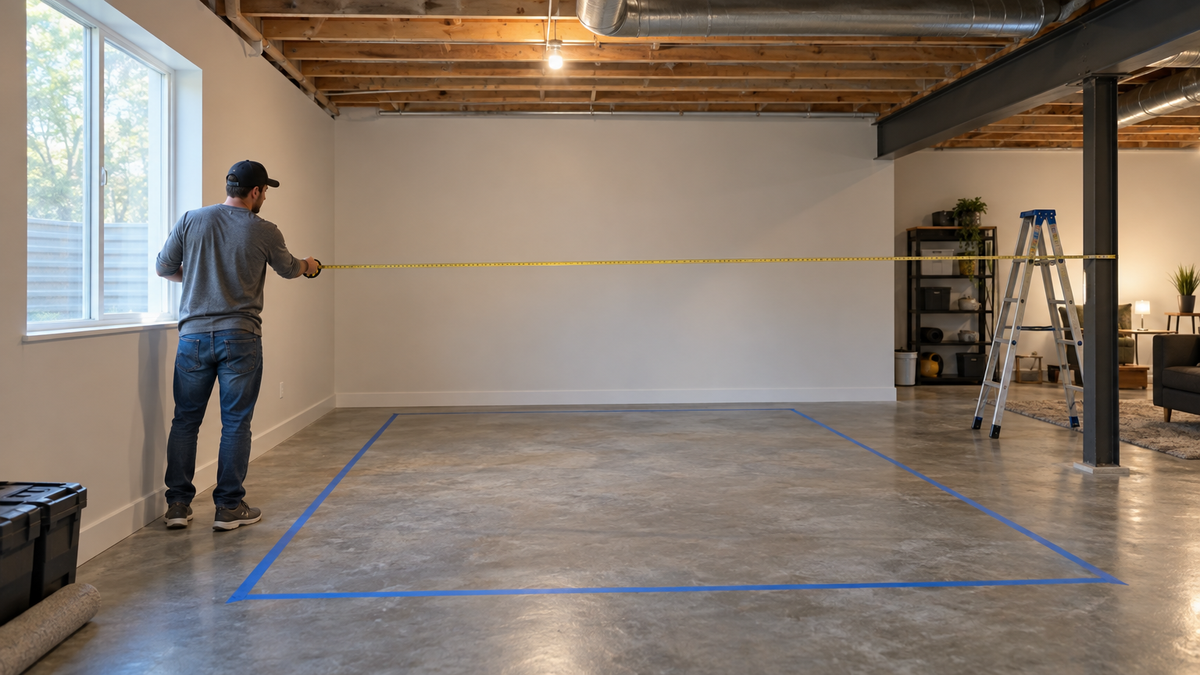
A 10-foot ceiling clears the driver-swing requirement by about two inches. That is enough, but it is the only dimension in your room where the margin is that thin, and it is rarely the one that sinks a build. Width and depth are where most golf simulator room size requirements for a 10 foot ceiling space quietly fall apart.
This guide walks through every dimension you need to check before you order an enclosure, mat, and screen: ceiling, width, depth, hitter-to-screen distance, and the clearance that people forget. Grab a tape measure.
Is a 10 Foot Ceiling Enough for a Golf Simulator?
For most golfers, yes. Golfjoy puts the minimum ceiling at about 9.2 ft and suggests 10 to 12 ft for full driver swings (Source: Golfjoy, 'How Much Room Do You Need for a Golf Simulator?'). TrackMan-derived guidance of about 9 ft 10 in would put a 10-ft ceiling just over the line even for a driver (Source: Golf Workout Program, 'The Minimum Ceiling Height You Need for a Golf Simulator').
The catch is that you measure the ceiling at the lowest point inside your swing arc, not at the middle of the room. Light fixtures, ducts, sprinkler heads, and garage door tracks all steal inches.
How to check your own swing height
Stand where the ball will sit, take a full driver swing slowly, and have someone mark the highest point your club head reaches. Add 6 inches for safety. If that number is under 10 ft, you are fine. If you are tall or swing long, read our ceiling height breakdown for garage builds before you buy a frame.
Short on height but good on floor space?
The Pro enclosure kit is built around a fixed frame, and the DIY kit gives you a lower-cost way to fit a tighter room. Both ship sized to your space.
Shop the Pro Golf Simulator Enclosure KitGolf Simulator Room Width: How Wide Is Wide Enough?
Width is what keeps a lefty and a righty both comfortable in the same bay. The published figures vary: TruGolf gives 10 ft as a bare minimum and 12 to 16 ft as recommended, Foresight says at least 13 ft, and Golfers Authority recommends 14 ft (Source: TruGolf; Foresight Sports via PlayBetter; Golfers Authority).
If your room is 10 ft wide, you can make it work, but you will be swinging close to the enclosure sides. Aim for 12 to 14 ft and you stop thinking about it.
Left- and right-handed clearance
If you are the only player and you hit right-handed, you can shift the hitting position slightly off center. If a lefty friend or family member is going to play too, center the mat and plan for the wider number. A hitting mat sized to your room also helps, because an oversized mat in a narrow room eats the clearance you just measured.
Golf Simulator Room Depth: The Number That Decides Everything
Depth is where most rooms get ruled in or out. The total is the sum of several pieces: space behind the golfer for the backswing, the distance from the ball to the screen, and a little wall clearance behind the screen.
- Behind the golfer: about 7 ft, or 8 ft for radar monitors.
- Hitter to screen: about 10 ft is ideal, with 9.5 to 11 ft as the range.
- Behind the screen: about 1 ft, or 1 to 2 ft behind a net.
Add those up and you land right around 18 ft, which is why 18 ft shows up as a preferred number. Our guide to impact screen depth behind the hitting mat shows the exact placement for 16, 18, and 20-foot rooms.
Photometric vs radar changes your depth
The type of launch monitor matters. GolfBays recommends 13.1 ft of depth for photometric (camera-based) monitors and 16.4 ft for radar-based ones (Source: GolfBays, golf simulator room size space guide). That is a difference of about 3 ft, and it can decide which monitor you buy.
If your room is on the shorter side, a photometric option like the SkyTrak Max Launch Monitor ($1,695.00) is the safer pick. If you have the depth, the radar-based FlightScope Mevo Gen2 Launch Monitor ($1,299.00) works well, but it needs that extra room behind the ball to read the shot.
By the Numbers: What the Data Says
Retail and manufacturer guidance does not agree perfectly, so here is what the sources actually say:
- Radar monitors need about 8 ft of clear space behind the golfer. Total depth guides run 12 to 15 ft as a minimum and 15 to 20 ft as a recommendation, with one guide citing 16 ft minimum and 20 ft preferred (Source: Golfers Authority; TruGolf; Golf Simulator Forum).
- The ideal hitter-to-screen distance is about 10 ft, with 6 ft as the tight-space floor (Source: Golfers Authority, 'How Far Should You Stand From the Screen').
- Some forum users report hitting from as close as 7 ft (Source: Golf Simulator Forum threads).
- Photometric monitors need roughly 3 ft less depth than radar monitors (Source: GolfBays).
These are retailer and community numbers, not a single manufacturer standard. Treat them as a range and pick the side that matches your comfort with a closer screen.
Recommended minimum room depth by launch monitor type, and typical recommended depth (ft)
Source: GolfBays; Golfers Authority (retailer guidance, not a manufacturer standard)
Room dimension guide for a 10-ft-ceiling golf simulator
Swipe to compare →
| Dimension | Minimum | Recommended |
|---|---|---|
| Ceiling height | 9.2-9.8 ft (Golfjoy / TrackMan-derived) | 10-12 ft (Golfjoy); 10-11 ft (Golfers Authority) |
| Width | 10 ft (TruGolf) | 12-16 ft (TruGolf); 13+ ft (Foresight); 14 ft (Golfers Authority) |
| Depth | 12-15 ft (TruGolf); 13.1 ft photometric / 16.4 ft radar (GolfBays) | 15-20 ft (TruGolf); 18+ ft (Golfers Authority) |
| Hitter to screen | 6-7 ft (tight) | About 10 ft (9.5-11 ft) |
| Behind golfer | About 5-6 ft (TruGolf) | About 7 ft, or 8 ft for radar |
| Wall clearance | About 1 ft behind screen | 1-2 ft behind net (Golfers Authority) |
What to Do When Your Room Is Tight
Most spare rooms are not perfect. Here is how to trade off when one dimension comes up short.
If depth is the problem
Move toward a photometric monitor, shorten the hitter-to-screen distance toward 8 or 9 ft, and make sure the screen has a safety baffle. Do not go to the 6 ft floor unless you have no other option, because a close screen leaves no margin for a mishit.
If width is the problem
A narrower enclosure is fine for a single right-handed player. Pick a frame you can size to the room rather than one that forces you to cram a standard footprint into a narrow space. The DIY Golf Simulator Enclosure Kit (from $999.95 to $1,874.95, depending on size and options) is built for exactly this kind of custom fit.
If height is the problem
Check the ceiling at the swing point, not the room average, and work around fixtures. If you want to hang a screen or projector, plan that before the frame goes up.
Pre-Order Room Checklist
Run through this before you click buy:
- Measure ceiling height at the lowest point inside your swing arc. Confirm it is at least your swing height plus 6 inches.
- Measure width wall to wall. Target 12 to 14 ft, and accept 10 to 11 ft only for a single player.
- Measure depth wall to wall. Subtract about 1 to 2 ft behind the screen, then 10 ft hitter-to-screen, then about 7 ft behind the golfer.
- Decide photometric or radar, since that shifts your depth need by about 3 ft.
- Mark the floor with painter's tape and take ten practice swings, including a driver, inside the taped box.
- Check for fixtures, vents, and outlets. Our room electrical plan covers where outlets go before the frame closes up.
If everything fits on paper and in the taped box, you are ready to order an enclosure, a mat such as the HotShot Golf Mat System (from $499.95 to $1,259.95), and a screen.
Ready to Pick the Screen?
Once your room dimensions are locked, the impact screen is the piece that has to match them exactly. Browse sizes and tiers, starting with the Standard Impact Screen (from $179.95 to $489.95), or see every option in the impact screen collection.


Not sure which simulator fits your room?
The two-minute Simulator Finder Quiz checks your space and budget against every system we carry.

Keep Reading
Related guides

enclosure pipe frame kitGolf Simulator Enclosure Pipe Frame Kit: What Size to Buy for Your Room

enclosure kit what's includedGolf Simulator Enclosure Kit: What's Included, What's Missing, and What to Add Before You Order

enclosure build orderGolf Simulator Garage Conversion Step by Step: The Build Order That Saves You Rework