
garage golf simulator
Golf Simulator Hitting Bay Layout for a Small Garage: Zone-by-Zone Dimensions That Work
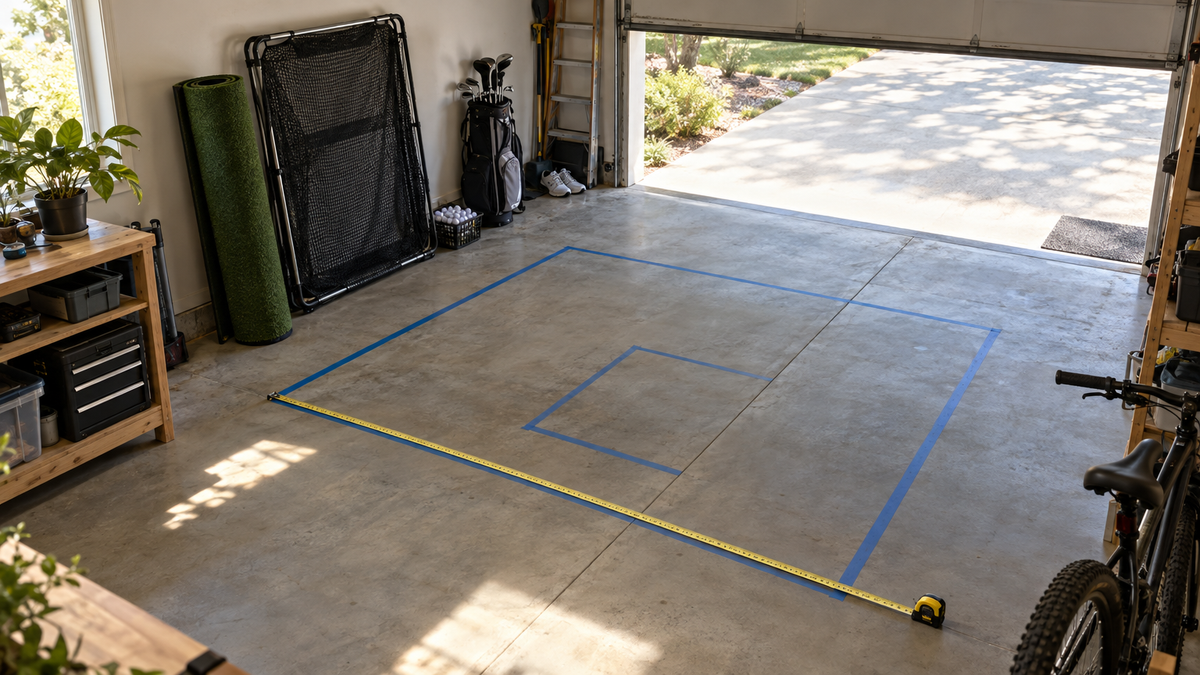
A single-car garage is usually 12 to 14 feet wide, and the swing zone alone wants most of that. Foresight Sports puts the absolute minimum width for a comfortable swing at 13 feet (Source: Foresight Sports, as cited by golf simulator retailer guides). That is why your golf simulator hitting bay layout for a small garage should start with width, not with the shiny gear.
Most people buy a screen, then discover the mat will not fit beside the launch monitor. This guide walks the bay zone by zone, front to back, so you order the whole build once.
Start With the Three Numbers That Decide Everything
Before you place a single piece, measure width, depth, and the lowest point of the ceiling. Garage door tracks and openers cut your usable height, so measure to the lowest obstruction, not the drywall.
Common garage minimums run about 10 ft wide by 12 ft deep by 9 ft high, with another guide listing 10 by 14 by 8 ft as a basic setup (Source: Golf Simulator Forum and retailer guides, including Golfers Authority, Austads, and GolfJoy). Treat those as the floor, not the goal.
Width: the zone most likely to limit you
Retailers call 9-10 ft the minimum and 14 ft ideal, since 14 ft centers the tee for both right- and left-handed golfers (Source: retailer space guides). If you share the garage with a left-handed buddy, plan for the wider number.
Height: set by your driver, not your irons
Guidance is 9-10 ft for full swings, with 8 ft cited as a minimum for irons only (Source: Playbetter; Golfers Authority; GolfWorkoutProgram). Our garage ceiling height breakdown covers the door-track problem in detail.
Pick the Launch Monitor Before You Draw the Floor Plan
Launch monitor type changes how deep the bay has to be, so it is the first real decision. Radar units sit about 6-8 ft behind the ball and need roughly 16-21 ft of total depth. Camera and photometric units sit beside the ball and can work in about 10 ft (Source: Playbetter; Golfers Authority, retailer blogs rather than manufacturer specs).
In a shallow garage, that points to a camera-based unit. The SkyTrak Max is $1,695.00 and sits beside the ball. If you have 16 ft or more and want a radar option, the FlightScope Mevo Gen2 is $1,299.00.
Always confirm the exact depth with the manufacturer before you commit. The figures here are retailer-reported ranges.
Building the whole bay in one order?
The Carl's Place Complete DIY Golf Bay Package (no launch monitor) bundles the enclosure, screen, and mat, from $3,252.70 to $3,717.70 depending on size and options.
Shop the Complete DIY Bay PackageWhat the Data Says About Bay Depth
Depth is where small garages get squeezed. Here is how much total room each launch monitor type typically wants.
Typical total room depth needed by launch monitor type (feet)
Source: Playbetter and Golfers Authority launch monitor space guides. Retailer-reported ranges rather than manufacturer specs; the 21 ft figure is the top of the cited 16-21 ft radar range.
The spread is 10 to 21 ft, more than double. A 12-ft-deep garage rules out radar, full stop. A 16-ft garage opens up almost everything.
Zone 1: Screen and Enclosure Frame
The screen goes at the front of the bay, centered on your tee position. Width should be 10-14 ft and the frame needs the 9-10 ft ceiling clearance discussed above.
For a garage, a pipe frame is the practical choice. The Carl's Place DIY Golf Simulator Enclosure Kit runs from $999.95 to $1,874.95 depending on size and options. Pair it with a Preferred impact screen, from $298.95 to $774.95.
Leave an air gap behind the screen so the ball can decelerate. Our guide on screen depth behind the hitting mat gives exact distances for 16, 18, and 20-foot rooms.
Zone 2: Hitting Mat and Player Stance
Center the mat on the screen and leave about 6 ft of clear space on each side of the hitting area for safety and storage (Source: golf simulator retailer space guides). In a 12-ft-wide garage that is tight, so many builders trade a full mat for a strip.
The HotShot Golf Mat System runs from $499.95 to $1,259.95 depending on size. If width is your constraint, read the hitting mat sizing guide before you pick.
Zone 3: Launch Monitor
Camera units sit beside the ball, so mark that spot on the mat. Radar units go 6-8 ft behind it, which means that zone must stay clear of the garage door and the back wall.
Tape the position on the floor and take a few dry swings with a real club. If the monitor feels like a hazard, the layout is wrong. The Launch Monitor Alignment Stand keeps it square, from $49.95 to $79.95.
Zone 4: Projector and Seating
The projector can ride a ceiling or shelf mount behind the player. Budget projectors run roughly $500-$2,000 across the market (Source: Active.com cost breakdown; retailer guides). On our shelf, the BenQ TH671ST is $949.00 and the BenQ AH30ST is $1,499.00.
Put seating and the laptop or tablet out of the swing arc, on the side with the extra clearance. A small stool near the back wall is plenty.
The Zones at a Glance
Here is the layout in one table, with typical market-wide cost ranges. These are retailer-reported, so check current prices before you budget.
Garage bay zones: dimensions and typical mid-range cost
Swipe to compare →
| Zone | Key dimension / requirement | Typical mid-range cost |
|---|---|---|
| Screen + enclosure frame | Width 10-14 ft; ceiling 9-10 ft | $1,000-$3,000 |
| Hitting mat + player stance | About 6 ft side clearance; centered on the tee | $300-$700 |
| Launch monitor | Camera: beside the ball. Radar: 6-8 ft behind the ball, 16-21 ft total depth | Varies by model; usually the largest single cost |
| Projector | Ceiling or shelf mount; budget range $500-$2,000 | $500-$2,000 |
| Installation / room prep | Mounting, lighting, power | $300-$3,000 |
Source: Golfers Authority installation cost guide; Active.com cost breakdown; other retailer guides.
Layout-to-Bundle Checklist
Run through this before you click order:
- Measure width, depth, and the lowest ceiling obstruction, including the door track.
- Choose camera or radar, then confirm total depth with the manufacturer.
- Tape the screen, mat, launch monitor, and projector positions on the floor.
- Take real swings inside the taped zones, left- and right-handed if both apply.
- Check outlet and light positions with our garage conversion build order.
If every zone passes the swing test, you have a layout you can buy against. If one fails, fix the layout, not the swing.
Ready to Order the Screen Zone?
The screen is the zone you set first and live with longest. Browse every size and tier in our impact screen collection, then match the width to the layout you just taped on your garage floor.


Not sure which simulator fits your room?
The two-minute Simulator Finder Quiz checks your space and budget against every system we carry.

Keep Reading
Related guides

DIY golf simulator enclosureGolf Simulator Enclosure Build Checklist for Beginners: 8 Steps in the Right Order

golf simulatorGolf Simulator Hitting Strip vs Full Mat for Small Rooms: What Fits a Bay Under 12 Feet Wide

enclosure pipe frame kitGolf Simulator Enclosure Pipe Frame Kit: What Size to Buy for Your Room