
DIY golf simulator build time
Golf Simulator Enclosure Build Timeline: Weekend Build vs a Week of Evenings
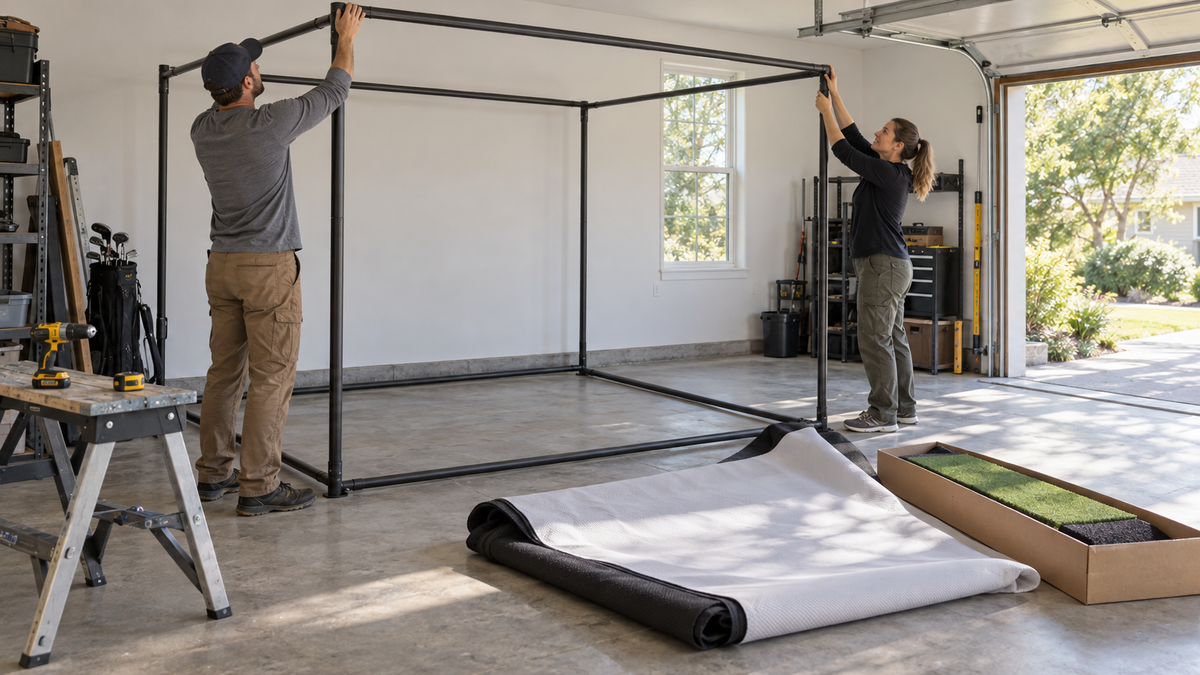
A prefab curved enclosure frame goes up in about four hours when you have a couple of helpers to lift and connect the pipes (Source: Golfers Authority / Carl's Place retailer guidance). That is a half-day job. Everything else in your golf simulator enclosure build timeline, from the screen to the mat to calibration, decides whether you hit a ball Sunday night or three weeks from now.
This guide breaks a full bay into an hour-by-hour plan for a weekend build and for a week of evenings. It also covers which steps cause delays and what should be sitting in your garage before day one.
How Long Does It Take to Build a Golf Simulator Enclosure?
Short answer: a simple room and a boxed kit fit in a weekend. A complex room, or a first-time DIY build with custom framing, wants a week of evenings.
The published numbers swing a lot because guides count different things. Some count only the frame. Others count research, finishing and calibration. So here is what this timeline includes: clearing the room, frame, screen, mat, projector or launch monitor mounting, cabling, lighting, and software calibration. It does not include shopping, waiting on deliveries, or drywall and electrical work.
The frame is the smallest part
One booth-style enclosure lists installation in as little as two hours with two people (Source: MyGarageGolf product page). That is the best case for a pre-engineered frame. A pipe-and-fitting frame takes longer, but you are still looking at a half-day, not a week.
Want the frame, screen and mat to land together?
Shop the DIY Golf Simulator Enclosure KitSizes and options vary, so check current price on the product page.
By the Numbers: What the Data Says About Build Time
Published estimates stack up like this:
- Typical full install: 6 to 12 hours for hardware plus calibration in a normal room, and up to 20 hours for complex builds.
- DIY construction: 8 to 14 hours across two weekends, with first-timers advised to allow 16 hours.
- Whole-project figures run far higher. One guide puts the physical build at 60 to 120 hours, and research and planning add more on top.
- Room limits do not bend. Sources give 8 to 9 ft of ceiling as a bare minimum and 10 ft or more as ideal, with 14 to 15 ft of width and 18 to 20 ft of depth (Source: Golfers Authority, GOLFJOY, Carl's Place space guides).
That last point matters most. No amount of extra build time fixes a room that fails the measurements, so confirm them first with our wall and ceiling clearance measuring guide.
Reported install/assembly hours by build type (midpoints of quoted ranges)
Source: MyGarageGolf, Golfers Authority and published DIY build guides. Bars show the midpoint of each quoted range.
Weekend Build Plan: Saturday and Sunday
The weekend plan works when the room is already clear, the kit is boxed, and every part is on site Friday night. It is tight but doable.
Saturday: frame and screen
Spend the first hour clearing the room, measuring, and marking the floor and ceiling. Then the frame: three to four hours with at least two helpers. Hang the impact screen and side netting after lunch, which is another one to two hours.
If you are weighing frame types, our ceiling mount vs freestanding comparison will save you a mid-build change of plans.
Sunday: mat, mounting, calibration
Lay the mat and floor protection in the morning (30 to 60 minutes). Then mount the projector or launch monitor, run cables, and set lighting, which takes two to three hours. Finish with software setup and calibration, one to two hours. If everything goes right, you are hitting balls by dinner.
Weekend vs week-long build: estimated hour-by-hour plan
Swipe to compare →
| Step | Weekend build (est. hours) | Week-long build (est. hours, spread over evenings) |
|---|---|---|
| Clear room, measure, mark floor/ceiling | 1 (Sat AM) | 1-2 (Mon) |
| Assemble enclosure frame (2+ helpers) | 3-4 (Sat) | 4-6 (Tue) |
| Hang impact screen and side netting (2 helpers) | 1-2 (Sat PM) | 2 (Wed) |
| Lay hitting mat, turf and floor protection | 0.5-1 (Sun AM) | 1 (Wed) |
| Mount projector/launch monitor, run cables, lighting | 2-3 (Sun) | 3-4 (Thu) |
| Software setup and calibration | 1-2 (Sun PM) | 2-3 (Fri) |
| Delay risks: missing pipes/fittings, back-ordered screen, projector throw distance, drilling or ceiling mounts | Any one can end the weekend early | Absorbed by spare evenings |
Week-Long Build Plan: When Evenings Beat a Weekend
Go with the week if you are building alone, drilling into ceilings, or running a custom frame. The hours are the same, but you get slack. A missing fitting on Tuesday night costs you a day, not the whole project.
The week also fits a garage you still need to park in. Break the build into one clean job per evening and leave the room usable between sessions. Our garage conversion build order shows what to do first so nothing gets redone.
Who you need and when
Frame day and screen day are the two-person jobs. Everything else, including the mat, cabling and calibration, one person can handle. Line up helpers for those two sessions and skip the rest of the headcount.
What Stalls a Build Day
Four things end builds early, and none of them is skill.
- Missing pipes or fittings. Kits like the DIY Golf Simulator Enclosure Kit are priced from $999.95 to $1,874.95 by size, but a screen kit alone does not include framing pipes, a mat, a projector or a launch monitor (Source: Carl's Place retailer guidance). Check what is in the box before you schedule helpers. Our what's included and what's missing guide walks the list.
- A back-ordered screen. The screen is the item most likely to have lead time, so order it first.
- Projector throw distance. Confirm it before you drill a mount, not after.
- Drilling and ceiling mounts. Anything that touches a joist or needs a stud finder adds time. If you want to skip it, a freestanding frame avoids the holes entirely.
Have These Delivered Before Day One
Treat this as your pre-build gate. If any item is missing, move the build date.
- Frame: the DIY Enclosure Pipe Framing Kit (from $349.95 to $414.95) if you already own the screen and netting.
- Screen: a Standard impact screen (from $179.95 to $489.95) or a Preferred impact screen (from $298.95 to $774.95), sized to your frame.
- Mat: the HotShot Golf Mat System (from $499.95 to $1,259.95).
- Cabling and ties: HDMI runs and zip ties ($11.99).
- Projector or launch monitor mounts, matched to your throw distance.
Want everything in one shipment? The Complete DIY Golf Bay Package (from $3,252.70 to $3,717.70) bundles the bay so there is less to forget. For the buying order, see our enclosure, screen and mat bundle checklist.
The Bottom Line
A weekend build is realistic for a measured room, a boxed kit and two helpers. A week of evenings is the safer call for anything custom. Either way, the build time is mostly decided before you pick up a tool, by what arrives on time.
Want the order sorted before build day? Build your simulator in 3D with your room size and add the full setup to your cart.
Get the screen ordered first, since it is the part with lead time. Browse our impact screen collection, pick your size, and check current price on the product page.
Shop the Gear
Impact Screens we recommend


Not sure which simulator fits your room?
The two-minute 3D Simulator Builder checks your space and budget against every system we carry.

Keep Reading


