
DIY golf simulator frame
Golf Impact Screen Frame Build DIY Guide: PVC vs Lumber vs EMT (What Actually Works)
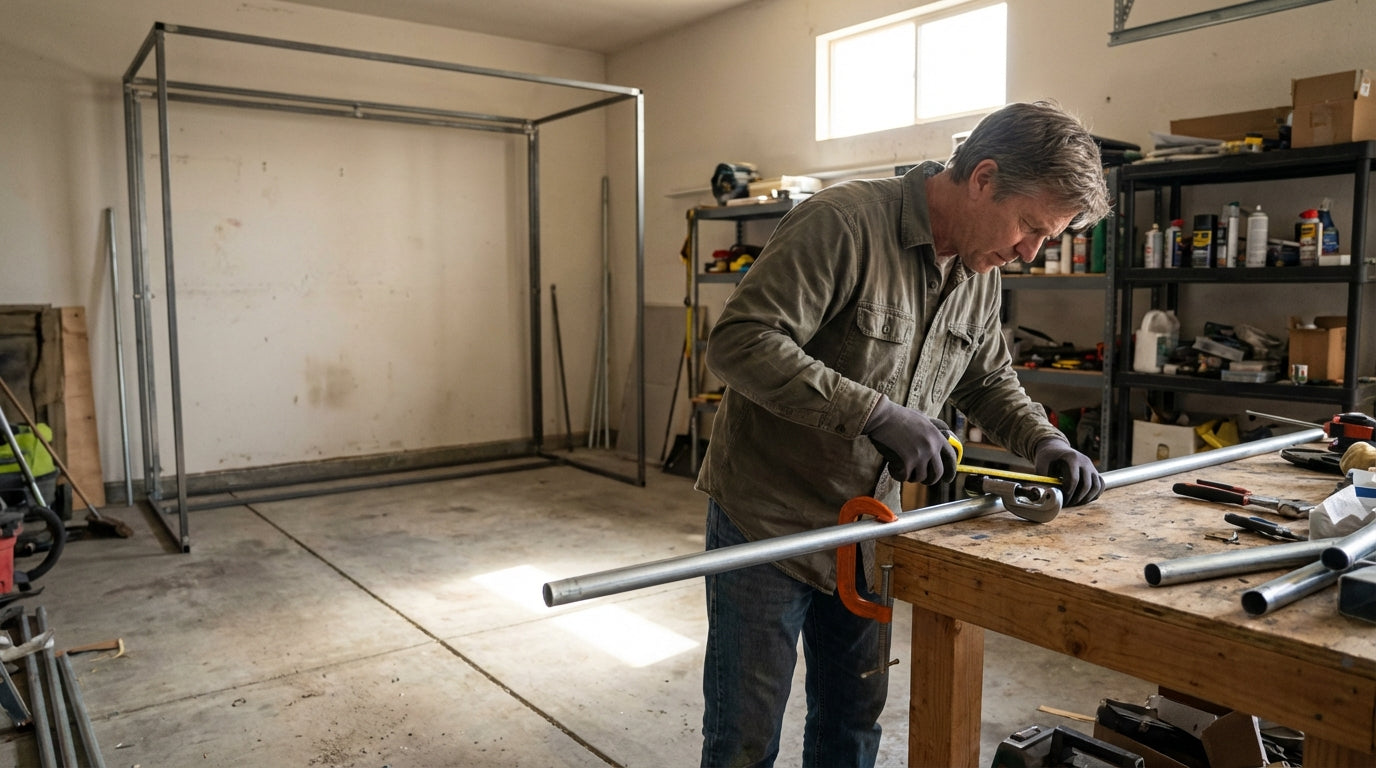
The frame is the part that kills the build — not the screen, not the projector. Most DIY builders find that out the hard way, usually as a PVC frame that sags in the middle, turns your screen into a hammock, and — in worst cases — shatters on a direct ball strike. PVC can shatter on full-speed ball impact at spans over 6–8 feet, making it a genuine safety issue for any standard-width sim setup. (Source: Ace Indoor Golf / Home Performance Lab) The good news? A properly built DIY frame saves you $1,000–$3,000 compared to a commercial pre-assembled enclosure of equivalent size. (Source: My Golf Simulator / Rain or Shine Golf) This guide walks you through every material option, the right frame dimensions for standard screen sizes, and exactly how to mount it so your screen hangs flat and survives years of ball strikes.
Why the Frame Material Decision Matters More Than You Think
Most people pick a material based on price alone. That's the wrong starting point. Your first filter should be span width — because at 10+ feet, not all materials handle the structural load and repeated ball impact stress the same way.
Ready to shop impact screens?
Browse the full Carl's Place lineup — every screen ships ready to mount with real size specs.
Shop Carl's Place Impact Screens →The frame dictates how well your screen holds tension, how safely it absorbs shots, and whether you're rebuilding the whole thing in a year. Get this right first and everything else falls into place.
The Four Frame Material Options
PVC Pipe (1–1.5 in Schedule 40)
Cheapest option at $80–$150 in materials. Best for sub-8 ft temporary builds only. Easy to find at any hardware store, easy to cut. But PVC sags significantly on spans over 6–8 feet, which translates directly into ripples and uneven tension on a standard-width screen. And if a ball makes direct contact with the frame, PVC can shatter. For a small practice corner — maybe. For a real sim setup — move on.
2x4 Lumber
The most rigid option available. A wall-anchored lumber frame runs $75–$175 in materials and won't flex at all on a 12-foot span. The tradeoff: it's permanent. You're not disassembling and relocating this thing. If you own your space and are committing to a fixed room build — especially one where you're also planning permanent flooring and room upgrades — lumber is a strong call.
EMT Conduit (3/4–1 in)
The community standard, and for good reason. EMT (electrical metallic tubing) costs $200–$350 for a standard frame, disassembles cleanly, and handles 10–12 ft spans with minimal flex. Critically, it bends on direct ball impact instead of shattering — which is exactly the behavior you want if a shot clips the frame. A complete 16x9 DIY enclosure with screen runs approximately $670 in total materials. (Source: Golf Simulator Forum community build thread)
Aluminum Tube + Fittings
The premium portable option at $300–$500 in materials. Very rigid, clean aesthetic, and the best choice for finished basements where the setup needs to look intentional. Also the right move if you need to reconfigure or relocate the build periodically.
DIY Golf Simulator Frame Material Cost Comparison
Source: Home Performance Lab, My Golf Simulator, Golf Simulator Forum — industry estimates for remaining
Frame Material Comparison: PVC vs Lumber vs EMT vs Aluminum
Swipe to compare →
| Material | Approx. Frame Cost | Rigidity on 10+ ft Span | Impact Safety | Best For |
|---|---|---|---|---|
| PVC Pipe (1–1.5 in Schedule 40) | $80–$150 | Poor — sags, flexes | Risk of shattering | Temporary or sub-8 ft builds only |
| 2x4 Lumber | $75–$175 | Excellent — fully rigid | High — absorbs impact | Permanent, wall-anchored rooms |
| EMT Conduit (3/4–1 in) | $200–$350 | Very good — minimal flex | Good — bends, doesn't shatter | Most DIY builds; disassembleable |
| Aluminum Tube + Fittings | $300–$500 | Very good | Good | Premium portable/semi-permanent builds |
Frame Dimensions That Actually Work
Your frame should give 6–12 inches of clearance on all sides of the screen. This matters because you need room to run bungee cords through grommets without the screen pulling hard against frame corners — that creates tension hotspots that wear the screen unevenly over time.
For a standard 10x9 ft impact screen: build the frame to roughly 11 ft wide x 10 ft tall. For a 10.5 x 7.5 ft screen: frame at 11.5 ft x 8.5 ft. Before cutting any material, confirm your ceiling height clearance — driver follow-through eats more overhead space than most people budget for.
Key measurements to nail down before you build:
- Frame standoff from wall: 12–18 inches. The screen needs air gap behind it to absorb ball energy. Without it, every shot sends shockwave energy straight through to drywall.
- Minimum ceiling height: 9 ft for most golfers; 10 ft is comfortable for unrestricted driver swings.
- Side clearance from hitting position to screen: 18–24 inches minimum.
Built the frame? Now match the screen to it.
Screens are listed by finished dimension with grommets already installed, so you can size to the span you just built rather than the other way around.
Shop screens by size →By the Numbers: The DIY Simulator Boom Is Real
This isn't a niche project anymore. Here's the data behind why so many golfers are building their own frames right now:
- The global golf simulator market hit $2.12 billion in 2025 and is on track to reach $4.12 billion by 2033, growing at 8.7% annually. (Source: Grand View Research / Fortune Business Insights)
- Indoor golf simulator participation grew over 30% between 2021 and 2024, fueled by the post-pandemic home setup boom. (Source: Pioneer Golf Co. / market research aggregators)
- A DIY conduit enclosure build saves $1,000–$3,000 versus a commercial pre-assembled enclosure of equivalent size — the primary reason most hobbyist builders go DIY. (Source: My Golf Simulator / Rain or Shine Golf)
- Over 15 million Americans participate in off-course golf activities annually, including simulators — meaning the DIY install base is enormous and still expanding. (Source: Pioneer Golf Co.)
Mounting the Screen: How to Get It Perfectly Taut
The frame gives you structure. Getting the screen flat and staying flat is the part that separates a crisp setup from one that frustrates you every session.
Standard method: bungee cords through grommets attached to eye bolts spaced 12 inches apart around the frame perimeter. Start at the top center, work outward symmetrically toward the corners, then tension the bottom and sides last. Never anchor the corners first — that's exactly how you create a screen that bags in the middle.
Use the same bungee length at every attachment point. Mismatched bungee lengths are the second most common cause of wavy screens. The edge finish on the screen itself also affects tension distribution — sewn edges handle bungee load far more evenly than raw-cut ones. If you haven't chosen a screen yet, the guide to impact screen finish options is worth a read before you commit.
Frame Build Mistakes That Cost You Later
PVC on a 10+ ft span. Already covered — the sag and shatter risk are both real and both avoidable.
No rear diagonal bracing. A freestanding frame with no diagonal braces on the rear uprights will rack (twist) under repeated ball impact over time. Add at least two diagonal braces running from the top rear corners down to the floor.
Zero standoff from the wall. The screen needs 12–18 inches of air gap. If it sits flush against drywall, every shot sends shock energy straight through — you'll damage the wall surface and wear through the screen in a fraction of its expected lifespan.
Wrong screen material for your setup. Frame quality and screen quality go hand in hand. If you're unsure which tier makes sense for your usage level and budget, the Standard vs Preferred vs Premium screen comparison breaks it down without the fluff.
Ready to Pair Your Frame With the Right Screen?
Once the frame is built, the screen is what determines your image quality, ball response feel, and long-term durability. Browse Carl's Place impact screens — Standard, Preferred, and Premium — and match the right one to your build, budget, and swing frequency.
Planning the whole bay? Use Build Your Bay: pick your room size, screen and mat, and we match every part (enclosure, framing, back cover, hitting mat) and add it all to your cart in one click.


Not sure which simulator fits your room?
The two-minute Simulator Finder Quiz checks your space and budget against every system we carry.

Keep Reading
Related guides

golf simulatorGolf Simulator Enclosure Lighting Plan: Where to Mount Fixtures So They Never Wash Out Your Screen

golf simulatorGolf Simulator Basement Conversion Checklist: The 7 Steps to Run Before You Buy Anything

DIY golf simulatorGolf Simulator Garage Build Cost Breakdown: Every Line Item at Three Budget Tiers