
golf simulator
Golf Impact Screen Projector Distance Calculator: The Exact Throw-Ratio Math (With a Free Tool)
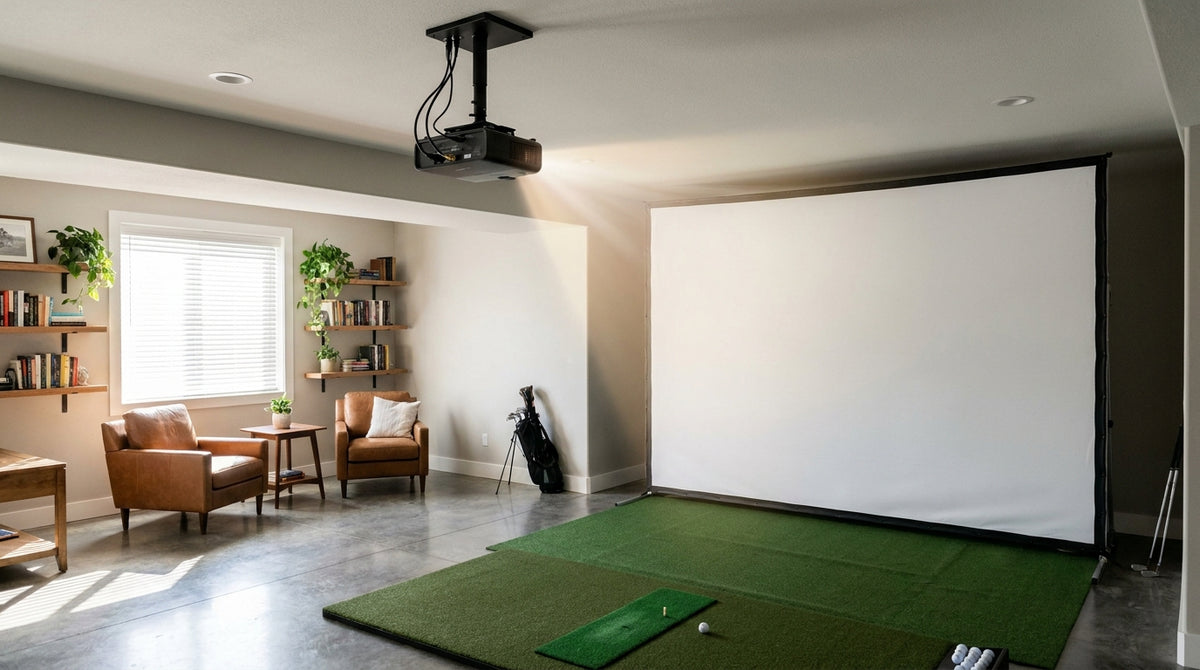
Here's a number that ends most projector-placement headaches before they start: a 0.69:1 projector on a 10-foot-wide screen sits exactly 6.9 feet from the fabric. Not "about 7." Not "somewhere back there." 6.9 feet — because throw distance is just throw ratio times screen width (Source: My Golf Simulator / Top Shelf Golf projector setup guides).
That single formula is the difference between a crisp, edge-to-edge image and a projector that either overshoots the screen or casts your backswing shadow across your ball flight. Below is the math, a worked example on a real projector, and a simple calculator so you can plug in your own room. No guesswork, no returns.
The one formula that runs your whole setup
Throw ratio is the spec printed on every projector's data sheet, and it's defined as throw distance ÷ screen width. Flip it around and you get the only equation you need:
Building one now? BenQ TH671ST short-throw projector — from $949.
Distance from lens to screen = Throw ratio × Screen width.
So a 0.83:1 projector on that same 10-foot screen? 8.3 feet back. A standard 1.1:1 office projector? 11 feet — which is usually behind your head and straight into shadow territory. This is why throw ratio, not brightness or resolution, is the first spec that decides whether a projector physically fits your golf room.
Golf Impact Screen Projector Distance Calculator
Type in your projector's throw ratio (from its spec sheet) and your screen's width. The calculator does the multiplication instantly and tells you whether you're inside the sim-friendly range.
Throw Distance Calculator
Your projector should sit 6.9 ft from the screen.
Inside the practical sim range (0.69–0.89:1). Good to go.
A worked example: the BenQ TH671ST
Let's run a real, popular golf-sim projector through it. The BenQ TH671ST carries a 0.69:1–0.83:1 throw ratio and can fill a 100-inch screen from roughly 5 feet away (Source: Carl's Place / Top Shelf Golf product specs).
On a 10-foot-wide impact screen, that same projector lands between 6.9 and 8.3 feet back — comfortably behind a normal hitting position and clear of your swing. That's exactly why short-throw units dominate this space. If you're weighing whether short-throw is right for your room in the first place, our guide on when close mounting is the right call walks through the trade-offs.
One caveat: the closer you mount, the more you fight brightness pooling in the center of the screen. If you've ever seen a bright blob in the middle of your image, our hot spot fix guide covers how to kill it.
What the Data Says
Throw ratio isn't the only spec, but it's the one that dictates placement. Here's what the setup guides consistently report:
- Short-throw golf projectors typically fall in a 0.65–0.95:1 throw ratio and need about 5–8 feet of distance, while ultra-short-throw models (0.49–0.52:1) mount just inches to a few feet from the screen (Source: Rain or Shine Golf / Home Performance Lab projector buyer guides).
- The practical golf-simulator window is 0.69–0.89:1 — tight enough to keep the projector behind the tee, wide enough to fully fill the screen with minimal shadow (Source: My Golf Simulator).
- Plan on at least 3,000 lumens and 1080p as your baseline, climbing to 4,000+ for rooms with ambient light and 5,000–6,000 for commercial bays (Source: Carl's Place / Rain or Shine Golf projector guides).
- A common 16:9 sim screen runs about 14 ft × 8.5 ft, and functional room minimums are roughly 10 ft wide × 9 ft high × 18 ft deep to leave room for standard throw distances (Source: Canvas ETC / Golf Simulator Advisor sizing guides).
Projector distance from a 10-ft-wide screen by throw ratio
Source: Calculated as throw ratio × 10 ft screen width; ratios per Rain or Shine Golf & My Golf Simulator
Match your projector type to your room
Once you know your distance, the question becomes which category of projector actually fits behind your hitting area. Here's the quick reference:
Throw ratio, mounting distance and best use by projector category
Swipe to compare →
| Projector type | Typical throw ratio | Distance for a 10-ft-wide screen |
|---|---|---|
| Ultra-short throw | 0.49–0.52:1 | 4.9–5.2 ft |
| Short throw (e.g. BenQ TH671ST) | 0.69–0.83:1 | 6.9–8.3 ft |
| Practical sim range | 0.69–0.89:1 | 6.9–8.9 ft |
| Standard throw | 1.0–1.5:1 | 10.0–15.0 ft |
The two mistakes the calculator saves you from
Mounting too far forward. A standard 1.1:1 projector needs 11 feet on a 10-foot screen. In most home rooms that puts the lens behind the tee — right where your swing lives — so every downswing throws a shadow onto your ball flight. Short-throw exists specifically to avoid this.
Ignoring aspect ratio. The distance math assumes your projector's native aspect ratio matches your screen. If it doesn't, you'll fill the width but waste height (or vice versa) and blow the geometry. Before you buy, confirm the match with our breakdown of 16:9 vs 16:10 screens.
Bottom line
Throw ratio × screen width gives you the exact number, and the sim-friendly window is 0.69–0.89:1. Run your projector through the calculator above before you drill a single mounting hole — it's the cheapest insurance in your whole build.
Once your projector distance is locked in, the screen it's pointed at matters just as much. Browse our golf impact screens to find the right 16:9 size and material for your room — and get a crisp, shadow-free image the day it goes up.


Not sure which simulator fits your room?
The two-minute Simulator Finder Quiz checks your space and budget against every system we carry.

Keep Reading
Related guides

golf simulatorGolf Simulator Hitting Mat Sizing Guide: Exact Dimensions for 10x12, 12x15, and 16x18 Rooms

golf simulatorGolf Simulator Enclosure Cost to Build: Every Line Item, DIY vs Pre-Made (2026 Numbers)

golf simulatorGolf Simulator Room Electrical Plan: Where Every Outlet Goes Before the Frame Closes Up