
dual purpose simulator room
Multi-Use Room Golf Simulator Setup Tips: A Full Sim Bay Without Sacrificing Your Space
Six point two million Americans used a golf simulator last year. That's a 73% jump from pre-pandemic numbers — and the vast majority of those people do not have a dedicated sim room. (Source: National Golf Foundation, 2025 Golf Simulator Opportunity White Paper)
They're swinging in garages that double as workshops. In basements that serve as home gyms three days a week. In spare rooms that need to function as offices again by Monday morning. The multi-use golf simulator setup isn't a compromise. For most people, it's the only realistic path — and when done right, it's a genuinely great one.
This guide covers the real numbers behind room requirements, the one decision that determines whether your setup works in a shared space, and the smaller details that separate a simulator you'll use every day from one that becomes a pain to deploy.
Building one now? Carl’s Place Preferred impact screen — from $299.
Does Your Room Actually Qualify? The Dimensions That Matter
Before you price out launch monitors or start measuring walls for a screen, check the box on your space. A functional home golf simulator needs at minimum:
- 10 ft ceiling height
- 10–14 ft width
- 15–18 ft depth (roughly 150–252 sq ft total)
(Source: Rain or Shine Golf, Carl's Place, Indoor Golf Design room size guides)
That footprint overlaps almost exactly with a 2-car garage or large finished basement. If you've got one of those, you have the bones for a legitimate setup — and probably more room than you think.
The ceiling is the variable that kills most living room or home office ideas. Main-floor residential ceilings typically run 8–9 ft, which isn't enough clearance for a full driver swing at full extension. If your target room doesn't hit 10 ft, move the conversation to the garage or basement. A retractable screen in a taller secondary space beats a compromised setup in a nicer room every single time.
For a thorough breakdown of every ceiling scenario — including what you can and can't get away with on tighter clearances — our guide on ceiling height requirements for a home golf simulator covers every situation in detail.
The Core Decision: Fixed Screen or Retractable?
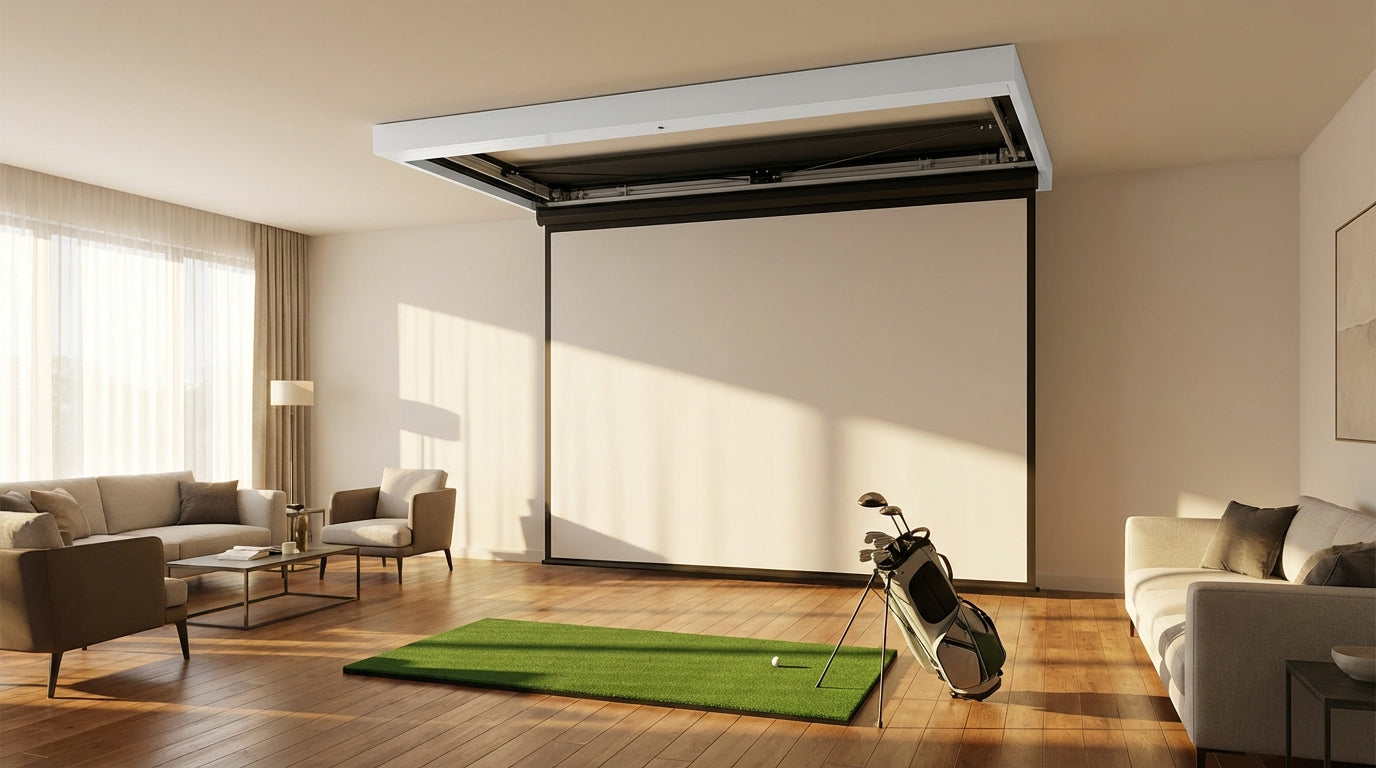
For a multi-use room, this is the only decision that really matters — and it's actually a simple one. If other people use this room for anything other than golf, get a retractable screen. End of discussion.
A retractable impact screen mounts in a housing unit at the ceiling and deploys on demand. The best systems convert in under 30 seconds via a wireless remote. When you're done, it retracts completely out of sight. Your gym is your gym again. Your living room looks exactly as it did before. No permanent screen eating up wall space, no explaining why the spare room is now a golf simulator.
A fixed screen is a perfectly valid choice if you're committing a room entirely to the simulator. Slightly simpler to install, nothing to think about between sessions. But once it's up, the room is a sim bay. That door only swings one way.
Fixed vs. Retractable Screen: Multi-Use Room Comparison
Swipe to compare →
| Feature | Fixed / Permanent Screen | Retractable Screen (e.g. Carl's Place) |
|---|---|---|
| Room conversion time | N/A — room stays as sim bay | Under 30 seconds (wireless remote) |
| Space impact when stored | Occupies room full-time | Screen retracts to ceiling housing |
| Ideal room type | Dedicated basement or garage | Living room, gym, office, shared garage |
| Projection quality | Excellent (tensioned flat surface) | Excellent (tensioned when deployed) |
| Installation complexity | Moderate (framing + mounting) | Low-to-moderate (ceiling track + housing) |
| Typical screen cost range | $300–$2,000 | $800–$3,500 |
| Best for | Dedicated sim rooms | Multi-use / dual-purpose spaces |
Carl's Place builds retractable screen options specifically for the multi-use scenario — ceiling-mounted systems designed to keep the screen entirely out of the way between sessions. If you need help dialing in the right screen size for your room dimensions, our golf screen sizing guide walks through every measurement you'll need.
By the Numbers: Why Multi-Use Home Setups Are the New Normal
The data makes a strong case that what you're trying to build isn't a niche workaround — it's the mainstream.
58% of all global golf simulator installations are in the residential segment. (Source: Grand View Research / Fortune Business Insights Golf Simulator Market Report 2025) More than half of simulator demand worldwide comes from homeowners, not commercial venues. This entire market is built on people making it work in real homes with real space constraints.
6.2 million Americans used a golf simulator in the past year — a 73% surge vs. pre-pandemic levels. (Source: National Golf Foundation, 2025 Golf Simulator Opportunity White Paper) That growth isn't coming from new commercial venues. It's coming from garages and basements. People are retrofitting shared spaces because that's what they have.
96% of home simulator owners use their setup for practice, and 76% play full virtual rounds. (Source: NGF 2025 Golf Simulator Opportunity White Paper) These setups get used seriously — not just dusted off on weekends. That makes the multi-use room investment straightforward to justify even when you're sharing the space with a treadmill or a couch.
The global golf simulator market was valued at $1.92 billion in 2025 and is projected to reach $4.7 billion by 2034. (Source: Fortune Business Insights Golf Simulator Market Report 2025–2034) Same adoption curve as home theater systems in the early 2000s. You know how that story ends.
Home Golf Simulator Cost by Setup Tier (2025)
Source: Carl's Place, Rain or Shine Golf, GolfJoy, RS Golf cost guides 2025. Values represent approximate midpoint of published ranges.
The mid-range tier ($5K–$8K) is where most serious home golfers land. A multi-use room setup in that range — retractable screen, solid launch monitor, good mat — absolutely holds up for real practice use.
The Setup Details That Actually Make It Work
Once you've committed to a retractable screen, a handful of variables determine whether this is a setup you'll use every day or one that becomes a hassle to deploy.
Lighting
Ambient light is the single biggest killer of projector image quality in a shared room. Blackout shades on any windows facing the screen are non-negotiable — no exceptions for nice afternoon light. Warm-toned recessed lighting performs significantly better than bright overhead LED strips. Our deep dive on ambient light problems and how to fix them covers every scenario in detail — read it before you finalize any lighting decisions in a shared space.
Flooring
You need cushion underfoot and protection for whatever surface is underneath your hitting mat. Interlocking rubber tiles are the cleanest solution for a multi-use room — lay them before a session, stack them neatly when you're done. If the room has hardwood or polished concrete, a synthetic grass mat over a foam base adds comfort and feedback without permanently altering the floor.
Sound
A 7-iron at 90 mph connecting with an impact screen is genuinely loud. In a multi-use room — especially one above a living area — this matters to everyone in the house. Acoustic foam panels behind and around the screen make a real difference and are cheap enough that there's no reason not to budget for them up front rather than retrofitting after the first complaint.
Nail Down Mat Position First
Don't finalize projector placement, screen height, or launch monitor position until you've locked in where your hitting mat will live. That single point determines every other dimension in the room — projector angle, depth to screen, side clearance, ceiling height requirement at impact. Mark it with tape first. Walk through the swing path. Then build outward from there.
Build the Setup That Fits Your Life
The right screen makes the whole multi-use setup possible. Carl's Place impact screens are built to take real shots — full-speed drivers, chunked irons, the occasional shank that goes slightly wide — and still disappear completely when you need the room back for something else.
Browse Carl's Place Impact Screens at GolfingSim →
Whether you're going retractable for a shared living space or locking down a dedicated bay for good, the screen is the foundation everything else is built around. Get that right and the rest falls into place.
Planning the whole bay? Use Build Your Bay: pick your room size, screen and mat, and we match every part (enclosure, framing, back cover, hitting mat) and add it all to your cart in one click.
Related reading: Golf Simulator Impact Screen Dual Projector Blending: When One Projector Stops Cutting It · Golf Simulator Impact Screen for Multi-Sport Use: Can One Screen Really Take a Baseball, a Puck, and Your Driver?


Not sure which simulator fits your room?
The two-minute Simulator Finder Quiz checks your space and budget against every system we carry.

Keep Reading
Related guides

golf simulatorGolf Simulator Enclosure Lighting Plan: Where to Mount Fixtures So They Never Wash Out Your Screen

golf simulatorGolf Simulator Basement Conversion Checklist: The 7 Steps to Run Before You Buy Anything

DIY golf simulatorGolf Simulator Garage Build Cost Breakdown: Every Line Item at Three Budget Tiers