
ambient light
Golf Impact Screen Ambient Light Problems: Why Your Room Is Killing Your Image (And How to Fix It)
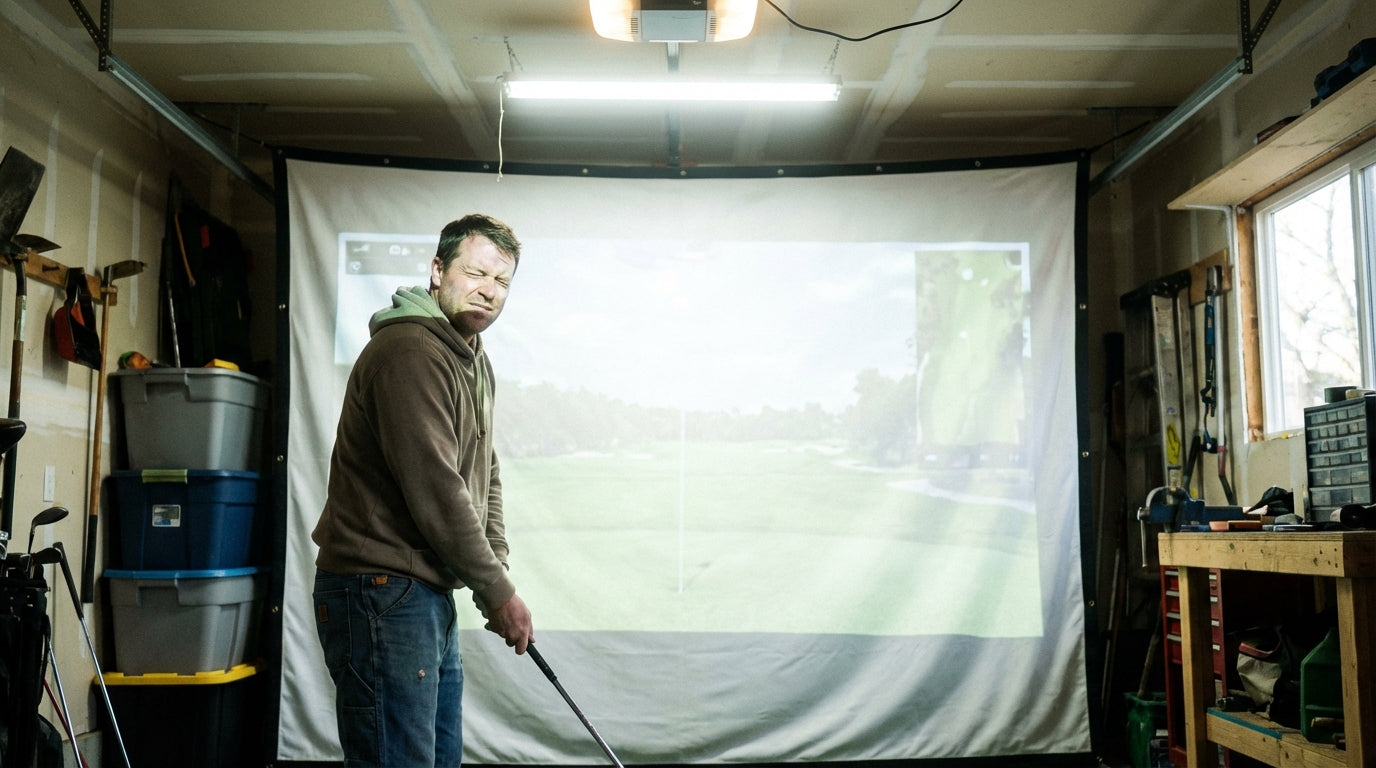
Spend $3,000 on a 4K projector, mount it in your garage, fire it up — and stare at an image that looks like someone smeared Vaseline on the lens. That's ambient light doing its thing. And it's silently ruining more home golf simulators than any hardware failure ever will.
Here's the number that should sting: a 4K projector delivers over 8 million pixels versus roughly 2 million for 1080p. But ambient light washing out your image completely negates that 4x resolution advantage — you're paying for pixels you simply cannot see. (Source: BenQ US / TopShelfGolf Golf Simulator Projector Setup Guide)
Golf impact screen ambient light problems are one of the most common complaints from home simulator owners — and the solution usually isn't a more expensive projector. Most of it comes down to screen material choice and how you treat the room.
Building one now? Carl’s Place High-Contrast Gray screen — from $450.
What Ambient Light Actually Does to Your Simulator Image
Your projector throws focused light at a screen. Your room also throws light at that same screen — from windows, overhead fluorescents, wall bounce, even gaps under a door. When ambient light hits the screen, it lifts the dark areas uniformly, compressing your contrast ratio and washing out everything from ball-flight arcs to course textures.
Blacks go gray. Colors lose punch. The crisp shot-shape graphics and yardage overlays that make simulator software great turn into muddy smears you're squinting to read in real time.
This is one of the most commonly missed factors in any solid golf simulator room setup — golfers obsess over launch monitors and software, then drop a projector into an untreated room and wonder why the image looks rough.
By the Numbers: The Real Cost of Ambient Light
The projector brightness requirements by room type aren't a gentle curve — they jump hard with every increase in ambient light.
In a fully blacked-out room, you need a minimum of 1,500–2,000 lumens. Add some ambient light — a finished basement with a few lamps on — and that requirement climbs to 2,200–2,500 lumens. A room with actual windows or overhead lighting bumps you to 3,000+ lumens. And in a bright garage or multipurpose room with overhead fluorescents and daylight coming in? You're looking at 3,000–4,500+ lumens minimum just to keep the image watchable. (Source: BenQ Golf Simulator Lighting Guide / GolfersAuthority)
That gap between a dark room and a bright garage represents a massive hardware cost difference. It's exactly why understanding lumens needs to happen before you spec out your golf simulator projector — not after.
Minimum Projector Lumens Required by Room Ambient Light Level
Source: BenQ Golf Simulator Lighting Guide; GolfersAuthority — How Many Lumens for a Golf Simulator
The takeaway is stark: each step up in ambient light adds hundreds of lumens to your minimum projector requirement. Control the room, or choose the right screen material, and you can step that number back down significantly — without replacing hardware.
White Screen vs. Gray Screen: Which One Actually Handles Ambient Light
Most golfers assume brighter screen material is always better. In a fully dark room, it is. In any room with ambient light, that assumption will cost you image quality.
A standard white impact screen at 1.0 gain reflects 100% of your projector's light output — great for raw brightness. But it also reflects ambient light with equal efficiency. Window glare, ceiling bounce, lamp spill — all of it lands on your image and compounds the washout problem.
A gray screen at roughly 0.8 gain reflects only 80% of projector output. That sounds like a downgrade. But the real story is what it does to ambient light: gray screens absorb stray ambient light rather than reflecting it, keeping black levels deep and maintaining accurate color even in mixed-light rooms. (Source: ProjectorCentral / ProjectorScreen.com — 'What Is Screen Gain?')
The contrast boost a gray screen delivers in a real-world lit room outweighs the 20% lumen loss for almost every home simulator environment. If you're not in a dedicated blackout room, gray is almost always the right call.
White vs. Gray Golf Impact Screen: Ambient Light Performance Comparison
Swipe to compare →
| Performance Factor | White Screen (1.0 Gain) | Gray Screen (~0.8 Gain) |
|---|---|---|
| Best room environment | Fully darkened, no windows | Mixed light, garage, basement |
| Ambient light handling | Poor — stray light lifts black levels, washes out image | Good — absorbs stray light, maintains deep blacks |
| Brightness output | 100% of projector lumens reflected | ~80% of projector lumens reflected |
| Contrast in lit room | Significantly degraded | Largely preserved |
| Minimum projector lumens needed | 3,000+ (must compensate with brightness) | 2,500+ (screen compensates for room light) |
| Carl's Place product line | C Series Premium White | High-Contrast Gray Impact Screen |
Source: ProjectorCentral; SimCaddy; Carl's Place 'White or Gray Golf Impact Screens' blog; industry estimates
ALR Screens: When You Need the Heavy Artillery
For garages and rooms where you truly can't control overhead lighting, Ambient Light Rejecting (ALR) screens go a step further. These use a lenticular CLR panel construction that physically blocks overhead light at steep angles — not just absorbs it.
The performance data is hard to argue with: ALR screens with CLR panel construction can block up to 90% of overhead light, with typical gain values of 0.6–0.8. (Source: XGIMI / independent CLR panel measurements) That's near-complete rejection of ceiling light, which is the primary culprit in most garage and basement simulator setups.
The trade-off: ALR screens have a narrower optimal viewing angle and cost more than standard materials. For a single-viewer setup where you're always centered in front of the screen — which describes almost every home golf simulator — they're excellent. For multi-viewer setups, the narrower sweet spot becomes a limitation worth thinking about.
How to Fix Ambient Light Problems: In Order of Cost
1. Control the Light Source First (Free to Low Cost)
Before spending anything, block what you can. Blackout curtains on windows, switching off overhead lights during sessions, repositioning your setup away from natural light entry points. You can recover significant contrast before touching any hardware.
2. Match Screen Material to Your Actual Room (Medium Cost)
If you can't fully control ambient light, buy a screen designed for your real conditions — not your ideal ones. White screens for dedicated blackout rooms. Gray or ALR for garages and multipurpose spaces. This is the single highest-leverage spending decision for solving golf impact screen ambient light problems, and it's exactly why choosing the right screen material deserves as much attention as any other gear choice in your build.
3. Upgrade the Projector (Higher Cost — Last Resort)
More lumens can technically overpower ambient light. But it's expensive, and it doesn't fix contrast degradation the way screen material selection does. Upgrade the projector only after you've addressed room conditions and screen choice first.
Why This Problem Is Only Getting Bigger
Indoor golf simulator participation grew over 30% between 2021 and 2024, and the global market is projected to reach $4.7 billion by 2034 at a 10.1% CAGR. (Source: Fortune Business Insights — Golf Simulator Market Size & Forecast Report 2034) Over 15 million Americans now engage in off-course golf activities annually. (Source: National Golf Foundation)
The fastest-growing segment is residential home installations — garages, spare rooms, finished basements. These are exactly the environments with the least lighting control. More first-time home simulator owners are hitting ambient light image quality walls and reaching for the wrong solution: a bigger projector when what they needed was a smarter screen.
Bottom Line
Ambient light is the most underrated variable in a home golf simulator build. It can make a $3,000 projector look like a budget unit and turn your 4K resolution investment into something you can barely read. But it's almost always solvable — and usually solved at the screen level, not the projector level.
Match your screen to your room. Gray for garages and mixed-light spaces. ALR if overhead lighting is the problem you can't eliminate. And solve this before dropping another dollar on projector upgrades you don't actually need.
Browse our full range of golf simulator impact screens — including high-contrast gray options built specifically for real-world room conditions — and find the screen that fits your actual setup.


Not sure which simulator fits your room?
The two-minute Simulator Finder Quiz checks your space and budget against every system we carry.

Keep Reading
Related guides

golf simulatorGolf Simulator Enclosure Lighting Plan: Where to Mount Fixtures So They Never Wash Out Your Screen

golf simulatorGolf Simulator Basement Conversion Checklist: The 7 Steps to Run Before You Buy Anything

DIY golf simulatorGolf Simulator Garage Build Cost Breakdown: Every Line Item at Three Budget Tiers