
aspect ratio
How to Select the Best Golf Screen Size for Your Simulator Room
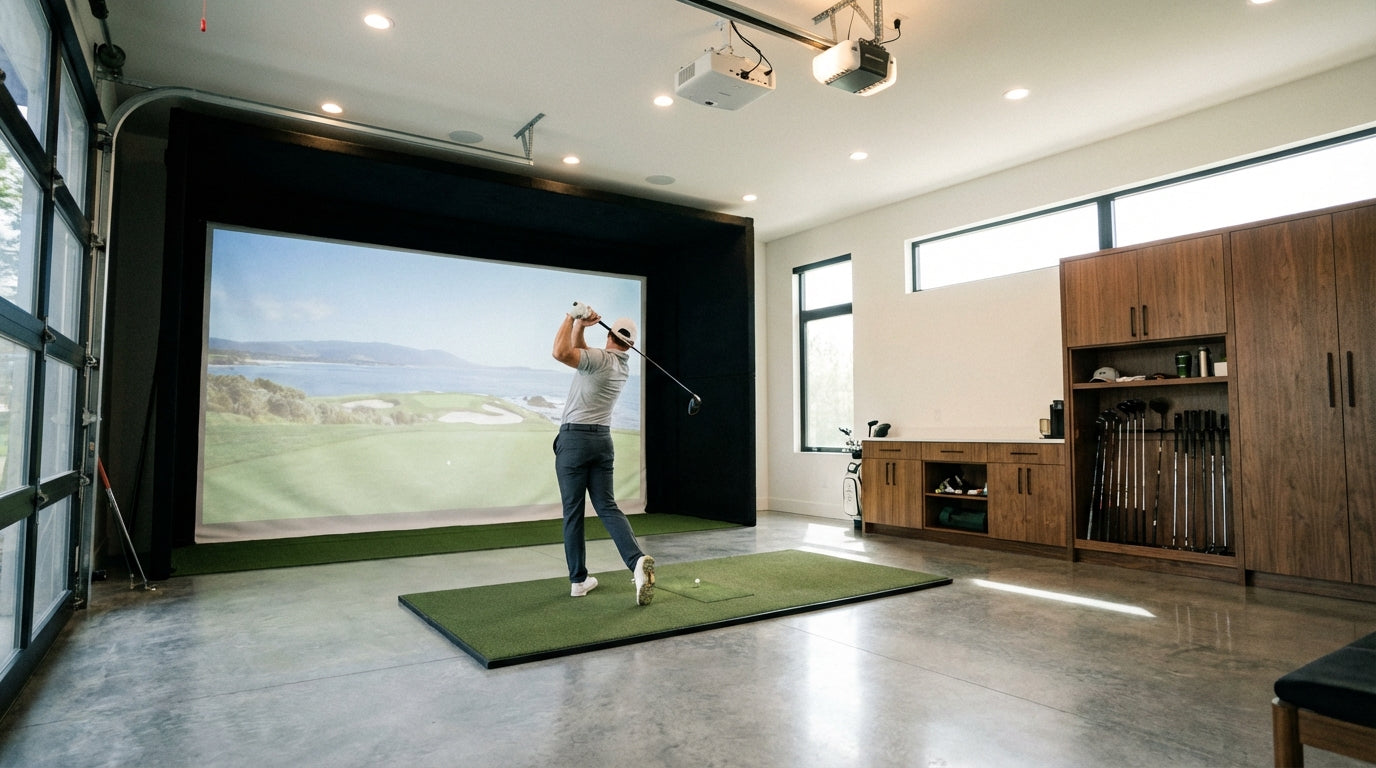
You've decided to build a golf simulator. You've got the launch monitor picked out, a projector shortlisted, and maybe even a spot in the garage cleared. But then you hit the question that trips up almost everyone: what golf screen size do you actually need?
It's not as simple as "buy the biggest one that fits." Your room dimensions, ceiling height, swing style, and even your projector's aspect ratio all play a role. Get it wrong and you're dealing with ball bounce-back, clipped images, or worse — a driver through the drywall.
Here's how to figure out the right golf screen size for your space, step by step.

1. Start With Your Room Space
Before you even look at screen sizes, grab a tape measure. Your room is the constraint that dictates everything else.
Ready to shop impact screens?
Browse the full Carl's Place lineup — every screen ships ready to mount with real size specs.
Shop Carl's Place Impact Screens →Measure three things:
- Height — floor to ceiling (watch for soffits, pipes, ductwork, and light fixtures)
- Width — left wall to right wall (note any doors, vents, or electrical panels)
- Depth — the total distance from the wall behind the screen to the back of your hitting area
The minimum recommended space for a golf screen is 96 inches high by 100 inches wide. That's 8 feet by about 8.3 feet — and that's the sweet spot for comfortable play. Screens are available starting at 7.7' × 7.7' for tighter dedicated spaces, but 8' × 8.3' is the recommended minimum for most setups. Anything smaller and you're going to feel cramped — and probably hit things you don't want to hit.
Depth matters more than people think. You need to stand at least 10 to 12 feet from the screen. Closer than that and you risk ball bounce-back (it comes off the screen faster than you'd expect) and potential injury. If you're working with a shorter room, a high-quality impact screen material with better ball dampening becomes even more important.

Free tool — 30 seconds
Will a simulator fit your room?
Enter your room’s length, width, and ceiling height — the calculator tells you instantly what fits and exactly which screen size to order.
Check my room size →2. Account for Buffer Space
Here's where most first-timers mess up: they measure the room and order a screen that exact size. Don't do that.
You need buffer space on every side:
- Height: Subtract at least 4 inches from your available ceiling height
- Width: Subtract 4 to 6 inches total (2-3 inches per side)
- Depth: Leave 12 to 16 inches between the wall behind the screen and the screen itself
Why? Because a golf impact screen should never be installed tight or rigid. It needs room to flex and absorb the ball's energy. A screen pulled taut against a wall will wear out faster, bounce balls back harder, and can even damage your wall or frame over time.
Also factor in your launch monitor's space requirements. Overhead units like the Uneekor need clearance above; floor units like the Garmin R10 need unobstructed space behind the ball. Plan for this before you commit to a screen size.

3. Understand Screen Dimensions (They're Not All the Same)
When shopping for a golf screen, you'll see three different measurements thrown around. They mean different things:
- Viewable Screen — the area that can actually be filled with a projected image. This is what matters most for your sim experience.
- Total Screen Size — the viewable area plus finished edges and trim material. This is slightly larger than the viewable area.
- Enclosure Size — the width of the frame or enclosure holding the screen. This is the overall footprint in your room.
These numbers won't all match, and that's normal. When comparing screens, make sure you're comparing viewable dimensions to viewable dimensions — not mixing up total size with viewable area.
One more thing: quality screens like Carl's Place screens are made by hand. There can be slight sizing variances (we're talking fractions of an inch). This is normal for handmade products and won't affect performance.

4. Factor In Golfer Height and Accuracy
This one gets overlooked constantly. Your screen isn't just for you — it's for anyone who swings a club in your sim.
Think about it: if you're 6'2" with a long swing arc, you need more vertical clearance than someone who's 5'8". Make sure there's enough room above to safely complete your full backswing and follow-through without clipping the ceiling. Our ceiling height guide breaks this down in detail.
Then there's accuracy — or lack of it. A larger screen gives you more room to accept mishits and off-center shots. This is huge if you're having buddies over who haven't swung a golf club since that one company outing in 2019.
If you expect a lot of wild swings (and trust me, there will be wild swings), seriously consider a full enclosure setup. It keeps errant balls contained and protects your walls, ceiling, and expensive equipment.

5. Choose the Right Aspect Ratio
This is where it gets a little technical — but stick with me, because this decision affects your image quality and how much room you need.
Aspect ratio is the width of your screen in proportion to its height. The two you'll see most often are 4:3 and 16:9.
Most projectors can output in 16:9, 16:10, and/or 4:3. Here's how they stack up for golf sims:
Swipe to compare →
| 4:3 Aspect Ratio | 16:9 Aspect Ratio | |
|---|---|---|
| Best For | Golf simulators, smaller rooms | Home theater setups, 4K projectors |
| Height | Taller for same width | Shorter / wider |
| Room Width Needed | Less | More |
| Projector Compatibility | Most projectors support | All modern projectors |
| Image Quality | Great | Best for 4K |
| Swing Room | More vertical space | Less vertical space |
4:3 is the most popular choice for golf simulators. It gives you a taller image area, which means more vertical space for your swing and a better view of the course. It also doesn't require as wide a room.
16:9 is the standard for movies and TV, and it's great if you have a 4K projector and want that ultra-wide cinematic look. But it needs a wider room and gives you less vertical screen real estate.
Fit vs. Fill: The Tradeoff
Here's something a lot of golfers don't think about until the projector is on: what happens when your projector's native aspect ratio doesn't match your screen?
If you project a 16:9 image onto a 4:3 screen, you'll get unused space at the top and bottom (black bars, basically). If you try to fill the height instead, the image will overrun the left and right edges of the screen.
Some golfers want a perfect image-to-screen fit with no wasted space. Others just want to hit balls and don't care about a little black border. There's no wrong answer — just know what you're getting into.
Throw distance also plays a role here. That's the distance between your projector and the screen. It directly affects how large your projected image will be. A short-throw projector can fill a big screen from just a few feet away, while a standard projector might need 10+ feet. Check your projector's throw ratio before finalizing your screen size.

Quick Sizing Recap
To nail your golf screen size:
- Measure your room (height, width, depth)
- Subtract buffer space (4" top, 2-3" each side, 12-16" behind screen)
- Pick 4:3 for most golf sim setups, 16:9 if you have a wide room and 4K projector
- Make sure your tallest golfer can swing freely
- Stand at least 10-12 feet from the screen
Getting the golf screen size right from the start saves you money, headaches, and holes in the drywall. Take 20 minutes to measure properly — your future self (and your walls) will thank you.
Not sure which simulator fits your room?
The two-minute Simulator Finder Quiz checks your space and budget against every system we carry.


Keep Reading
Related guides

golf simulatorGolf Impact Screen Max Ball Speed Rating: What Your Screen Really Survives at 110+ MPH

corner setupGolf Simulator Impact Screen for a Corner Setup: How to Angle It Without Wrecking Your Bounce-Back

golf simulatorGolf Simulator Impact Screen for a Shed: How to Size, Hang, and Tension It Right