
golf simulator
Golf Simulator Impact Screen: White vs Gray Material (And How to Actually Pick)
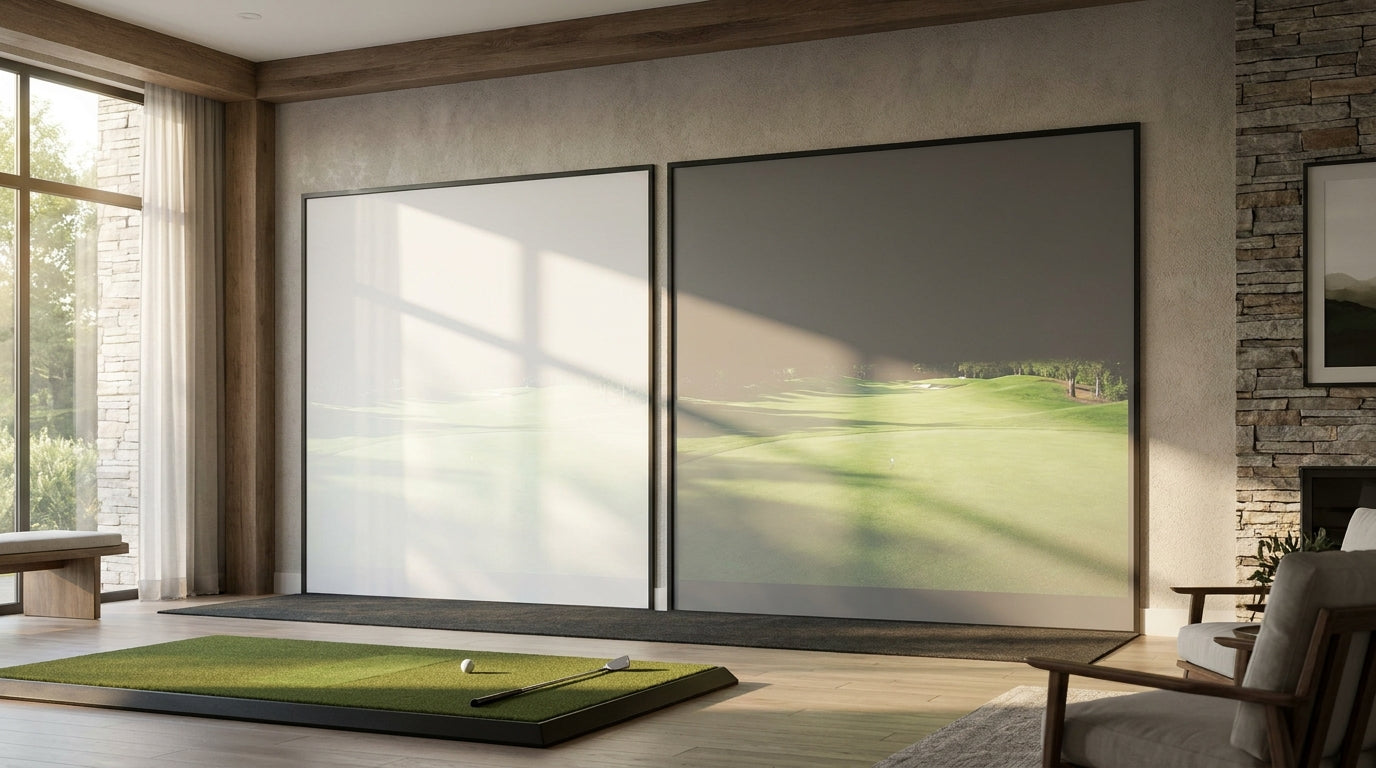
Here's the number that ends most of these arguments before they start: a white impact screen reflects roughly 100% of your projector's light at a gain of about 1.0, while a gray screen sits closer to 0.6 (Source: Carl's Place / Home Performance Lab). That sounds like white wins by a mile. It doesn't.
That "dimmer" gray screen also swallows about 40% more ambient light than white, which is the entire reason it exists. So the real question in the golf simulator impact screen white vs gray material debate isn't "which is brighter" — it's "how much light is bouncing around your room, and how many lumens is your projector throwing?" Get those two answers and the choice basically makes itself.
What Gain Actually Tells You
Gain is just a measure of how much projector light a surface reflects back at you. A gain of 1.0 means the screen reflects essentially all of it. Gray screens trade some of that reflectivity for the ability to absorb stray light instead of bouncing it everywhere.
Ready to shop impact screens?
Browse the full Carl's Place lineup — every screen ships ready to mount with real size specs.
Shop Carl's Place Impact Screens →That trade is the whole story. White gives you maximum brightness but no defense against a lit room. Gray gives you contrast and deeper blacks but demands a stronger projector to look its best. If you want to go deeper on the spec itself, our breakdown of screen brightness vs gain unpacks how the two numbers pair up.
White vs Gray, By the Numbers
This is where most people make the wrong call — they pick a color before they've measured their room or checked their projector spec. Here's what the data actually says.
Gray screens absorb roughly 40% more ambient light than white, which is what produces those deeper blacks and the lack of washout when an overhead light or a window is in play (Source: Carl's Place, 'White or Gray: Choosing the Right Golf Screen'). That's the upside. The catch is brightness.
In a genuinely bright room, a gray screen needs a projector pushing 5,000 lumens or more to fully overcome the light it absorbs, with 4,000+ lumens the practical floor (Source: Carl's Place / Friendly Golfer). For rooms with any meaningful ambient light, the guidance lands around a 3,200-lumen minimum for garage-style setups, with 4,000 lumens preferred on gray material (Source: Home Performance Lab, 2026 impact screen guide).
So if you're running a budget 3,000-lumen projector, gray can leave your image looking flat and dim. White will look brighter — it'll just also wash out the moment someone flips a light on.
White vs Gray Impact Screen: Gain Rating (Projector Light Reflected)
Source: Carl's Place & Home Performance Lab (2026)
Head to Head: The Full Comparison
If you only remember one thing, make it this: white is for dark rooms, gray is for everything else. The table below lays out where each surface actually wins.
White vs Gray Golf Simulator Impact Screens — Head to Head
Swipe to compare →
| Factor | White Screen | Gray Screen |
|---|---|---|
| Gain rating | ~1.0 (brightest) | ~0.6 (dimmer) |
| Ambient light handling | Washes out under room/natural light | Absorbs ~40% more stray light |
| Contrast / black levels | Blacks look gray in lit rooms | Deeper blacks, more vivid color |
| Projector needed | 3,200+ lumens OK in dark room | 4,000–5,000+ lumens recommended |
| Best room type | Dedicated, full light control | Garage / mixed-use with windows |
| Ball-mark visibility | High on bright white surface | Slightly muted by darker surface |
Match the Screen to Your Room, Not the Internet
Forum threads love to crown a universal winner. Your room doesn't care. The decision comes down to two honest questions.
Can you fully control the light?
If you've got a dedicated, windowless room where you can kill every light, white is the easy call. You get full gain, the punchiest brightness, and the best ball-mark visibility — which matters more than people think when you're checking strike location. Pairing white with a blackout strategy helps too; our guide on black backing and light bleed covers how to keep that dark room actually dark.
Is there any ambient light at all?
Garage with windows? Basement with recessed cans you can't fully dim? A finished room the family also uses? That's gray territory — as long as your projector can keep up. Lean on the lumen targets above, and if you're still spec-shopping, our piece on matching your screen and projector brightness will keep you from overspending on the wrong combo.
What Color Doesn't Change
Here's a reality check that saves a lot of agonizing: color isn't where most of your money or performance lives. Premium material like poly-spacer or SIGPRO Premium runs roughly $460–$1,060+, while entry-level open-weave polyester is $180–$400 and raw fabric $100–$300 (Source: Home Performance Lab, 2026). White vs gray usually sits inside the same tier, so the weave quality drives price far more than the surface color does.
Safety and feel are shared too. A properly tensioned premium screen returns a driver-struck ball just 1 to 3 feet back toward you (Source: Home Performance Lab) — and that comes from the weave and tension, not the color. White and gray of the same material behave the same when a ball hits them.
The Bottom Line
Dark, dedicated room with a modest projector? Go white and enjoy the brightness. Mixed-use space, windows, or lights you can't fully kill — and a projector with 4,000+ lumens to spare? Gray will reward you with contrast white can't touch. Match the surface to your light and your lumens, and you won't be the person re-buying a screen six months later.
Ready to pick yours? Browse our full lineup of white and gray options over at the GolfingSim impact screens collection and dial in the surface that fits your room.
Related reading: Golf Impact Screen White vs Gray: Which Color Wins in Your Room?


Not sure which simulator fits your room?
The two-minute Simulator Finder Quiz checks your space and budget against every system we carry.

Keep Reading
Related guides

golf simulatorGolf Simulator Enclosure Lighting Plan: Where to Mount Fixtures So They Never Wash Out Your Screen

golf simulatorGolf Simulator Basement Conversion Checklist: The 7 Steps to Run Before You Buy Anything

DIY golf simulatorGolf Simulator Garage Build Cost Breakdown: Every Line Item at Three Budget Tiers