
golf simulator
Golf Simulator Impact Screen Installation Height Guide: The Exact Numbers That Prevent a Costly Reinstall
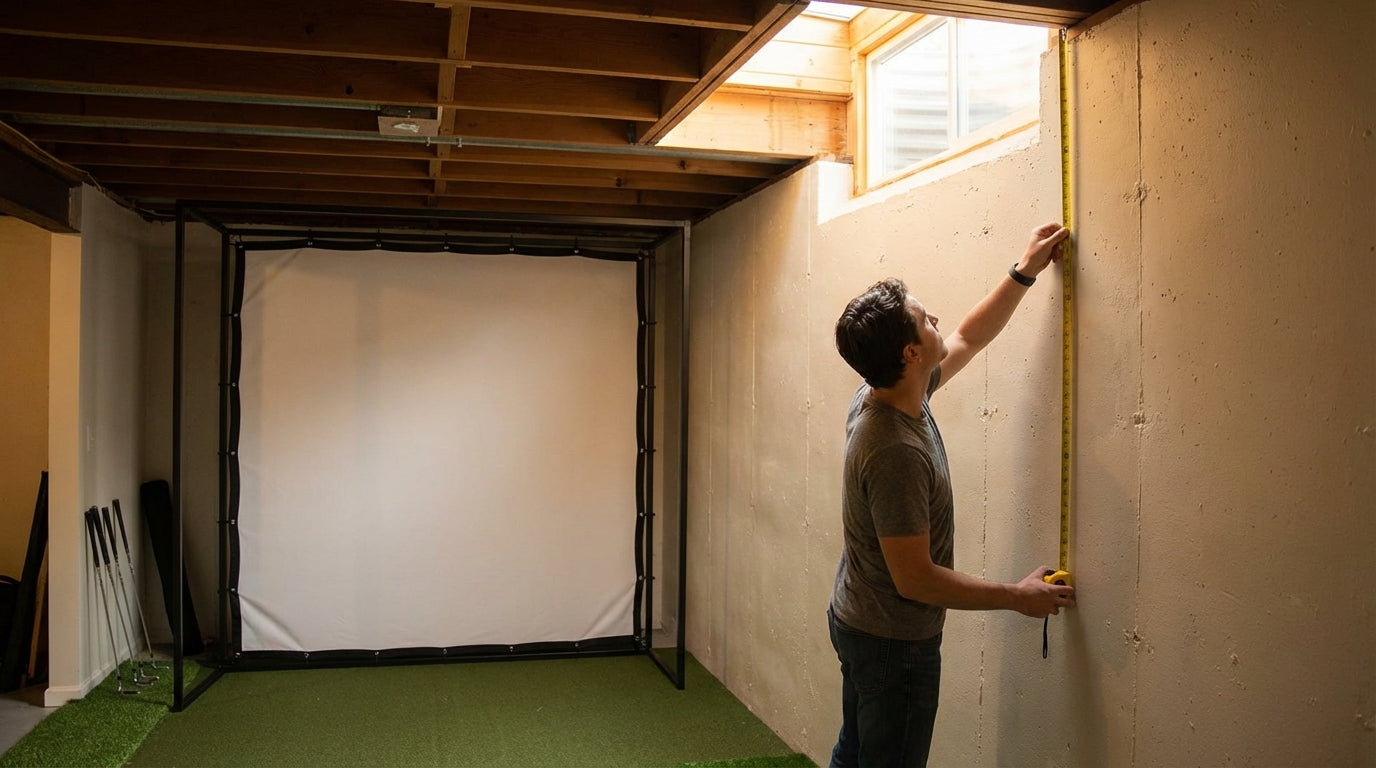
Here's the number that stops most builds cold: a 6'2" golfer with a standard upright swing will clip their driver on a 9-foot ceiling during a full backswing. Not edge-case stuff — the club physically contacts the ceiling, the install is wrong, and everything comes down. (Source: Home Performance Lab — Golf Simulator Room Requirements 2026) Nine feet is supposed to be the minimum. It's not enough for a lot of people who are building right now.
The home golf simulator market hit $1.2 billion in 2024 and is projected to reach $2.8 billion by 2032 at a 9.5% annual growth rate — which means a lot of DIY installs are happening, and a lot of them are getting screen height wrong on the first try. (Source: Market Research Intellect) This guide gives you the specific numbers so you don't end up doing it twice.
The Three Constraints That All Have to Agree
Impact screen installation height isn't one calculation — it's three separate constraints that need to converge on the same answer:
Building one now? Carl’s Place Preferred impact screen — from $299.
- Ceiling clearance — what the room physically allows
- Swing arc height — what your body actually needs to move freely
- Projector throw geometry — what keeps the full image on the screen
Get any one of these wrong and something gets remounted. Sometimes everything.
Ceiling Height: The Hard Floor Is Higher Than Most Rooms
9 feet is the absolute minimum ceiling height for a functional golf simulator. 10 feet is the real-world standard for full driver use. (Source: Rapsodo Golf / Indoor Golf Design)
Nine feet gets you in the door. Ten feet is where you actually swing without thinking about it. Anything under 9 feet forces a modified swing, a smaller screen, or both — and neither is the point of building a sim.
Don't Measure to the Highest Point in the Room
Structural beams, HVAC ducts, and exposed joists can drop your functional ceiling by 4–8 inches from the nominal room height. Always measure to the lowest obstruction in your actual swing path. A 9-foot room with a 5-inch duct crossing the bay is an 8'7" room for your purposes.
Your Swing Arc: The Variable Everyone Underestimates
The highest point of your swing arc isn't the top of your head — it's the club path during the backswing, which arcs above your hands and can peak at 8.5 to 9.5 feet from the floor on a taller golfer with an upright swing. That's where the ceiling damage happens.
You need 6 to 12 inches of clearance above that peak. (Source: GolferHive / PlayBetter Golf Simulator Space Guide) Not as a comfort margin — as a mechanical requirement. Without that buffer, you unconsciously flatten your swing plane to avoid the ceiling, which quietly destroys your outdoor game while you think you're practicing.
How Your Height Changes the Minimum
Recommended Minimum Ceiling Height by Golfer Height
Source: Rapsodo, GolferHive, Home Performance Lab, PlayBetter — composite of published guidelines
If you're 6'0" or taller and working with under 10 feet of ceiling, you need to do the swing arc math before you buy anything. Over 6'5" puts you firmly in 11-foot territory — and that's before accounting for any overhead obstructions.
Where the Screen Actually Goes: Top, Bottom, and Rear
Screen Top Height
Your screen top should land at: ceiling height, minus frame clearance (3–6 inches for most enclosures), minus any overhead obstructions in the swing path. If those numbers leave less than 8'6" of usable screen top height for a taller golfer, you either need a different room or a different enclosure. Getting the frame dimensions dialed in first makes this calculation clean — you know exactly how much clearance the hardware consumes before committing to a mounting position.
Screen Bottom Height
The screen bottom needs to sit at least 12 inches off the floor. Below that, hard shots generate enough blowback to contact the baseboard or floor — and you'll also need increasing keystone correction on the projector image at the bottom edge, which degrades image quality in ways that can't be fully recovered.
Rear Wall Clearance
Leave at least 12 inches (30 cm) of clear air between the back of the screen and the wall behind it. (Source: Carl's Place — Measuring Your Space for an Indoor Golf Simulator) Full-speed shots generate real blowback. Without that gap, repeated screen-to-wall contact damages both the screen and the drywall — and it's a common oversight that costs real money. This also affects height planning: if you shift the enclosure forward to create rear clearance, your screen top height and projector alignment both shift with it.
Projector Mounting Height and Screen Height Are Locked Together
Most builders set screen height first, then figure out the projector. That order causes problems. Your projector's mount height and throw ratio determine where the image lands — and if those don't match your actual screen position, no amount of digital keystone correction fully saves the image.
Throw ratios for golf simulator projectors range from 0.5:1 (ultra-short throw) to 1.1:1 (standard), and ceiling mount height must be calculated in tandem with the throw ratio to avoid keystone distortion on the impact screen. (Source: BenQ Golf Simulator Projector Resources / Rain or Shine Golf Projector Placement Guide) Solve both at the same time, or you'll be remounting one to fix the other.
Projector Mounting Position vs. Impact Screen Height Requirements
Swipe to compare →
| Projector Mount Type | Typical Mount Height | Screen Top Height Constraint | Reinstall Risk if Wrong |
|---|---|---|---|
| Ceiling mount (behind golfer) | 8–9 ft from floor | Screen top ≤ ceiling height minus 6 in frame clearance | High — ceiling beams/ducts often add 4–6 in of hidden obstruction |
| Short-throw ceiling mount | 7–8 ft from floor | Screen top must align with projector lens centerline ±15° | Medium — keystone distortion forces height adjustment |
| Ultra-short throw (floor/shelf mount) | 2–4 ft from floor | Screen bottom ≥ 12 in from floor; top unconstrained by projector | Low — decouples screen height from projector placement |
| Side-wall mount | 6–8 ft height on wall | Screen must be centered on projected image; height affects image skew | High — lateral angle errors compound with screen height misalignment |
Ultra-short throw floor or shelf mounts are the most forgiving for screen height because they decouple the two variables entirely — your screen can go where swing physics require without the projector position fighting it. If you're still deciding on projector placement, check out the ceiling mount vs. floor stand comparison before you commit to a hardware position.
By the Numbers: What the Data Says
- 9 feet is the absolute minimum ceiling height for a functional simulator; 10 feet is the practical standard for full driver swings. (Source: Rapsodo Golf / Indoor Golf Design)
- Golfers need 6–12 inches of clearance above their highest swing arc point — underestimating this is the #1 cause of forced reinstalls. (Source: GolferHive / PlayBetter Golf Simulator Space Guide)
- A 6'2" golfer with an upright swing will clip their driver on a 9-foot ceiling during a full backswing without modification. (Source: Home Performance Lab — Golf Simulator Room Requirements 2026)
- Impact screens require at least 12 inches (30 cm) of rear clearance to the wall to absorb ball impact without surface contact — insufficient clearance causes screen blowback and wall damage on hard shots. (Source: Carl's Place — Measuring Your Space for an Indoor Golf Simulator)
Mistakes That Force Reinstalls (And How to Avoid Them)
Measuring to the Wrong Ceiling Point
Nominal room height and functional swing clearance aren't the same number. Measure to the lowest obstruction directly above your swing path — not the peak of the open room. A duct, a joist, or a light fixture in the wrong spot changes everything.
Forgetting the Frame Consumes Clearance
Your impact screen enclosure has physical dimensions. A 2-inch top rail plus hardware can eat 3–5 inches of the ceiling clearance you planned to use. Check the actual specs for your enclosure and subtract that before you calculate screen top height.
Locking Screen Height Before Projector Position
These two decisions are linked. Set them independently and you'll end up cropping the image or correcting keystone distortion you can't fully fix. Work the throw ratio and mount height math alongside your screen placement — not after. If you're sorting out the room's width constraints at the same time, the minimum room width requirements guide covers how all these dimensions interact.
Skipping the Dry Run
Before anything is bolted permanently: set up the enclosure in the space, take a full swing, and walk the projector image across the screen. Thirty minutes of dry-run eliminates the vast majority of reinstall scenarios before a single fastener goes in the wall.
Get the Numbers Right Before You Buy
Screen installation height is the constraint that everything else flows from. Get it right once — using real ceiling measurements, your actual swing arc clearance, and projector throw geometry worked out together — and the whole build goes up clean. Get it wrong and you're pulling hardware off studs and starting over.
If you're still in the planning phase and haven't locked in a screen, browse the full impact screen collection — every listing includes the frame dimensions and mounting specs you need to run these calculations before you order.
Related reading: Golf Simulator Impact Screen Height Adjustment Tips: The Numbers That Actually Make or Break Your Setup


Not sure which simulator fits your room?
The two-minute Simulator Finder Quiz checks your space and budget against every system we carry.

Keep Reading
Related guides

golf simulatorGolf Simulator Enclosure Lighting Plan: Where to Mount Fixtures So They Never Wash Out Your Screen

golf simulatorGolf Simulator Basement Conversion Checklist: The 7 Steps to Run Before You Buy Anything

DIY golf simulatorGolf Simulator Garage Build Cost Breakdown: Every Line Item at Three Budget Tiers