
golf simulator
Golf Simulator Impact Screen for Low Ceiling Basements: How to Size and Mount When Height Is the Enemy
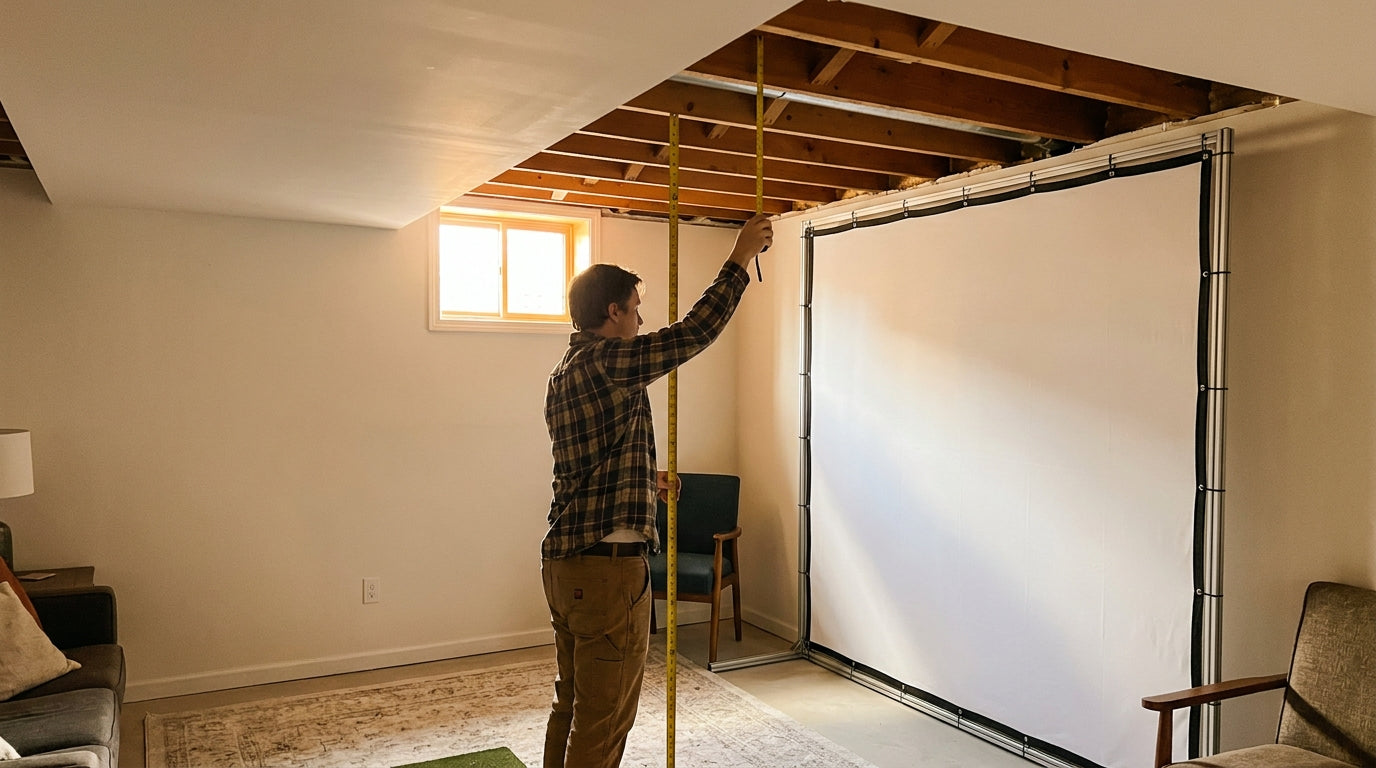
Here's the number that ends most basement golf dreams before they start: the recommended ceiling height to swing every club comfortably is 9 to 10 feet, and 8 feet is considered the bare minimum that still lets you make a real swing (Source: PlayBetter / My Golf Simulator). Now go measure your basement. Most finished basements run 7 to 8 feet, with unfinished joists dipping as low as 7 (Source: Houzz survey / Carl's Place customer reports).
So you're under the line. That doesn't mean you can't build a sim — it means the screen, not the launch monitor, becomes the part you have to get right. A golf simulator impact screen for low ceiling basements is a different sizing problem than a wide-open garage, and the cheapest way to waste money is to order a screen sized for a room you don't have.
Why Low Ceilings Punish the Wrong Screen Choice
In a tall room you pick a screen for image size. In a short basement you pick it for survival — every inch of vertical clearance matters, and your screen plus its frame plus its stretch room all eat into the height you have left to swing.
Building one now? Carl’s Place Preferred impact screen — from $299.
That's the trap. People measure 8 feet of ceiling, buy an 8-foot-tall screen, and discover there's no room left for the frame, the mounting hardware, or the gap the screen needs to do its job.
Go 4:3, Not 16:9 — The Single Most Important Call
A widescreen 16:9 panel looks great in a showroom and terrible in a basement. It needs 14 to 16 feet of width and 9 to 10 foot ceilings to fit properly (Source: Golfers Authority / BenQ / Home Performance Lab).
A 4:3 ratio is the basement builder's friend: it gains vertical height without consuming horizontal space, and it's the recommended choice any time room width is under 14 feet (Source: Golfers Authority / BenQ / Home Performance Lab). You get a taller, squarer image that actually fits between your joists and your hitting mat. If you want the full breakdown of the tradeoff, our aspect ratio guide on 16:9 vs 4:3 walks through what happens when the ratio doesn't match your room.
What the Data Says
The hard numbers make the decision for you. Carl's Place doesn't recommend indoor golf in any space under 96 inches high (8 ft) or 100 inches wide, and advises leaving 2 to 3 inches of buffer on each side and the top of the enclosure (Source: Carl's Place, 'How to Select the Best Golf Screen Size'). That buffer is the part people forget — your usable height is your ceiling minus that clearance, not your raw measurement.
Their DIY enclosure kits run from a minimum 95.7"H x 95.4"W frame — an 84" x 84" viewable screen — up to 123.7"H x 162.4"W (Source: Carl's Place, shop.carlofet.com). That smallest 84" x 84" square is the size built for a 7 to 8 foot basement once buffer is subtracted.
And you can't mount it flat to the wall. Carl's Place recommends keeping at least 12 to 16 inches of clear space behind the screen so the material can stretch and absorb impact, and building the frame about 4 inches taller and wider than the screen for even tension (Source: Carl's Place, shop.carlofet.com). Skip that gap and you trade a torn screen — or a ball back at your shins.
Recommended vs. Minimum Golf Simulator Ceiling Height (ft)
Source: PlayBetter, My Golf Simulator, Carl's Place, Houzz survey
Mounting Low Without Losing Ball-Stopping Coverage
The instinct in a short room is to mount the screen as high as possible to clear your swing. Wrong move — mount it where the ball actually hits, and protect the rest of the wall with padding.
Hang the frame so the viewable screen covers your real ball-flight window, then build outward and downward with backing. The 4-inch oversized frame gives you even tension top to bottom, which matters more in a short screen where there's less material to absorb a shot. Our installation height guide covers the exact mounting numbers, and the distance-from-wall breakdown explains why that 12-to-16-inch gap behind the screen isn't optional.
The Drop-Ceiling Fix
If you've got a drop ceiling, pull it. Removing it is the most common DIY workaround basement builders use to recover swing clearance (Source: Houzz survey / Carl's Place customer reports) — and it can claw back the 4 to 6 inches that move you from "unusable" to "workable."
Sizing It Right: The Comparison
Here's how the ratios and kit sizes stack up so you can match a screen to your actual room.
Aspect Ratio & Screen Sizing for Short/Low-Ceiling Rooms
Swipe to compare →
| Aspect Ratio | Best For | Min. Room Requirement |
|---|---|---|
| 4:3 (e.g. 84" x 84") | Limited width/low ceiling basements — maximizes vertical height | ~100" wide, 96"+ high (Carl's Place min kit) |
| 16:9 (e.g. 16ft x 9ft) | Wide rooms wanting immersive widescreen image | 14–16 ft wide, 9–10 ft ceiling |
| Carl's Place min DIY kit | Tightest basements | 95.7"H x 95.4"W frame (84" x 84" viewable) |
| Carl's Place max DIY kit | Full-height dedicated rooms | 123.7"H x 162.4"W frame (120.5" x 156" viewable) |
Budget the Screen as Its Own Line
Treat the screen as a separate cost from the enclosure and the launch monitor. Impact screens run from roughly $180 for a standard panel up to just under $1,000 for a premium triple-layer build — several hundred dollars between tiers (Source: MyGolfSpy / Rain or Shine Golf).
In a low basement you don't need the biggest screen, so put that saved budget toward a thicker, quieter material instead. A smaller, better screen beats a bigger, flimsier one every time when the joists are right over your head.
The Bottom Line
Measure your real clearance, subtract the buffer, and accept that a short room wants a tall 4:3 screen — not a widescreen panel. Mount it where the ball lands, leave the stretch room, and you'll have a sim that plays great in a space everyone told you was too small.
Ready to size one to your basement? Browse our impact screens collection and match a screen to the ceiling you've actually got — not the one you wish you had.
Planning the whole bay? Use Build Your Bay: pick your room size, screen and mat, and we match every part (enclosure, framing, back cover, hitting mat) and add it all to your cart in one click.


Not sure which simulator fits your room?
The two-minute Simulator Finder Quiz checks your space and budget against every system we carry.

Keep Reading
Related guides

golf simulatorGolf Simulator Enclosure Lighting Plan: Where to Mount Fixtures So They Never Wash Out Your Screen

golf simulatorGolf Simulator Basement Conversion Checklist: The 7 Steps to Run Before You Buy Anything

DIY golf simulatorGolf Simulator Garage Build Cost Breakdown: Every Line Item at Three Budget Tiers