
extend impact screen lifespan
Golf Impact Screen Maintenance and Cleaning Tips: How to Make Your Screen Last Years Longer
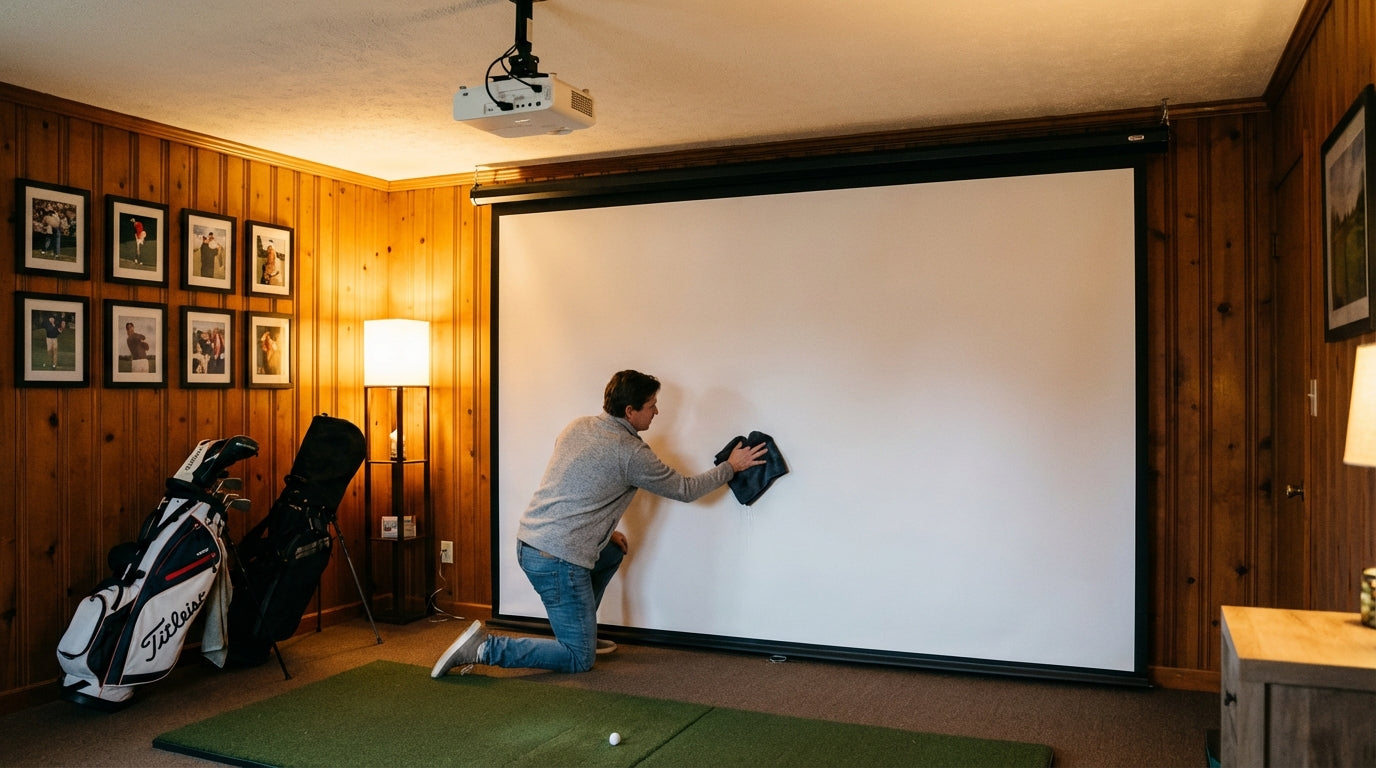
Here's a number that should change how you think about screen maintenance: a premium poly spacer impact screen is rated for 150,000+ ball strikes before showing significant wear. (Source: Canvas ETC / Shop Indoor Golf) A budget Amazon screen? You might get 5,000–20,000 impacts before it's looking rough.
Here's what makes that interesting: plenty of premium screens fail early, and plenty of mid-range screens outlast their price point. The difference is usually maintenance. A high-quality screen that never gets cleaned, sits next to a sunny window, or gets stored damp can degrade faster than a cheaper screen that gets consistent care.
These golf impact screen maintenance and cleaning tips aren't complicated. But they're the difference between a screen that lasts 18 months and one that holds up for 5+ years.
Building one now? Carl’s Place Preferred impact screen — from $299.
How Often Should You Clean Your Golf Impact Screen?
Frequency depends on your screen material and how much you hit. The bottom third takes the most abuse — ball scuffs, shoe marks, and grime build up down there fast. Everything above ball-flight height stays relatively clean.
General rule: clean the bottom third weekly if you're hitting 50+ balls per session. Full-screen clean monthly. If you have a poly spacer (3-layer) screen, push full cleans to monthly and deep cleans to quarterly.
The comparison table below maps out cleaning schedules by material type alongside expected shot lifespan and price range. If you're not sure what your screen is made of, our guide on how to choose the right golf impact screen material will help you figure out exactly what you're working with.
Golf Impact Screen Material Comparison: Durability, Maintenance & Cost
Swipe to compare →
| Material Type | Expected Shot Lifespan | Recommended Cleaning Frequency | Avg Price Range |
|---|---|---|---|
| Loose-weave mesh / budget net | 5,000–20,000 impacts | Weekly wipe-down | $100–$300 |
| Standard single-layer polyester | 20,000–50,000 impacts | Weekly bottom, monthly full screen | $200–$500 |
| Heavy-duty woven polyester (600D–900D) | 50,000–100,000 impacts | Weekly bottom, monthly full screen | $400–$800 |
| Poly spacer (3-layer, ~3mm) | 100,000–150,000+ impacts | Monthly full screen, quarterly deep clean | $600–$1,500 |
What to Use — and What to Absolutely Avoid
This is where most people go wrong. Impact screens look bulletproof (and they nearly are), but the wrong cleaning product can cause structural damage you won't notice until something tears mid-session.
Safe Cleaning Supplies
- Mild dish soap + warm water — the gold standard. A few drops of Dawn in a bucket handles 90% of cleaning jobs.
- Microfiber cloths — soft, non-abrasive, won't leave lint. Keep one for scrubbing, one for drying.
- Soft-bristle brush — for ground-in ball marks that won't lift with a cloth. Think toothbrush softness, not dish scrubber.
- Diluted white vinegar (1 part vinegar to 4 parts water) — effective on mildew or stubborn staining. Rinse thoroughly afterward.
What NOT to Use
- Bleach or chlorine-based cleaners — breaks down polyester fibers and weakens the screen structurally, fast.
- Pressure washers — high-pressure water damages the weave and causes micro-tears that expand over time.
- Abrasive scrubbing pads — creates invisible surface damage you won't see until it's too late.
- Solvent-based cleaners (acetone, mineral spirits) — strips coatings and can soften or discolor the material.
Step-by-Step: How to Clean Your Impact Screen
Set aside about 20 minutes for a full-screen clean. Consistent habits here are worth more than occasional heroic deep cleans.
Weekly Quick Clean (Bottom Third)
- Mix a small amount of mild dish soap into warm water.
- Dampen a microfiber cloth — damp, not soaking.
- Wipe down the bottom 2–3 feet of the screen using circular motions.
- Focus on the primary ball-impact zone — that's where scuffs concentrate.
- Follow with a dry microfiber cloth to lift moisture.
- Let the screen air dry completely before your next session.
Monthly Full-Screen Clean
- Take the screen down if possible — cleaning it flat gives you better access and coverage.
- Inspect the entire surface for tears, fraying edges, or areas where the weave looks distorted.
- Work top to bottom with your soap solution and microfiber cloth.
- Use a soft brush on stubborn ball marks — they typically show as grey or black smears near the impact zone.
- Rinse with a clean damp cloth to remove all soap residue.
- Hang to air dry fully. Never rehang while damp.
By the Numbers: What the Data Says About Screen Lifespan
Cleaning is part of a broader maintenance strategy. It helps to understand what actually determines when a screen starts failing — because some of these factors have nothing to do with how hard you swing.
The lifespan gap between budget and premium screens is enormous. Premium poly spacer screens are rated for 100,000–150,000+ impacts, while budget mesh screens typically show significant wear at just 5,000–20,000 impacts. (Source: Canvas ETC / Shop Indoor Golf) That's not a marginal difference — it's an order of magnitude.
Weave density is a maintenance factor most people overlook completely. A tighter-weave screen at 200 TPI lasts approximately 25% longer than a comparable 150 TPI screen of the same thickness and material. (Source: Canvas ETC, published durability analysis) More fibers per square inch means more material absorbing each impact, which means slower surface degradation over time.
Here's the one that catches people off guard: UV exposure. Polyester fibers lose approximately 15% of their tensile strength after just 500 hours of UV exposure — even without a single ball strike. (Source: Canvas ETC citing Journal of Applied Polymer Science, Smith et al., 2018) A screen near a sunny window is degrading on the days you're not even using it. That's a hidden maintenance risk most owners never account for.
On overall lifespan: with regular use of 3–5 hours daily, most quality screens last 2–5 years depending on material, ball speed, and how consistently they're maintained. (Source: The SportScreen Ltd. / Golf Swing Systems / virtual-golf-simulator.com)
Average Golf Impact Screen Price by Tier (USD, standard 10x10 size)
Source: Big Horn Golfer, homeperformancelab.com, virtual-golf-simulator.com, aboutgolf.com — compiled price range midpoints
UV Damage and Humidity: The Silent Screen Killers
Surface cleaning handles grime. But two environmental factors cause structural damage that's invisible until it's catastrophic — and neither one involves hitting balls.
UV Exposure
If your simulator room has any windows, hang blackout curtains or UV-blocking blinds. Even indirect sunlight counts toward that 500-hour UV threshold. Block the light source and you've just extended your screen's structural lifespan without touching a cleaning cloth. It's the lowest-effort maintenance step most people completely ignore.
Humidity and Mildew
Garages and basements are the most common simulator locations, and both trend toward moisture. High humidity creates conditions for mildew to take hold in tight-weave polyester — it's both a visual problem and a structural one. Target ambient humidity below 60%. A dehumidifier in a basement sim room pays for itself in screen longevity alone.
If your room setup is fighting these conditions, our breakdown of the 7 most expensive golf simulator room setup mistakes covers humidity management alongside the other environmental factors that silently wreck equipment.
How to Spot Early Wear Before It Becomes Damage
Your monthly clean is also your monthly inspection. Train yourself to look for these specific signs while you work — catching them early is the whole game.
- Fraying at the edges — some is normal, but excessive fraying means the perimeter reinforcement is failing. Check mounting hardware at the same time.
- Distorted weave pattern — areas where the weave looks stretched or loose are absorbing impacts differently and will fail faster than the surrounding material.
- Thin spots — hold a flashlight behind the screen in a dark room. Thin spots glow brighter. These are compressed impact zones where the material has taken the most cumulative force.
- Ball marks that won't clean — if scrubbing won't lift it, it may be surface abrasion, not a stain. Abrasion means material loss.
- Yellowing or discoloration — especially near windows. UV degradation typically shows as a color shift before structural failure appears.
Catch these early and you can adjust your setup — move the screen away from light sources, re-tension the frame, or order a replacement before you're mid-session when something goes. Our post on golf impact screen finishes explained covers edge construction and material specs — understanding how your screen is built helps you know what early wear actually looks like.
Storing Your Screen Between Seasons
If you're moving your setup or shutting down for a season, don't just fold the screen and toss it in a corner. Fold it loosely along the grain of the weave — not against it. Store it somewhere dry and away from direct light. Never store it damp, even slightly — that's all mildew needs to get started in a tight-weave polyester. For a complete off-season protocol, our guide on how to store your golf simulator off-season without destroying your equipment covers the full process.
The Bottom Line
A golf impact screen takes thousands of full-speed ball strikes without complaining. The least you can do is clean it consistently, block UV exposure, manage humidity, and inspect it regularly for early wear.
The difference between a screen that lasts 18 months and one that lasts 5+ years is usually not the screen itself. It's the maintenance. Build the habit now, and you'll get every dollar out of your investment.
Ready for a screen built to handle real ball speeds and real use? Browse our full lineup of golf simulator impact screens — engineered for golfers who actually hit them hard.
Related reading: Golf Simulator Impact Screen Tear Repair: When to Patch and When to Replace


Not sure which simulator fits your room?
The two-minute Simulator Finder Quiz checks your space and budget against every system we carry.

Keep Reading
Related guides

golf simulatorGolf Simulator Hitting Mat Sizing Guide: Exact Dimensions for 10x12, 12x15, and 16x18 Rooms

golf simulatorGolf Simulator Enclosure Cost to Build: Every Line Item, DIY vs Pre-Made (2026 Numbers)

golf simulatorGolf Simulator Room Electrical Plan: Where Every Outlet Goes Before the Frame Closes Up