
golf simulator
How to Store Your Golf Simulator Off Season (Without Destroying Your Equipment)
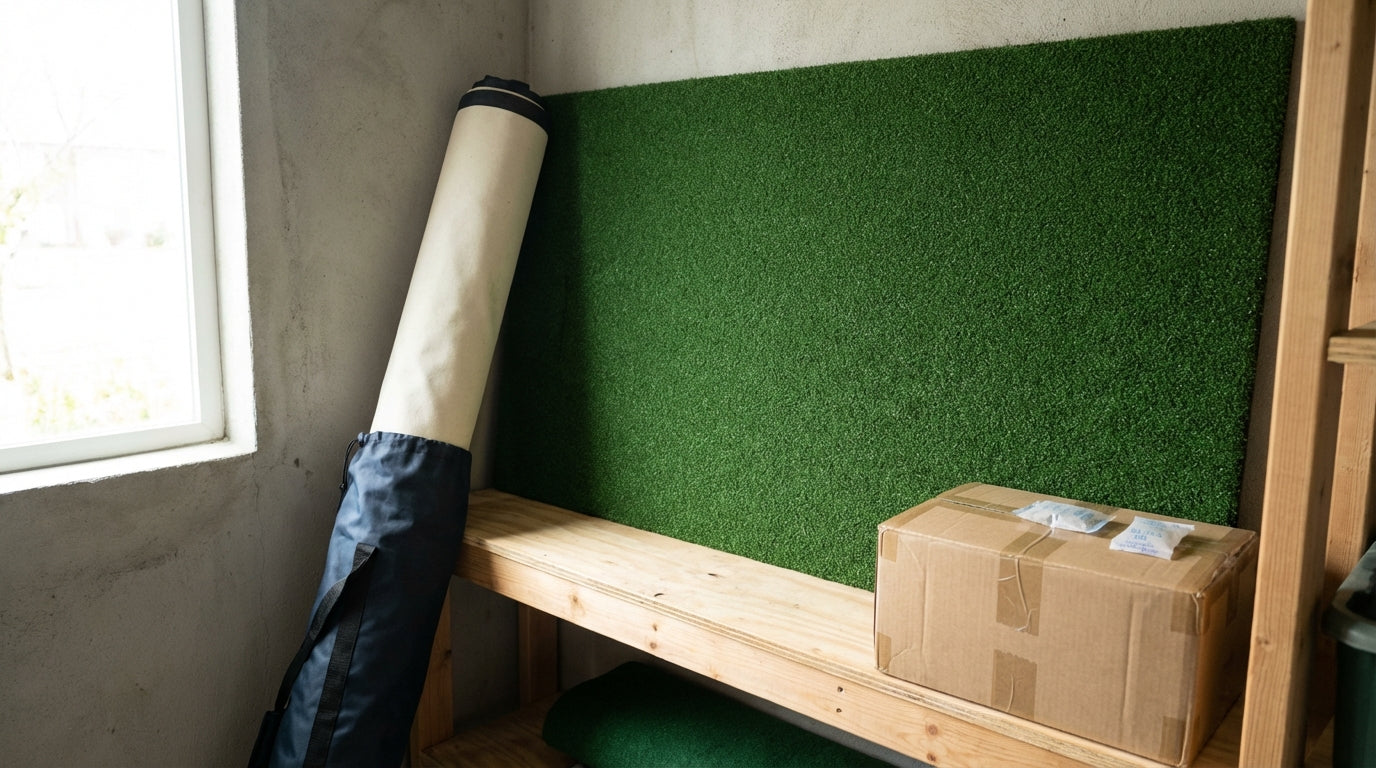
Premium golf simulator impact screens are rated for 150,000+ ball strikes before significant wear. Budget screens fail at 20,000–50,000. (Source: SIGPRO / GolfSimSpot Golf Simulator Screens Complete Guide 2026) That's a massive gap in lifespan — and a lot of it comes down to how you treat the screen when you're not hitting into it.
Off-season storage is where most golfers quietly destroy their equipment. A $700 screen left in a damp garage, folded tight for five months, doesn't hit 150,000 strikes. It barely makes it to next spring.
Here's how to store every major component of your golf simulator off season — so you're not shopping for replacements come March.
Building one now? Carl’s Place Preferred impact screen — from $299.
The Off-Season Storage Problem Is Bigger Than You Think
Over 330,000 home golf simulator units are installed in North America alone. (Source: Business Research Insights) Most of them are in climates where winter means freezing garages, wild humidity swings, and months of zero use.
The damage from bad storage isn't always immediate. Creased screens. Compressed mat fibers. Projector condensation. These are slow problems — they surface in February when your image has a permanent wrinkle across the fairway, or your mat feels like it lost all its cushion.
Prevention is cheap. Replacement is not.
How to Store Your Impact Screen the Right Way
Your impact screen is the most vulnerable component in the whole setup. Fabric under sustained stress — whether from tight folding, heavy stacking, or ambient moisture — degrades in ways you can't undo.
Roll It, Don't Fold It
If you have a retractable or overhead mount, you're already handling this correctly. Rolling keeps the screen at low, even tension with no crease points. It's the best-case scenario for long-term screen health.
If you have a fixed-frame screen, the two good options are: carefully rolling the screen off the frame and storing it in a cylinder, or hanging it flat on a wall. Both are significantly better than folding. Tight folds — the kind that let you cram a big screen into a small space — leave permanent creases. On a high-tension impact screen, a crease becomes a stress fracture point for every ball strike after.
Material construction matters here too. Woven polyester handles fold stress differently than single-layer fabric. Our guide on choosing the right golf impact screen material breaks down Standard, Preferred, and Premium tiers — including how each holds up under storage stress over multiple seasons.
Humidity Is the Silent Killer
Above 60% relative humidity, the risk of mold growth, mildew, and fabric degradation increases dramatically for stored equipment. (Source: SmartFog / River Landing storage guidance) An unheated garage in a humid climate is exactly the wrong place for an unprotected screen. Aim for a dry, temperature-stable space — a climate-controlled basement or interior room is ideal.
Golf Mat Storage — The Fiber-Flattening Mistake Everyone Makes
Hitting mats look indestructible. They are not.
Fiberbuilt — one of the most trusted names in simulator mats — officially recommends stacking hitting panels vertically only 5–8 deep during storage. Stacking panels flat permanently compresses nylon fibers. (Source: Fiberbuilt Golf product care page) Once those fibers compress, the mat loses the grass-like feedback that makes consistent ball striking possible. It can't be reversed.
A few rules for mat storage:
- Store mats flat only if the surface is completely dry — damp concrete promotes mildew and odor fast.
- If stacking panels, vertical is better than horizontal. Limits fiber compression significantly.
- Avoid plastic wrapping. It traps moisture. A breathable cover or furniture blanket works better.
- For full-size mats (6×10 or larger), a dry floor in a climate-controlled room is fine. A humid, unheated garage is not.
If you're burning through mats every year regardless of storage, there are a few non-obvious factors at play. We broke them all down in our post on how to extend the life of your golf simulator mat.
Projector Storage — When the Specs Don't Tell the Full Story
Epson's official storage specs allow for temperatures from 14°F to 140°F at 10–90% relative humidity (non-condensing). (Source: Epson Environmental Specifications) That sounds forgiving. The word that matters is non-condensing.
When a projector stored in a cold garage gets brought into a warm room, condensation forms on internal optics, mirror coatings, and sensor contacts. It doesn't cause immediate failure. It causes slow degradation that shows up months later — color shift, focus drift, or sensor errors — well after the damage occurred.
Best practices for projector off-season storage:
- Store in a sealed bag or original box with silica gel packs to absorb ambient moisture.
- Keep it in a climate-controlled space — not a room that freezes overnight.
- If moving it from cold to warm storage, leave it sealed for 1–2 hours before powering on. Let it acclimate fully.
- Remove from ceiling mounts if you're not using the setup for more than a month. Sustained tension on mount hardware can cause alignment drift over time.
By the Numbers: What You're Actually Protecting
Proper storage isn't abstract maintenance — it's protecting real replacement costs. Here's a look at what each major simulator component costs to replace at retail midpoints:
Golf Simulator Component Replacement Cost Ranges
Source: Carl's Place, GolfSimSpot, X-Golf Denver, shopindoorgolf.com — midpoint of published retail ranges
The projector and full enclosure alone represent thousands of dollars in replacement cost for most setups. Even the impact screen — at roughly $600 on the low end — is worth a few hours of careful storage work each year. The golf simulator market is valued at $1.92 billion in 2025 and projected to reach $4.7 billion by 2034. (Source: Fortune Business Insights) More homeowners are putting serious money into these setups every year, which makes protecting that investment increasingly worth the effort.
If you're comparing screen options ahead of next season, our 2026 impact screen buyer's guide covers the top picks across every durability tier and price range.
Golf Simulator Screen Storage Methods: What Actually Works
Not every setup gives you the luxury of a retractable mount or climate-controlled storage room. Here's how the common storage methods stack up for long-term screen condition:
Golf Simulator Screen Storage Method Comparison
Swipe to compare →
| Storage Method | Crease Risk | Space Required | Long-Term Condition |
|---|---|---|---|
| Rolling (retractable/overhead) | Very Low | Minimal — stores overhead | Excellent — no fold stress on fabric |
| Loose fold (stored flat) | Medium | Moderate floor/shelf space | Good if stored in climate-controlled space |
| Tight fold (long-term) | High | Minimal | Poor — permanent creasing likely |
| Hanging flat on wall | Low | Wall space needed | Very Good — no compression points |
The pattern is consistent: anything that eliminates fold stress — rolling, retractable mounts, flat wall hanging — preserves screen condition far better than any folding approach. Regularly cramming a premium screen into a tight bundle every off-season is a shortcut to early replacement.
Quick Off-Season Storage Checklist
Before you button up for the season, run through this for each component:
- Impact screen: Roll or hang flat. Never tight-fold for more than a few days. Store in a dry, temperature-stable space.
- Hitting mat: Flat on a completely dry surface, or vertical panel stacking (max 5–8 deep). No plastic wrap. No damp concrete.
- Projector: Sealed bag with silica gel. Climate-controlled space only. Acclimate before first spring power-on.
- Launch monitor / sensors: Original packaging or a padded case. Keep away from extreme temperature swings.
- Frame and enclosure hardware: Wipe down metal components. Light dry lubricant on any bolts or joints exposed to humidity.
Ready to Start Next Season Strong?
If the off-season made you realize your current screen has seen better days, spring is the right time to act. Browse our full lineup of golf simulator impact screens — from entry-level fabric to premium high-contrast options rated for 150,000+ ball strikes. Your setup deserves to last more than one winter.


Not sure which simulator fits your room?
The two-minute Simulator Finder Quiz checks your space and budget against every system we carry.

Keep Reading
Related guides

golf simulatorGolf Simulator Hitting Mat Sizing Guide: Exact Dimensions for 10x12, 12x15, and 16x18 Rooms

golf simulatorGolf Simulator Enclosure Cost to Build: Every Line Item, DIY vs Pre-Made (2026 Numbers)

golf simulatorGolf Simulator Room Electrical Plan: Where Every Outlet Goes Before the Frame Closes Up