
golf simulator
How Far to Stand From a Golf Impact Screen: The Exact Distance (and Why Closer Hurts)
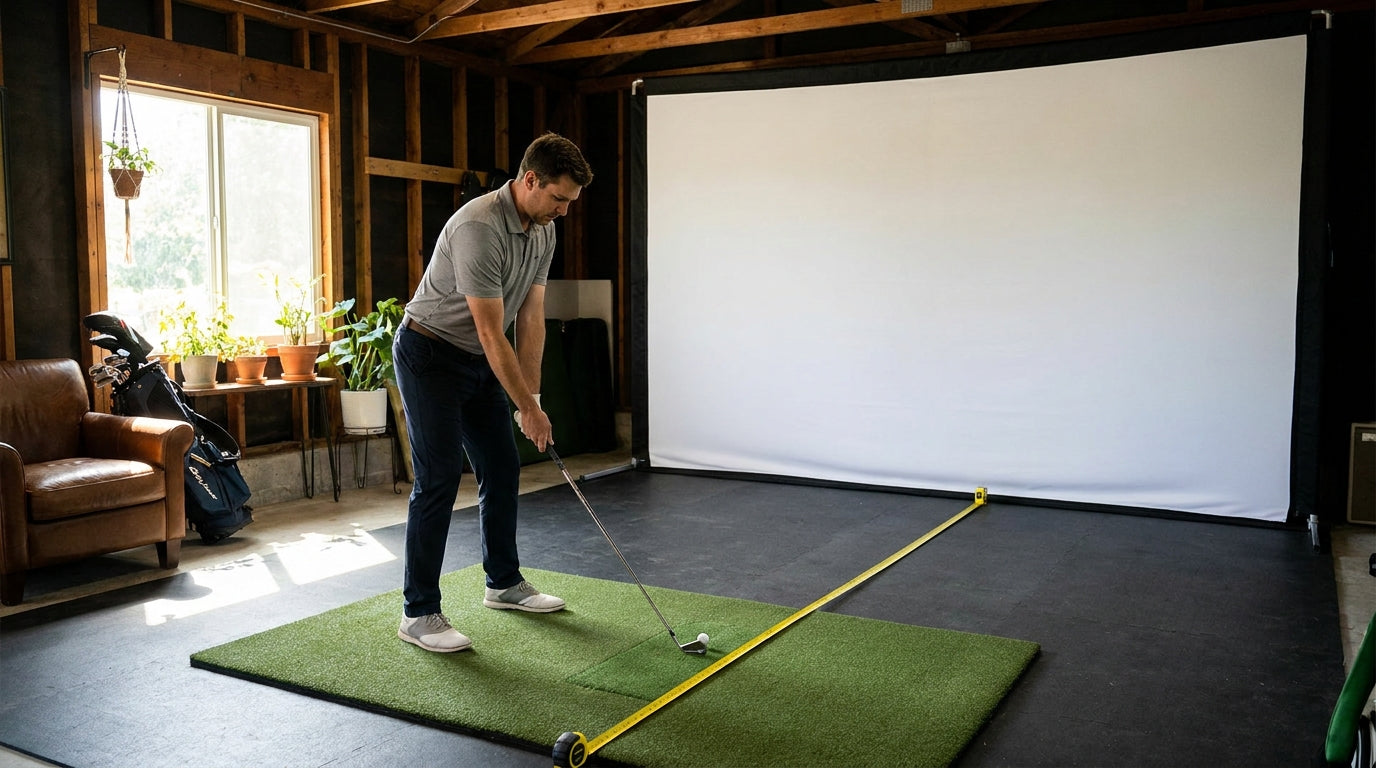
Here's a number that stops most first-time sim builders cold: a properly tensioned impact screen throws the ball back at you by 1 to 3 feet on a flush strike (Source: Home Performance Lab — Golf Simulator Impact Screen Distance Guide, 2026). That rebound is exactly why "how far to stand from a golf impact screen" isn't a vibes question. Stand too close and that bounce-back lands in your hitting position at real speed. Stand at the right distance and it dies harmlessly on the mat in front of you.
So let's settle it with actual numbers. The short version: 10 to 12 feet tee-to-screen, with 10 feet as your hard safety floor. Below that, you're trading safety margin for square footage you probably don't need to trade.
The Short Answer: 10 to 12 Feet
The recommended tee-to-screen distance is 10–12 feet, and 10 feet is the absolute safety minimum (Source: Home Performance Lab — Golf Simulator Impact Screen Distance Guide, 2026). That's the standoff distance from your ball to the screen, measured flat along the floor.
Ready to shop impact screens?
Browse the full Carl's Place lineup — every screen ships ready to mount with real size specs.
Shop Carl's Place Impact Screens →Why a range and not one magic number? Because your launch monitor, your room depth, and your swing all want a vote. Twelve feet gives radar units room to read the ball. Ten feet is the point where the safety math still works. Go under ten and you start needing extra gear just to swing without flinching.
Why Standing Too Close Is a Real Problem
The screen isn't a wall. It's a tensioned trampoline that's supposed to flex, absorb energy, and let the ball drop. When it works right, it produces only 1–3 feet of rebound, which leaves roughly 7 feet of safety clearance when you're standing at 10 feet (Source: Home Performance Lab — Golf Simulator Impact Screen Distance Guide, 2026).
Eat into that buffer and two bad things happen. First, ricochet — a hard bounce-back can reach the golfer at meaningful speed. Second, accelerated screen wear, because a screen that can't flex transfers impact energy straight back into the ball instead of soaking it up.
That second part is why the air gap behind the screen matters as much as the distance in front of it. The screen needs 12–16 inches of clearance behind it (some guides cite up to 24) so it can move on impact (Source: Home Performance Lab & My Golf Simulator). Tension it flat against drywall and you've built a slingshot. If you're dialing in tension, our impact screen tensioning system guide walks through getting it right the first time.
What the Data Says: Standing Distance by Scenario
Not every room is a 20-foot garage. Here's how the recommended tee-to-screen distance shifts depending on the space you're actually working with.
Recommended Tee-to-Screen Standing Distance by Setup Scenario
Source: Home Performance Lab & My Golf Simulator (2025–2026); recommended values are range midpoints
Notice the cliff at the low end. In genuinely tight rooms, 6–8 feet is the absolute minimum tee-to-screen distance — but anything under 8 feet requires extra bounce-back protection and softer foam or limited-flight balls (Source: My Golf Simulator — Tee to Screen Distance, 2025 Update). That's the trade-off cost laid bare: stand closer, buy more gear and accept less margin. If you're forced into that corner, our breakdown of the best golf balls for indoor simulator use covers which limited-flight options actually protect you.
It's Not Just Tee-to-Screen: The Room Depth Math
Your standing distance only works if the whole room supports it. Tee-to-screen is one slice of three. Behind you, a comfortable swing needs at least 7 feet (4 feet is the absolute floor), and radar launch monitors like TrackMan, Mevo+, or the Garmin R10 want 7–9 feet of space behind the golfer (Source: Home Performance Lab & My Golf Simulator).
Add it up and you see why total room depth has a minimum of 15 feet, with 18–20 feet recommended for most builds and 17–20 feet for radar setups (Source: Home Performance Lab — Golf Simulator Room Requirements, 2026). Here's how the three zones stack.
Golf Simulator Room Depth Breakdown — The Three Zones
Swipe to compare →
| Zone | Recommended Measurement | Why It Matters |
|---|---|---|
| Screen-to-wall buffer | 12–16 in (up to 24 in) | Lets the screen flex and absorb energy; prevents rebound and wear |
| Tee-to-screen distance | 10–12 ft (10 ft min) | Keeps you clear of the 1–3 ft ball rebound zone |
| Behind-golfer swing space | 7 ft (4 ft min); 7–9 ft for radar | Room for a full swing plus radar launch monitor placement |
| Total room depth | 18–20 ft (15 ft min) | Sum of all zones; shallower forces safety compromises |
Distance is half the safety story — the angle the ball leaves the screen is the other half. If you want the geometry behind why a flat, well-mounted screen sends the ball down instead of back at your face, read our impact screen return angle explainer.
Your Quick Safe-Setup Checklist
Before your first real swing, run this list. It takes five minutes and saves you a dent in the drywall — or worse.
- Measure tee-to-screen at 10–12 feet. Tape on the floor, not eyeballed. Ten feet is the floor, not the target.
- Leave 12–16 inches behind the screen. The screen has to move to do its job.
- Confirm 7+ feet behind you. More if you're running a radar monitor.
- Check your tension. A drum-tight screen rebounds harder; a properly slack-tuned one absorbs.
- Going under 8 feet anyway? Switch to foam or limited-flight balls and add side and overhead protection.
Get those five right and the rebound stays where it belongs — on the floor, well in front of your stance.
Bottom Line
The answer to how far to stand from your golf impact screen is 10–12 feet, full stop, with 10 as the line you don't cross without paying for it in gear and margin. Build the room around the three zones, give the screen room to breathe front and back, and the safety math takes care of itself.
Ready to build the bay around the right distance? Start with a screen engineered to flex, absorb, and last. Browse our impact screens collection and set up your sim the safe way the first time.


Not sure which simulator fits your room?
The two-minute Simulator Finder Quiz checks your space and budget against every system we carry.

Keep Reading
Related guides

golf simulatorGolf Simulator Enclosure Lighting Plan: Where to Mount Fixtures So They Never Wash Out Your Screen

golf simulatorGolf Simulator Basement Conversion Checklist: The 7 Steps to Run Before You Buy Anything

DIY golf simulatorGolf Simulator Garage Build Cost Breakdown: Every Line Item at Three Budget Tiers