
golf simulator
Golf Simulator Screen Grain Direction Explained: How Weave Orientation Affects Ball Deflection and Image Sharpness
Most golf simulator buying guides spend pages on screen thickness, material tiers, and attachment hardware. Grain direction gets exactly zero words.
That's a problem. The golf simulator market hit $1.74 billion in 2024, and with North America accounting for over 46% of that market — mostly homeowners building their own setups — there are a lot of screens going up without anyone explaining which way is up. Literally. (Source: Straits Research, Golf Simulators Market Report 2024)
Grain direction affects two things that matter: where the ball goes after impact, and how sharp your projected image looks. Get it wrong and you're either chasing weird ricochets or staring at moiré banding across your fairway. Neither is acceptable.
Building one now? Carl’s Place Preferred impact screen — from $299.
Here's what grain direction actually means, why it matters, and exactly how to orient your screen when you hang it.
What Grain Direction Actually Means on a Woven Impact Screen
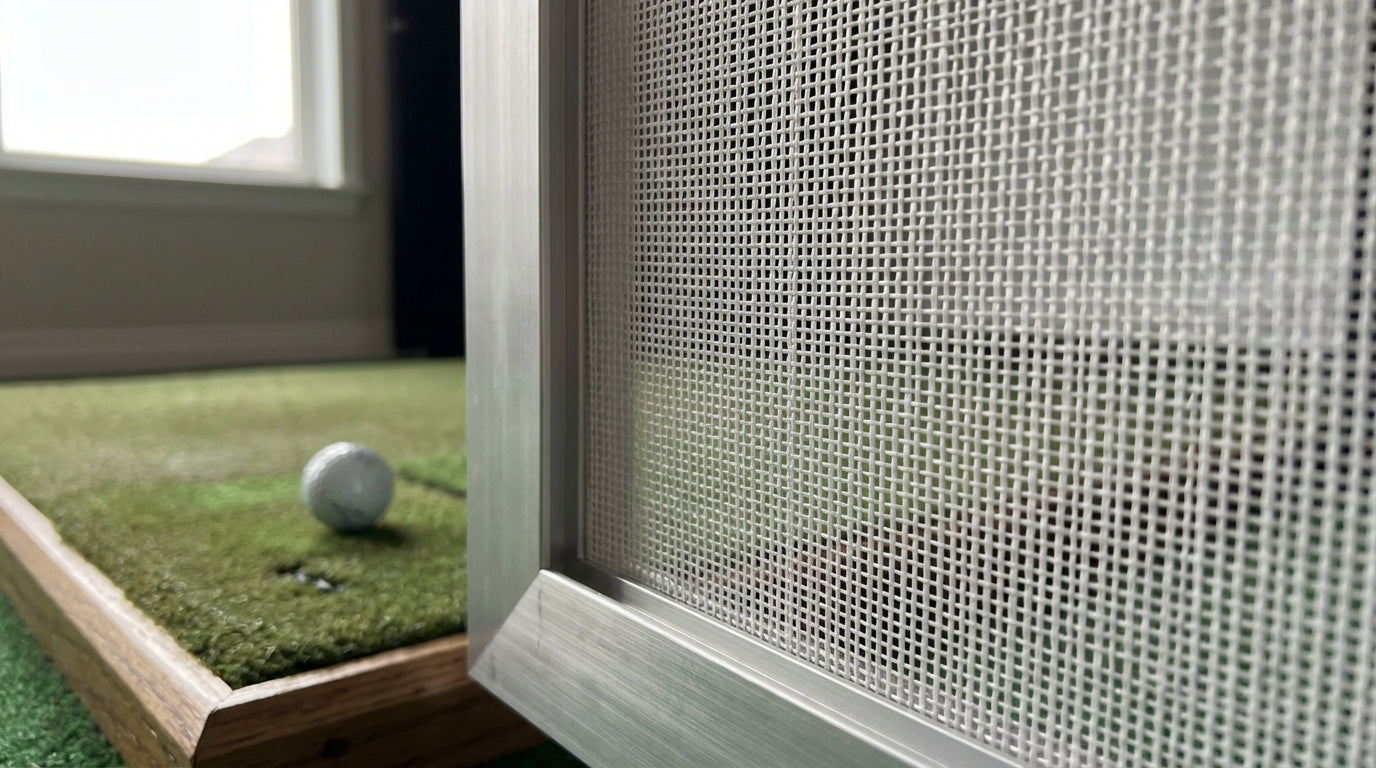
Impact screens aren't flat sheets — they're woven fabric. Every woven textile has two thread axes: the warp (threads running lengthwise along the roll) and the weft (threads running across the width). Together they create the grid pattern you can see if you hold the screen up to light.
Grain direction refers to which axis runs vertically when the screen is installed. The standard install puts the warp threads running top-to-bottom — warp vertical. Some builders inadvertently flip the screen sideways or hang it at a slight angle without realizing it changes anything.
It changes everything.
Premium impact screens use plain-weave construction — warp and weft threads alternate every single thread, the tightest weave available for golf use. That construction makes grain direction especially pronounced. The performance difference between correct and incorrect orientation is real and measurable. (Source: Canvas ETC, How Weave Construction Determines Image Quality of Golf Impact Screen)
How Grain Direction Affects Ball Deflection
Impact screens absorb ball energy by deforming — the fabric stretches backward into the clearance space behind it. Properly installed screens need 12–24 inches of rear wall clearance so this deformation can happen safely. (Source: My Golf Simulator, Tee to Screen Distance Guide (2025))
When the warp runs vertically (correct orientation), the load-bearing axis handles vertical stress — exactly what a driver strike delivers. The ball compresses the screen symmetrically and rebounds straight back toward the golfer. At 120 mph, lateral deflection from the impact center stays around 8 inches.
Rotate the screen 90° so the warp runs horizontal, and now the wrong axis is carrying the load. The fabric has more give in the cross-grain direction, producing slight upward or sideways kick. Estimated lateral deflection jumps to around 14 inches in the same scenario.
The worst case is true bias — 45° off-grain. Both axes contribute maximum stretch simultaneously, and ball trajectories become genuinely unpredictable. Ball speeds above 140 mph already carry significant bounce-back risk on a correctly installed screen (Source: Carl's Place, Impact Screen Bounce Back Troubleshooting Tips) — add misaligned grain at those speeds and ricochets stop being annoying and start being dangerous. Estimated lateral deflection: 22 inches.
Screen Lateral Deflection by Grain Orientation at 120 mph Ball Impact (Estimated)
Lateral deflection in inches from impact center. Source: Industry estimates based on textile mechanics (warp/weft stretch differential) and golf screen installation guidelines
Grain Direction and Projector Image Quality
Ball deflection is the safety argument for correct grain orientation. Image quality is the performance argument.
When warp threads run vertically, those grain lines align with the projector's scan lines. That alignment minimizes moiré interference — the faint striping caused when the fabric grid conflicts with the projector's pixel grid. The result: noticeably sharper 4K images compared to a screen installed in the wrong orientation. (Source: Canvas ETC, Golf Impact Screen Materials Guide)
Rotate the screen 90° and you get horizontal moiré banding that shows up as faint striping across bright scenes. Install at 45° off-grain and you've created a diagonal cross-hatch pattern that produces the worst moiré and the most uneven brightness uniformity across the image.
There's also the front/back issue. Many premium screens have an engineered face coating on the projection side that optimizes light diffusion. Install it backwards and you lose an estimated 20–30% of effective image gain — the projector is hitting the uncoated backing instead of the designed diffusion surface.
Grain Direction vs. Screen Performance: Key Factors
Swipe to compare →
| Orientation | Ball Deflection Behavior | Image Quality Impact |
|---|---|---|
| Warp vertical (correct install) | Ball deflects straight back toward golfer — predictable, safe rebound zone | Warp lines align vertically with projector scan; minimal moiré, sharpest image |
| Warp horizontal (rotated 90°) | Greater lateral give in load-bearing axis causes slight upward or sideways kick | Cross-grain lines may produce horizontal moiré banding visible on bright scenes |
| True bias (45° off-grain) | Maximum fabric stretch causes unpredictable, angled ricochets — highest injury risk | Diagonal grain pattern creates most severe moiré and uneven brightness uniformity |
| Manufacturer-marked front facing out | Ball energy absorbed by engineered face coating; back side reflects less light | Correct light-diffusion layer faces projector; reversed install reduces gain by ~20–30% |
How to Find the Grain Before You Hang the Screen
You don't need special tools — just a few minutes before anything goes up on the wall.
Look for Roll Direction
Screens ship rolled along the warp axis. The direction parallel to the roll length is warp — and that direction goes vertical on install. Most of the time it's obvious from the packaging.
Check the Manufacturer Label
Most quality screens mark which edge is top or use an arrow indicating roll direction. If there's a label, honor it. This is also the moment to confirm which face is the projection side — the engineered face goes toward the projector, always.
Hold It to Light
Lay the screen flat on a clean floor and hold a work light behind one corner. The thread grid becomes visible. The denser axis — where threads sit closest together — is typically the warp. That goes vertical.
Already installed and second-guessing your orientation? Look at your rebound pattern. Balls kicking consistently left or right instead of straight back is a signal worth investigating. A well-designed impact screen attachment system can make remounting feasible without a full rebuild if reorientation is needed.
By the Numbers
$1.74 billion — global golf simulator market value in 2024, projected to reach $3.81 billion by 2033. More builds means more DIY installations happening without professional guidance on details like grain direction. (Source: Straits Research, Golf Simulators Market Report 2024)
46%+ — North America's share of that market, driven by homeowners doing their own installs. Commercial installers follow manufacturer orientation specs. Most DIY builders don't know those specs exist. (Source: Pioneer Golf Co, Inside the $2.9B Golf Simulator Industry (2024))
12–24 inches — required rear clearance behind the screen for safe energy absorption on every shot. Correct grain orientation ensures that deformation happens symmetrically into that zone, not laterally toward the frame. (Source: My Golf Simulator, Tee to Screen Distance Guide (2025))
1–3 feet — how far a properly installed screen should send a driver ball back toward the golfer on rebound. Anything off-axis warrants a review of both screen tension and grain orientation. (Source: Carl's Place, Impact Screen Bounce Back Troubleshooting Tips)
For the full picture on what happens after ball contact, the return angle geometry guide covers how installation height, tee distance, and screen tension all work together to determine where balls actually go after impact — grain direction is one input in that system, not a standalone fix.
Install Checklist: Getting Grain Direction Right
Before you mount the screen, run through this list:
- Confirm roll direction — warp runs parallel to roll length, goes vertical on install
- Identify the projection face and orient it toward the projector
- Confirm 12–24 inches of clearance from screen to rear wall
- Attach evenly across the top edge — uneven tension can twist the screen and introduce an unintended grain angle without you realizing it
- Test with slow swings first before full driver speed
If you're also comparing screen materials, the screen material durability comparison covers how weave density varies across tiers — which directly determines how sensitive your screen will be to grain direction in the first place.
Grain direction is one of those installation details that sounds trivial until a ball kicks sideways at 140 mph. Check it before you hang the screen, not after the first session. Browse the full Carl's Place impact screen lineup — every screen ships with clear grain orientation markings so you're not guessing on install day.


Not sure which simulator fits your room?
The two-minute Simulator Finder Quiz checks your space and budget against every system we carry.

Keep Reading
Related guides

golf simulatorGolf Simulator Enclosure Lighting Plan: Where to Mount Fixtures So They Never Wash Out Your Screen

golf simulatorGolf Simulator Basement Conversion Checklist: The 7 Steps to Run Before You Buy Anything

DIY golf simulatorGolf Simulator Garage Build Cost Breakdown: Every Line Item at Three Budget Tiers