
golf simulator
Golf Simulator Projector Throw Distance Calculator: The Formula Every Builder Needs
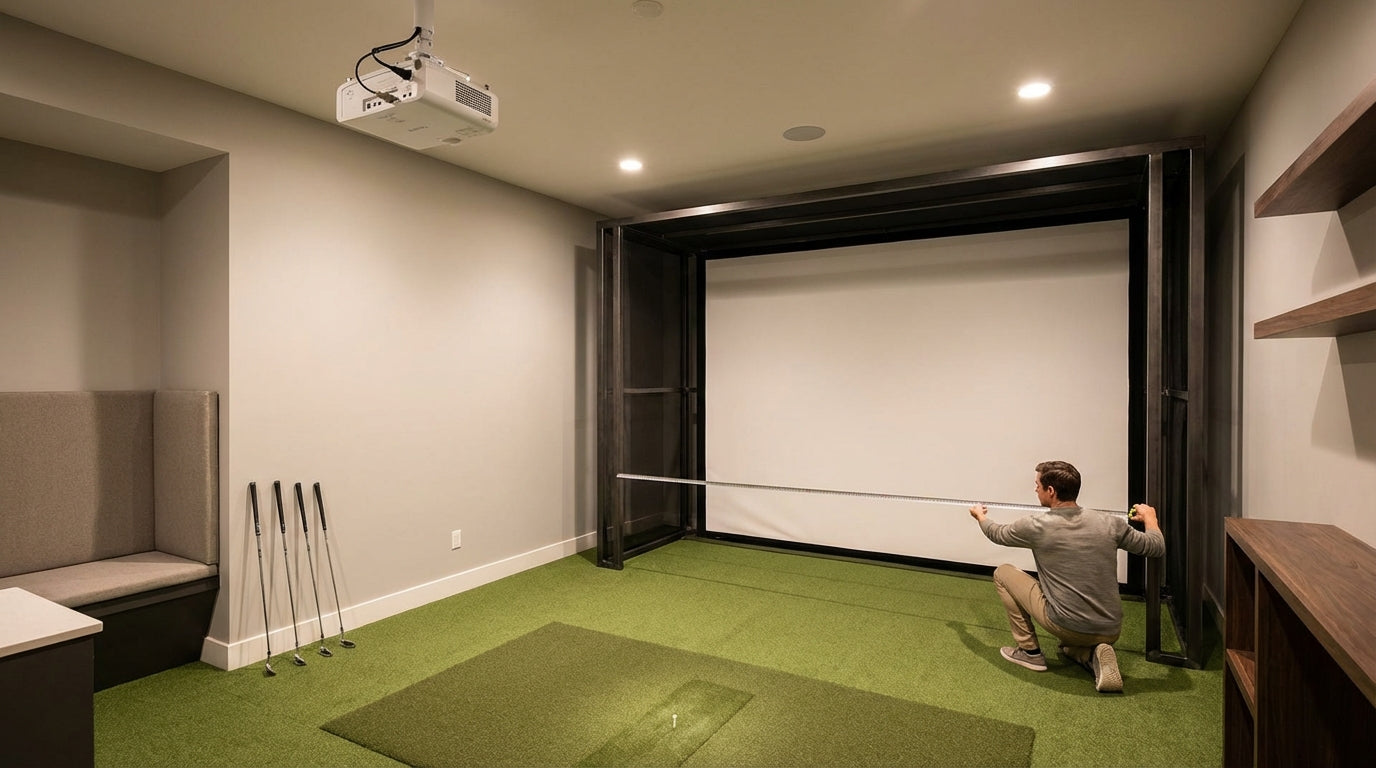
Here's a number that should give you pause before you click buy: a significant portion of home golf simulator projector returns happen because the buyer never calculated throw distance before purchasing. The projector arrives, it gets ceiling-mounted, and the image either falls 3 feet short of the screen or — worse — puts the lens right in the path of a full driver swing. The golf simulator market hit $2.207 billion in 2024 and is on track to nearly double to $4.751 billion by 2035. (Source: Market Research Future (2024)) That growth means more projectors than ever are flooding the market, and more golfers than ever are getting this wrong at checkout.
The fix isn't complicated. There's a formula, a usable window, and once you know both, picking the right projector becomes a 5-minute math problem instead of a $1,200 mistake.
Want your numbers without the math?
Use our interactive Projector Throw Distance Calculator — enter your screen width and room depth and get your exact throw distance, image size, and mount position instantly.
Open the Throw Distance CalculatorWhat Throw Distance Actually Means
Throw distance is the horizontal measurement from your projector's lens to the face of your impact screen. Not the back wall — the screen surface itself. That distinction matters when you're working with a stretched canvas on a frame that sits several inches in front of the wall.
Every projector has a throw ratio — the fixed relationship between projection distance and image width. The formula is straightforward:
Throw Distance = Throw Ratio × Screen Width
So if you have a 12-foot wide impact screen and a projector with a 0.8:1 throw ratio, you need: 0.8 × 12 = 9.6 feet between the lens and the screen. That's the entire calculation. Everything else is just applying it to your specific room.
Free tool — 30 seconds
Where should your projector go?
Pick your projector and screen size — get the exact mounting distance, image size, and brightness for your build. No math required.
Open the projector calculator →The 8–14 Foot Usable Window
This is the constraint most guides skip, and it's the one that actually determines whether a projector is viable in your bay.
The minimum safe projector throw distance is 8 feet from the screen surface. Go shorter without a purpose-built ultra-short-throw unit and you're getting a compressed image that can't fill a large screen. The upper limit: 14 feet is where the golfer's shadow begins casting onto the impact screen during the swing, which breaks ball-tracking and ruins the image quality. (Source: Indoor Golf Design / BenQ Golf Simulator FAQ)
That gives you an 8–14 foot viable range. Every projector you consider needs to land its ideal throw distance inside that window for your specific screen width. Ultra-short-throw units at 0.3–0.4:1 ratios are viable only with floor stands or specialized ceiling rigs positioned very close to the screen. Standard long-throw projectors at 1.5:1 and beyond push you past 14 feet on anything wider than a 9-foot screen. The math keeps pointing to the same place.
The Throw Ratio Sweet Spot
Industry consensus has settled on 0.69–0.89:1 as the ideal throw ratio range for golf simulator projectors, with 0.8:1 widely cited as the practical sweet spot for most home rooms. (Source: My Golf Simulator / BenQ Golf Simulator Resource Center)
Why 0.8:1? At that ratio, a 10-foot wide screen requires exactly 8 feet of throw — right at the safe minimum. A 12-foot screen needs 9.6 feet. A 14-foot screen needs 11.2 feet. All of these land squarely inside the usable 8–14 foot window without forcing unusual mounting positions.
If you're comparing a 0.6:1 UST against a 0.8:1 short-throw, our short throw vs. long throw projector guide covers mounting position and image geometry differences that don't show up in spec sheets.
How to Calculate Your Throw Distance in 3 Steps
Step 1: Measure Your Available Room Depth
Stand at your impact screen and measure straight back to wherever you'd realistically mount the projector. Subtract 12–18 inches to account for the projector body extending behind the lens. That's your maximum usable throw distance.
Step 2: Lock In Your Screen Width
If you haven't bought a screen yet, your ceiling height sets the upper limit. The minimum recommended ceiling is 9–10 feet; 8 feet is an absolute floor that limits driver use and caps your screen height significantly. (Source: Carl's Place / TrackMan Golf Simulator Room Guide) Confirm the width of your intended screen before running any numbers.
Step 3: Calculate the Maximum Throw Ratio You Can Use
Divide your available throw distance by your screen width. That result is your maximum throw ratio. Shop for projectors at or below that number — ideally between 0.7 and 0.9.
Example: Your room gives you 10 feet to the screen. Your screen is 12 feet wide. 10 ÷ 12 = 0.83. You want a projector with a throw ratio of 0.83:1 or less.
Throw Distance Reference Chart by Screen Width
Throw Distance by Screen Width at Common Throw Ratios
Swipe to compare →
| Screen Width | Throw Ratio 0.6:1 (UST) | Throw Ratio 0.8:1 (Sweet Spot) | Throw Ratio 1.0:1 (Standard Short) |
|---|---|---|---|
| 10 ft | 6.0 ft | 8.0 ft | 10.0 ft |
| 12 ft | 7.2 ft | 9.6 ft | 12.0 ft |
| 14 ft | 8.4 ft | 11.2 ft | 14.0 ft |
| 16 ft | 9.6 ft | 12.8 ft | 16.0 ft |
Now run your exact setup
Plug your own screen width and room dimensions into the interactive calculator to confirm the right projector and throw distance for your bay.
Calculate My Throw DistanceNote the 0.6:1 UST on a 10-foot screen: 6 feet of throw is below the 8-foot safe minimum. That projector needs a specialized floor stand or angled ceiling rig, not a standard ceiling mount. Plan for that before you commit to the unit.
Don't Forget Lumens — Throw Distance Affects Brightness Too
Here's where a lot of builds go sideways. You nail the throw distance, find a projector in the right ratio range, and the image looks washed out in your garage anyway. The culprit is almost always insufficient lumens for the screen size.
The minimum projector brightness for a golf simulator is 3,000 lumens for a ~10-foot screen. A 14-foot wide screen requires approximately 5,500 lumens based on the 50 foot-lamberts × screen area formula. (Source: ProjectorCentral / Carl's Place Brightest Golf Simulator Projectors Guide)
The bigger the screen, the more lumens you need. These specs compound with throw distance. For the full breakdown on which spec deserves your budget at different screen sizes, see our resolution vs. lumens guide.
Minimum Projector Lumens Required by Screen Width (50 ft-lamberts formula)
Source: ProjectorCentral / Carl's Place (50 foot-lamberts × screen area sq ft formula)
By the Numbers
- The global golf simulator market is valued at $2.207 billion in 2024, projected to reach $4.751 billion by 2035 at a 7.22% CAGR — more projector options are hitting the market every quarter. (Source: Market Research Future (2024))
- The ideal throw ratio for golf simulator projectors is 0.69–0.89:1, with 0.8:1 as the practical sweet spot for most home rooms. (Source: My Golf Simulator / BenQ Golf Simulator Resource Center)
- Safe projector placement sits between 8 and 14 feet from the screen surface — closer creates sizing issues, further creates shadow problems. (Source: Indoor Golf Design / BenQ Golf Simulator FAQ)
- Over 15 million Americans participate in off-course golf annually, including simulator facilities, driving the residential installation boom. (Source: GM Insights / Polaris Market Research, 2024)
The Most Common Throw Distance Mistakes
Measuring to the Wall Instead of the Screen Face
If your screen sits 8 inches in front of the wall on a frame, you've already lost 8 inches of usable throw. Always measure to where the screen surface actually sits, not the structure behind it.
Forgetting Projector Body Depth
Throw distance is measured from the lens, not the rear panel of the unit. A ceiling-mounted projector with a 12-inch body depth eats into your throw calculation before you've powered it on. Check the spec sheet for lens position relative to the chassis.
Buying the Projector Before Finalizing the Screen
Your screen dimensions drive the throw distance requirement. Lock in the screen first — based on your room width and ceiling height — then work backwards to the projector. Going the other direction is how you end up with a mismatch you can't fix without returning both. Our guide on matching screen and projector brightness walks through how these two pieces of the puzzle need to be spec'd together.
Get the Screen Right First
Every projector decision flows from your impact screen dimensions. If you haven't locked in your screen size, that's actually the starting point — not the projector. A properly sized, high-quality impact screen makes a correctly-calculated throw distance pay off every single session.
Browse impact screens at GolfingSim →
Not sure which simulator fits your room?
The two-minute Simulator Finder Quiz checks your space and budget against every system we carry.


Keep Reading
Related guides

golf simulatorGolf Impact Screen for a Two-Car Garage: How to Size, Center, and Hang One Across the Wide Bay

golf simulatorGolf Impact Screen Max Ball Speed Rating: What Your Screen Really Survives at 110+ MPH

corner setupGolf Simulator Impact Screen for a Corner Setup: How to Angle It Without Wrecking Your Bounce-Back