
golf simulator
Golf Simulator Impact Screen Tear Repair: When to Patch and When to Replace
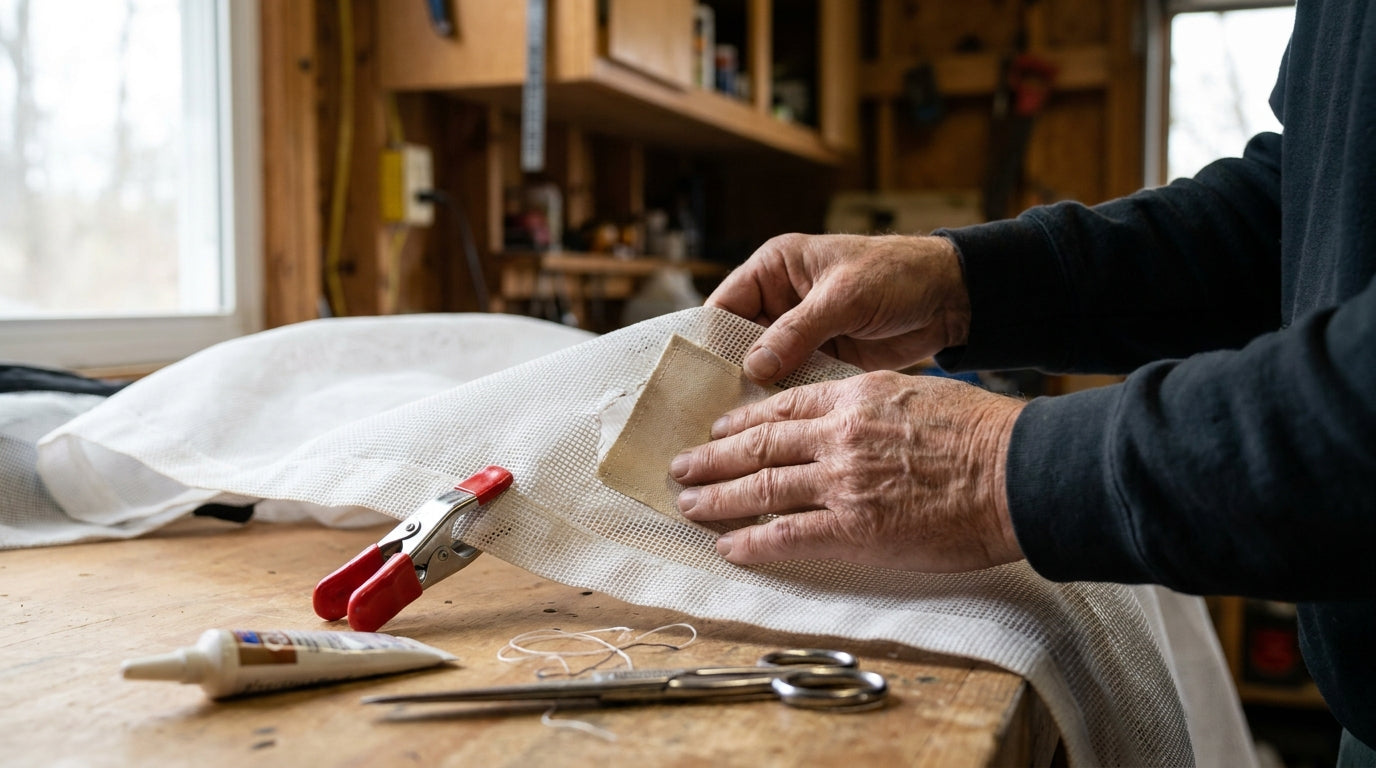
Here's the number that should change how you panic the next time you spot a hole: a single golf ball can hit your screen with 500 to 2,000 Newtons of force, while common impact-screen fabric has a tear strength of only about 80 Newtons (Source: Canvas ETC – Golf Impact Screen Durability). That gap is exactly why a small tear doesn't stay small. The fabric can't out-muscle the ball, so every shot near a frayed spot pulls it wider.
But that doesn't mean a fresh hole is a death sentence for your screen. Most small damage is repairable, and a $20 fix can hold off a several-hundred-dollar replacement. The trick is knowing which tears you can patch and which ones are telling you the screen is done. This is your golf simulator impact screen tear repair playbook.
First, Find Out What You're Actually Looking At
Before you reach for tape, figure out the damage. There are really four kinds: a clean puncture or tear, a worn impact spot where the weave is thinning, fraying at a seam or edge, and full-on brittle aging where the whole panel feels stiff and chalky.
Building one now? Carl’s Place Premium impact screen — from $440.
The two questions that decide everything: how big is it, and where is it? A two-inch tear at the edge is a totally different problem than a two-inch tear dead center where your driver lands.
The size threshold that matters
DIY golf simulator impact screen tear repair is generally feasible for tears or holes under 1 to 2 inches (2.5–5 cm) in their largest dimension. Once a tear pushes past a few inches — especially in the central hitting zone — you're into replacement territory (Source: Canvas ETC – Golf Impact Screen Maintenance, Cleaning, Repair & Care Guide). Measure before you decide. People wildly overestimate hole size when they're staring at it in a panic.
How to Patch a Small Tear So It Actually Holds
A patch only works if it spreads load away from the tear instead of sitting on top of it. That means overlap and bonding, not a quick slap of tape.
Cut a fabric patch so it overlaps the tear by 2 inches on all sides. Glue the patch and the surrounding screen area, then clamp it and leave it for at least 8 hours to fully bond (Source: Canvas ETC – Golf Impact Screen Maintenance & Repair Guide). Rush the cure and the bond peels on your first solid strike.
A few things that make or break the repair:
- Patch from the back of the screen so the ball-facing side stays smooth and your image stays clean.
- Match the patch material to the screen weave if you can — a stiff mismatched patch creates a hard edge that becomes the next failure point.
- Re-check your screen tension after patching. A patch on a slack screen flexes more and fails faster. If your tension is off to begin with, fix that first with our impact screen tensioning system guide.
What the Data Says About Patch vs. Replace
The reason small frays deserve attention early comes down to weave density. Tighter-weave fabric (200 TPI polyester) showed a 25% longer lifespan than looser 150 TPI fabric of identical material and thickness (Source: Canvas ETC – Golf Impact Screen Durability, weave-density testing). When a spot starts fraying, the weave is opening up and losing the exact density that gave it durability. Catch it early and you reinforce it; ignore it and the thin spot becomes a hole.
Age is the other quiet killer. Polyester fibers lost 15% of tensile strength after 500 hours of simulated UV exposure (Source: Smith et al., 2018, Journal of Applied Polymer Science, cited by Canvas ETC). An old, sun-faded screen is brittle, and brittle fabric won't hold a glued patch — the area around your repair just cracks somewhere new.
Knowing how much life your screen had to begin with helps too. Entry-level screens typically last 20,000–50,000 ball strikes before visible wear, while premium 3-layer screens are rated for 200,000+ impacts — roughly a 10x lifespan gap (Source: GolfSimSpot / GolfingSim 2026 impact-screen guides). If you're an entry-level screen with a tear at 40,000 swings, you're near end-of-life anyway and a patch is just buying you a few weeks.
Rated Ball-Strike Lifespan by Impact Screen Tier
Source: GolfSimSpot / GolfingSim 2026 impact-screen guides (entry-level midpoint of 20k–50k range)
If the answer is replace
All three Carl’s Place tiers, listed by exact finished size, so a replacement drops straight onto the frame you already have.
Shop replacement screens →The Repair vs. Replace Decision, In One Table
Match your damage to the row that fits. When in doubt, lean toward the action listed — the central hitting zone is unforgiving, and a marginal patch there usually fails fast.
Repair vs. Replace: Impact Screen Damage Thresholds
Swipe to compare →
| Damage Type | Recommended Action | Notes |
|---|---|---|
| Tear or hole under 1–2 in., near edge/border | Patch (repair tape or glued fabric patch) | Overlap tear by 2 in. on all sides; clamp 8+ hrs |
| Small fray or worn weave outside hitting zone | Patch / reinforce | Catch early before weave opens further |
| Tear over a few inches, or any damage in central high-impact zone | Replace | Impact loads of 500–2,000 N spread central tears fast |
| Extensive fraying, multiple damage points, or thinning/brittle aged fabric | Replace | UV/age cuts tensile strength ~15%; patches won't hold |
The Money Math on Patching First
Replacing isn't cheap. Standard golf impact screens start around $194.95, Preferred around $313.95, and Premium around $429.95 (Source: Carl's Place / Shop Indoor Golf retail pricing). A successful $20–$40 patch can defer a several-hundred-dollar replacement by months. For an edge tear on a screen that's only halfway through its strike life, that's an easy call.
The flip side: don't keep patching a screen that's clearly aging out. If you're sinking multiple patches into a brittle, multi-spot screen, you're spending money to delay the inevitable — and risking a center blowout mid-round. When you hit that point, our guide on how to know when it's time to upgrade walks through the real end-of-life signals.
Prevention Beats Repair Every Time
The best tear repair is the one you never have to do. Keep tension dialed in so the fabric flexes evenly instead of concentrating stress in one spot. Wipe the screen down regularly, because grit embedded in the weave acts like sandpaper on every strike — our cleaning and maintenance guide covers how to add 20–30% to your screen's life. And if your shots are scattering wide, that's spreading wear across more fabric than it should.
Inspect your screen monthly. Run your hand over the central impact zone and check the seams and edges for early fraying. Catch a worn spot while it's still a fuzz of opened weave and a reinforcement patch buys you thousands more strikes. Wait until it's a hole and you're shopping for a new screen.
The Bottom Line
Small tears under 1–2 inches near the edge? Patch them — overlap by 2 inches, glue, clamp 8 hours, done. Big tears, center-zone damage, or a brittle aged screen? Replace, because the physics won't let a patch survive there.
When patching has run its course, don't gamble on a worn-out screen mid-swing. Browse our impact screens collection and get a fresh, full-strength surface built to take 500 to 2,000 Newtons a shot — without flinching.


Not sure which simulator fits your room?
The two-minute Simulator Finder Quiz checks your space and budget against every system we carry.

Keep Reading
Related guides

golf simulatorGolf Simulator Hitting Mat Sizing Guide: Exact Dimensions for 10x12, 12x15, and 16x18 Rooms

golf simulatorGolf Simulator Enclosure Cost to Build: Every Line Item, DIY vs Pre-Made (2026 Numbers)

golf simulatorGolf Simulator Room Electrical Plan: Where Every Outlet Goes Before the Frame Closes Up