
golf simulator
Golf Simulator Impact Screen for Multi-Sport Use: Can One Screen Really Take a Baseball, a Puck, and Your Driver?
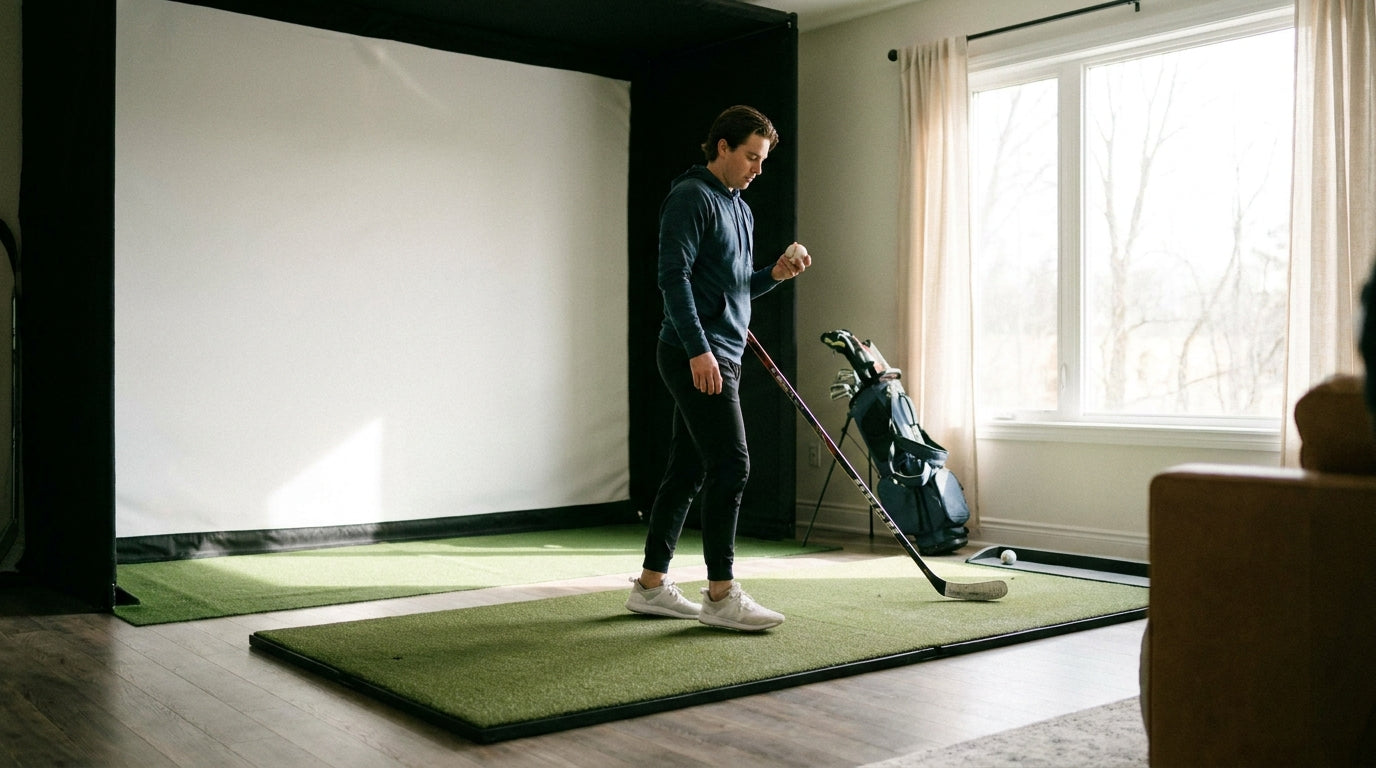
Here's a number that should change how you shop: premium impact screens are tested to survive direct hits from golf balls traveling up to 250 MPH (Source: Precision Sports Sim / industry product testing). A fastball leaves a major-league hand around 100 MPH. A slap shot tops out near 100 too. So the screen hanging in your golf bay is, on paper, dramatically over-built for almost every other sport you'd want to throw at it.
That's the good news. The catch is that not every screen lives at the top of that range, and a golf simulator impact screen for multi-sport use gets pounded in ways a pure golf screen never does. Let's break down what actually survives, and what setup changes you need before you start firing pucks at it.
Why Multi-Sport Use Is a Different Animal
A golf ball is small, fast, and hits a tight cluster of spots on the screen. A baseball is bigger and concentrates more mass per impact. A hockey puck is a flat slab of vulcanized rubber that hits with brutal edge force. And kids playing every sport in one bay means thousands of hits per month, not dozens.
Ready to shop impact screens?
Browse the full Carl's Place lineup — every screen ships ready to mount with real size specs.
Shop Carl's Place Impact Screens →So the question isn't really "can a golf screen stop a baseball?" It almost certainly can. The real question is whether it stops a baseball five thousand times without stretching, tearing, or bouncing the ball back at your face.
What the Data Says
This is where screen tiers separate fast. Standard single-layer 14-oz polyester screens are rated for ball speeds of 130–150 MPH, while 15-oz "poly spacer" material — roughly 3mm thick, nearly twice standard thickness — handles 180+ MPH (Source: ShopIndoorGolf / Carl's Place material guides). Even the entry tier already covers a 100-mph baseball, but the thicker spacer adds margin for repeated high-velocity pounding.
Projection-grade screens climb higher. Elite Screens' ImpactWhite ratings range from 150 MPH on the 350 model to 200 MPH on the 1145 and 360 models (Source: Elite Screens / Canvas ETC). That's the jump most mixed-sport buyers are choosing between.
Durability isn't only about speed, though. A tighter 200 TPI polyester weave showed a 25% increase in lifespan over a looser 150 TPI weave, and screens lose roughly 15% of tensile strength after 500 hours of simulated UV exposure (Source: Canvas ETC, "Golf Impact Screen Durability," ASTM-referenced). Under multi-sport abuse, weave density matters more, not less — a denser screen survives thousands of harder shots. If you want the deeper dive on speed ratings, our breakdown of what a ball speed rating actually means is worth a read.
Maximum Ball Speed Tolerance by Impact Screen Tier
Source: ShopIndoorGolf, Carl's Place, Elite Screens/Canvas ETC, Precision Sports Sim
Match the Screen Tier to Your Sports
Screens are categorized by layer count: single-layer for recreational use, dual-layer for home theater and sports, and triple-layer for pro golf and high-velocity use (Source: Elite Screens "Ultimate Guide to Choosing the Right Impact Screen"). The simple rule for multi-sport households: skip single-layer entirely and step up to dual- or triple-layer construction.
Here's how the tiers stack up against the sports you're likely mixing in.
Impact Screen Tiers for Multi-Sport Use
Swipe to compare →
| Screen Tier | Material / Construction | Max Rated Ball Speed | Best Multi-Sport Fit |
|---|---|---|---|
| Recreational | Single-layer 14 oz polyester (~1–2mm) | 130–150 MPH | Golf + light foam/whiffle ball |
| Home / Sports | Dual-layer or 15 oz poly spacer (~3mm) | 180 MPH | Golf, baseball, lacrosse, soccer |
| Premium | Triple-layer woven polyester / ImpactWhite 360 | 200 MPH | Hockey pucks, hardballs, daily mixed use |
| Commercial / Pro | Heavy multi-layer, steel-framed | Up to 250 MPH | High-velocity, high-frequency facility use |
Notice that hockey pucks sit in the premium row. It's not about raw speed — a puck is slower than a driver — it's the hard, concentrated edge impact and the frequency of shots. For pucks and hardballs in daily rotation, a single-layer screen will fuzz and stretch fast. Want a tier-by-tier durability look? Our screen material durability comparison covers exactly which builds survive a hard swing.
Tensioning Matters More Than Ever
Multi-sport use generates real force. Golf and mixed-sport impacts typically range from 500 to 2,000 Newtons depending on swing and ball speed, and screens should be tensioned loosely enough to press back 3–4 inches by hand (Source: Canvas ETC durability study; Carl's Place setup guidance).
That flex isn't a flaw — it's the safety system. A screen mounted too rigidly can't absorb energy, so a baseball or puck rockets straight back at the shooter. Bungee tensioning lets the screen "catch" the projectile and drop it harmlessly.
If you're firing faster, harder objects, getting this dialed in is non-negotiable. Our impact screen tensioning system guide walks through the exact give you're after.
Setup Adjustments for Mixed Sports
Beyond tension, give yourself more standoff distance from the wall behind the screen — faster projectiles travel deeper before the screen stops them. Add a backing or rebound space so nothing slaps the drywall. And inspect more often: a screen taking baseballs and pucks ages faster than one only seeing golf, especially given that 15% tensile-strength drop from UV and use over time.
One more honest note: image quality on a thick triple-layer screen is excellent for golf and gaming, but the heavier material is built for survival first, pristine projection second. For a true multi-sport bay, that's the right trade.
The Bottom Line
Yes — a quality golf impact screen can absolutely double as a multi-sport screen. The data is clear: a 100-mph baseball or puck sits comfortably under even mid-tier ratings, and top screens have headroom to spare. Just don't try it on a thin single-layer screen, and get your tensioning right before the first hard shot.
Ready to build a bay that handles golf, baseball, hockey, and whatever your kids invent next? Browse our impact screen collection and pick the tier that matches your sports — not just your swing.


Not sure which simulator fits your room?
The two-minute Simulator Finder Quiz checks your space and budget against every system we carry.

Keep Reading
Related guides

golf simulatorGolf Simulator Enclosure Lighting Plan: Where to Mount Fixtures So They Never Wash Out Your Screen

golf simulatorGolf Simulator Basement Conversion Checklist: The 7 Steps to Run Before You Buy Anything

DIY golf simulatorGolf Simulator Garage Build Cost Breakdown: Every Line Item at Three Budget Tiers