
chipping and putting
Golf Simulator Impact Screen for Chipping and Putting: Does Your Screen Actually Handle the Short Game?
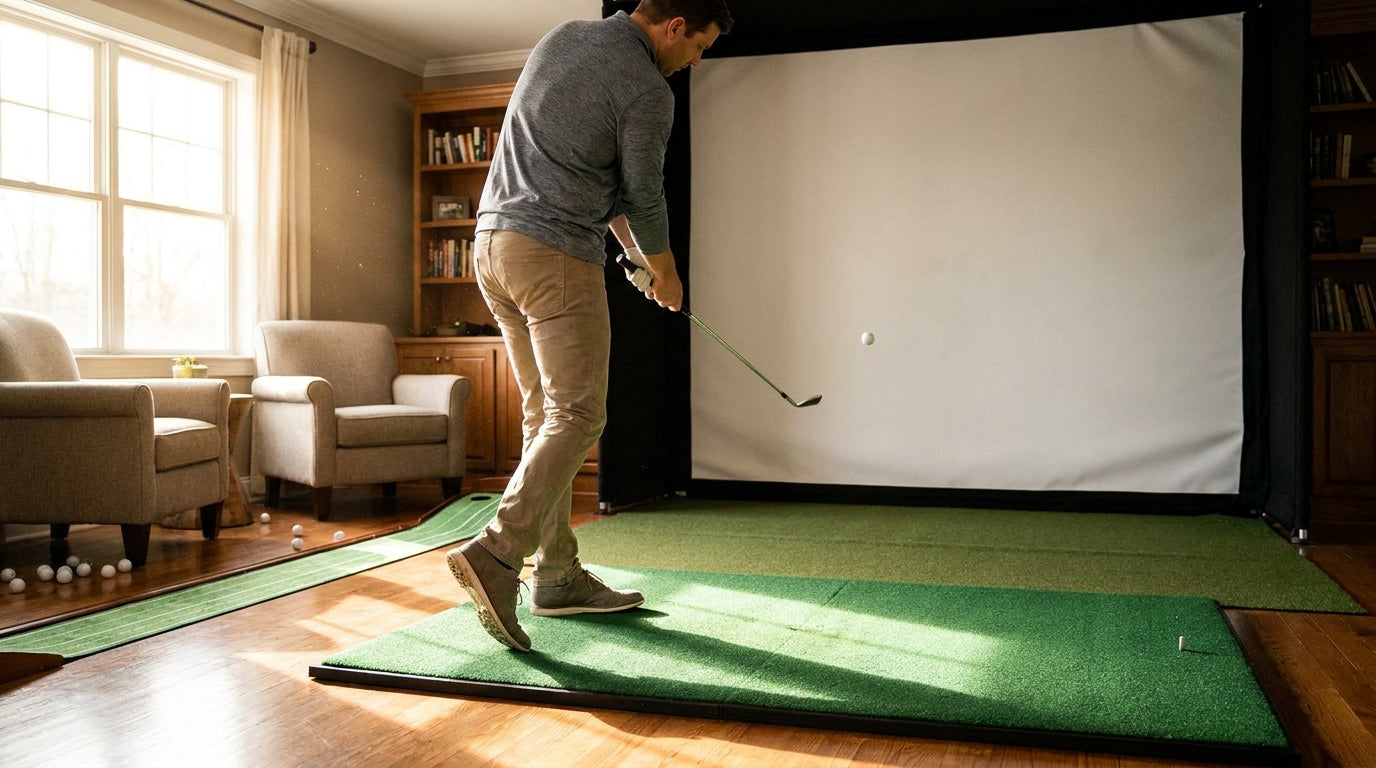
Here's the one that surprises almost every sim owner: a soft, high-spinning chip can chew through your screen faster than a full-blooded driver. Burn marks on impact screens are most commonly caused by high-spin wedge shots, not max ball speed (Source: Golfbays / Carl's Place impact screen guides). So if you've been babying your screen on the short game thinking you're doing it a favor, the data says otherwise.
The good news? A golf simulator impact screen for chipping and putting is absolutely a legit practice surface — if you set it up right. Get the tension, distance, and construction wrong and your short-game numbers lie to you while your screen quietly wears out. Let's fix that.
Why a Golf Simulator Impact Screen for Chipping and Putting Is Tougher on Material Than You'd Think
Most people assume wear is all about speed. It isn't. Spin is the hidden killer.
Building one now? Carl’s Place Preferred impact screen — from $299.
A wedge shot that's only traveling 40-50 mph can carry far more backspin than a driver, and that spinning friction at impact is exactly what scorches and frays the weave. That's why short-game-heavy users — guys grinding pitches and flop shots for an hour — sometimes see wear show up before the people who only hit drivers.
Putting is gentler, but it has its own quirk. A putt that dribbles into the bottom of the screen at low speed needs the screen to read it accurately, and that comes down to distance and calibration more than durability. We'll get there.
Tension: The Single Biggest Factor for Short-Game Shots
If you take one thing from this post, make it this. Tension controls both bounce-back and screen life.
A properly tensioned impact screen should give enough to be pressed back roughly 3 to 4 inches with a finger. Crank it drum-tight and it acts like a trampoline — soft chips spring straight back at you and the material wears out faster (Source: golfsimulatorforum / PlayBetter setup guides).
That trampoline effect matters way more on the short game. A driver buries into a slightly loose screen and dies. A soft chip off an over-tight screen pops right back toward your feet. If you're dialing this in, our impact screen tensioning system guide walks through getting that 3-4 inch give exactly right.
Bounce-Back: Where to Stand (and Place Your Mat) for Chipping
Short shots feel harmless, but balls still come back. On a center hit, balls typically rebound 1 to 3 feet. Add high ball speed and a memory-foam layer behind the screen and that can stretch to 4 to 9 feet before the ball lands softly (Source: My Golf Simulator / Carl's Place bounce-back troubleshooting).
For chipping that's actually an advantage — a backing layer softens the return so you're not chasing ricochets. The move is simple: place your chipping mat and stance outside that 1-3 foot center bounce zone, and never set a bucket of balls right at the base of the screen.
If rebound is driving you nuts, our breakdown of how far balls really rebound covers the exact fixes.
Distance and Calibration: Getting Honest Chip and Putt Numbers
This is the part nobody talks about, and it's why your chip carry sometimes reads like nonsense.
For accurate short-game carry feedback, a screen about 10 feet (≈3 yards) away should register roughly a 3-yard carry for a chip that just reaches it, and a ~15-foot putting distance creates a clean 1:1 speed ratio (Source: Carl's Place putting guide / Foresight Sports). Too close and partial shots get clipped before the launch monitor sees the full picture.
Bottom line: your screen placement isn't just a durability and safety decision — it's a data-accuracy decision for the short game specifically.
What the Data Says
Let's put the numbers in one place so you can make a real decision instead of guessing.
- High-spin wedge shots can wear through a screen faster than a low-spin driver, with burn marks common from high-spinning shots (Source: Golfbays / Carl's Place).
- A correctly tensioned screen presses back 3-4 inches with a finger; over-tight screens trampoline and wear faster (Source: golfsimulatorforum / PlayBetter).
- Center-hit bounce-back runs 1-3 feet, up to 4-9 feet with high speed and foam backing (Source: My Golf Simulator / Carl's Place).
- A foam or padding absorption layer behind the screen absorbs impact energy and reduces stress on the material (Source: AllSportSystems / Golfbays).
Golf Simulator Impact Screen Price by Quality Tier
Source: ShopIndoorGolf & Carl's Place screen pricing guides
Material is the biggest driver of both price and durability, and screens range from about $175 (budget) and $250 (standard) up to $400 (preferred) and $600 (premium) (Source: ShopIndoorGolf / Carl's Place). For short-game-heavy use, that mid-to-premium multi-layer build pays for itself in absorbed impacts.
Which Screen Construction Survives Heavy Chipping and Putting
Not all screens absorb soft, repeated hits the same way. Screens are commonly built as 2.5mm single-layer, ~3mm poly-spacer (cushioned), or 5.0mm dual-layer — and dual-layer designs let you peel off a worn front layer and keep using the second (Source: ShopIndoorGolf / virtual-golf-simulator.com). Commercial setups go further, adding a foam or padding layer behind the screen to soak up energy (Source: AllSportSystems / Golfbays).
Impact Screen Construction Types and Short-Game Suitability
Swipe to compare →
| Screen Type | Approx. Thickness | Bounce-Back / Durability for Soft Shots |
|---|---|---|
| Single-layer | 2.5 mm | Lowest cost; least absorption, more bounce-back, wears fastest |
| Poly-spacer (cushioned) | ~3 mm | Nylon cushion between layers softens impact and reduces rebound |
| Dual-layer | 5.0 mm | More durable; front layer peelable when worn, better noise/bounce control |
| Triple-layer + backing foam | 5 mm+ with foam pad | Best absorption; recommended for high-volume chipping/putting |
If you grind the short game daily, a multi-layer screen with foam backing is the honest recommendation. Want to compare how each tier holds up over time? Our screen material durability comparison ranks them shot by shot.
Setting Up a Short-Game Station That Stays Accurate and Safe
Pull it together and the recipe is short. Tension to a 3-4 inch finger press. Position your screen far enough back that partial chips register honest carry. Keep your mat and stance out of the 1-3 foot center bounce zone, and add a foam backing layer if you're putting in volume.
Do that and your screen becomes a genuinely useful short-game tool — not a liability you're afraid to chip into.
The Bottom Line
A golf simulator impact screen for chipping and putting works, full stop. The catch is that soft shots aren't automatically gentle — spin wears material, over-tight screens trampoline, and bad distance calibration lies to you. Nail tension, distance, and a multi-layer build, and you've got a short-game range that survives daily use.
Ready to upgrade to a screen built to take the chips, pitches, and putts? Check out our impact screen collection and pick the construction tier that matches how hard you actually practice.


Not sure which simulator fits your room?
The two-minute Simulator Finder Quiz checks your space and budget against every system we carry.

Keep Reading
Related guides

golf simulatorGolf Simulator Enclosure Lighting Plan: Where to Mount Fixtures So They Never Wash Out Your Screen

golf simulatorGolf Simulator Basement Conversion Checklist: The 7 Steps to Run Before You Buy Anything

DIY golf simulatorGolf Simulator Garage Build Cost Breakdown: Every Line Item at Three Budget Tiers