
golf impact screen sound dampening
Golf Impact Screen Sound Dampening: How to Quiet Your Home Setup Without Tearing Down Walls
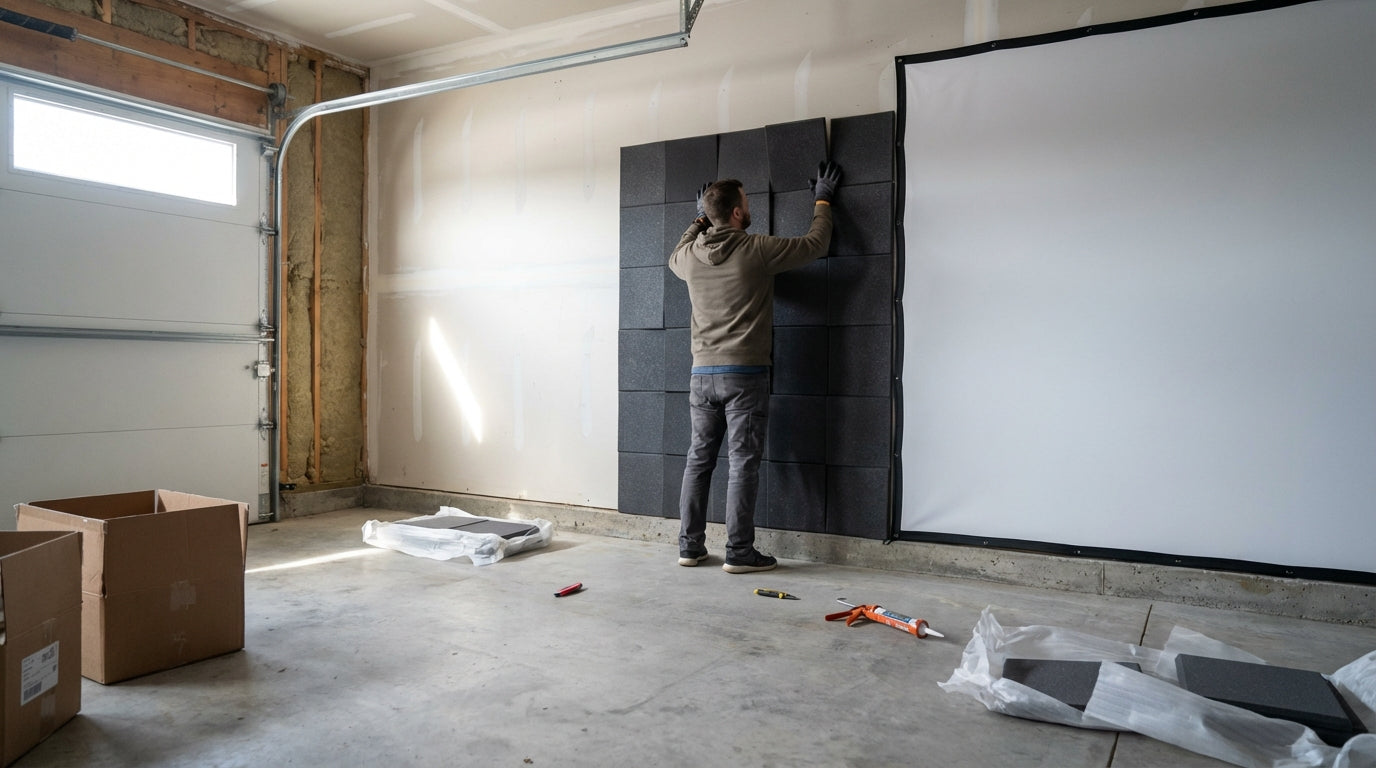
Your driver produces 110–120 decibels of impact noise at ball contact. That’s louder than a table saw and in the same range as an ambulance siren. (Source: Sim Golf Lab – ‘How Loud Is a Golf Simulator? (We Did the Decibel Tests)’) If you’re hitting balls in an attached garage or above a finished basement, that sound travels — through walls, joists, and your neighbor’s patience.
The good news: you don’t need a full room build-out to fix it. The right golf impact screen sound dampening setup — starting with the screen itself — can cut your ball-impact noise dramatically. Here’s what the data says actually works.
Why Golf Simulator Noise Is Harder to Control Than You Think
Most people assume the screen absorbs the sound. It does — but not all screens do it equally, and the screen is only part of the equation.
Building one now? Carl’s Place Premium impact screen — from $440.
Sound in a simulator setup comes from two main sources: the ball-screen impact itself, and the reverb off hard surfaces in the room (concrete floors, bare drywall, exposed walls). Control both and you can make a garage setup genuinely livable in a shared home.
The other thing worth knowing: not all shots are equal. Iron shots register around 80–90 dB — roughly as loud as a vacuum cleaner. Driver shots? 110–120 dB. (Source: GolfSimulatorAdvisor.com – ‘Is a Golf Simulator Loud? What to Expect in Terms of Noise’) That gap matters a lot for how seriously you need to treat your dampening. A setup used mostly for iron practice is a very different noise problem than one where you’re launching drivers every session.
Screen Construction: The Biggest Variable in Golf Impact Screen Sound Dampening
If you want to reduce noise at the source, screen construction is the first lever you can pull — and it’s the biggest one.
A budget single-layer polyester screen does almost nothing for noise. It stops the ball, sure — but it doesn’t absorb much impact energy. The ball hits, the screen snaps taut, and the crack echoes through the room.
A three-layer screen with vertical spacer yarns is a fundamentally different experience. The spacer-yarn sandwich creates a built-in energy absorption layer that takes the impact instead of reflecting it. Testing shows this construction reduces ball impact noise by approximately 42% compared to a single-layer screen. (Source: MyGolfSpy and ShopIndoorGolf – SIGPRO Premium product testing) On the logarithmic decibel scale, that’s a perceived loudness drop that’s immediately noticeable in the room.
For a deeper look at how screen tiers compare on material and construction, check out our guide to choosing the right golf impact screen material — it covers every tier from Standard through Premium in detail.
What the Data Says: Noise by Screen Type
Here’s how estimated peak impact noise breaks down by screen construction during a driver shot at roughly 6 feet:
Estimated Impact Noise Level by Impact Screen Type (driver shot at ~6 ft)
Source: Industry estimates based on Sim Golf Lab decibel tests, SIGPRO spacer yarn ~42% reduction data, and Second Skin Audio soundproofing guidance
The jump from a single-layer to a three-layer spacer-yarn screen drops estimated peak noise from ~108 dB to ~85 dB — the equivalent of going from a rock concert to a busy restaurant. Add acoustic foam or MLV backing behind the screen and you push down another 10 dB, into the range of a loud conversation.
Beyond the Screen: Wall and Room Treatments That Actually Move the Needle
Mass Loaded Vinyl (MLV)
MLV is a dense, flexible barrier you can hang on walls, behind the screen frame, or along the ceiling. It carries an STC (Sound Transmission Class) rating of 27–32 depending on thickness, and the STC number roughly equals decibels blocked. (Source: Acoustical Solutions – AudioSeal MLV product data; IsoStore TotalMass MLV specs)
The practical sweet spot for most garage setups is 1 lb/sq ft MLV hung directly behind the impact screen. It adds mass and weight to the screen assembly without changing your throw distance or sightlines — and it’s reversible if your setup ever moves.
Double Drywall + Green Glue
If you’re dealing with a shared wall or a ceiling above a living space, this is the most effective structural upgrade you can make without tearing anything down. Adding a second layer of 5/8-inch drywall with Green Glue damping compound between the layers delivers a 12–15 dB structural soundproofing improvement. (Source: Second Skin Audio – ‘Improve Soundproofing and Acoustics in Your Golf Simulator Room’)
It’s a weekend project, not a renovation. And the gains are real enough that family or neighbors in an attached space will notice the difference.
Acoustic Foam Panels
For reverb control — the echo off concrete floors and bare drywall — acoustic foam panels are the budget-friendly first step. Mid-range foam sufficient to cover the hitting area runs $100–$300, while premium padded safety panels for full wall coverage go $300–$1,000+. (Source: My Golf Simulator – ‘Building a Quiet Golf Simulator: Soundproofing Tips for 2025’) They won’t block sound transmission through walls, but they kill the room’s reverb tail — which makes the whole setup feel significantly quieter even when raw dB levels are similar.
Screen Tier Comparison: Price, Construction & Noise
Not sure which screen tier makes sense for your budget and noise situation? Here’s a straight comparison:
Golf Impact Screen Tier Comparison: Price, Construction & Noise Reduction
Swipe to compare →
| Screen Tier | Typical Price Range | Construction | Noise vs. Single-Layer |
|---|---|---|---|
| Budget (e.g. GoSports) | $150–$250 | Single-layer polyester or canvas | Baseline (no reduction) |
| Mid-Range (e.g. Carl’s Place Preferred) | $245–$500 | Dual-layer heavy-duty polyester | ~8–12 dB reduction |
| Premium (e.g. SIGPRO Premium) | $500–$800 | 3-layer spacer-yarn polyester sandwich | ~42% reduction (~12–18 dB) |
| Premium Screen + Foam Backing | $700–$1,200+ | 3-layer screen with acoustic foam or MLV behind it | Up to 25–30 dB combined reduction |
Most home setups in attached garages land best at the mid-range or premium tier. Budget screens save money upfront, but the noise difference is significant enough that you’ll likely regret it within a month of daily use.
If you’re working in a tight space, our guide to the best golf simulators for small garages is worth a read — confined rooms amplify noise reflection, so screen selection matters even more when you don’t have space to spread out dampening material.
Practical Tips for Attached Garages and Shared Spaces
A few things that make a real difference without any major construction:
- Hang moving blankets or horse stall mats on the wall behind you — they absorb rear-wall reflection for nearly nothing per square foot
- Add a rubber anti-fatigue mat under your hitting mat — reduces floor vibration transmitted to a shared ceiling below
- Seal the gap under the garage door — sound leaks through air gaps faster than through walls
- Stick to irons after 9 PM — an 80–90 dB iron shot versus a 110+ dB driver is a massive practical difference in a shared building
Also worth reading: our breakdown of 7 common golf simulator room setup mistakes — skimping on noise and sound treatment is one of the most expensive errors people make after the build is already done.
The Bottom Line
Golf impact screen sound dampening isn’t a single product purchase — it’s a layered stack. Start with the right screen construction (three-layer spacer yarn if noise is a real concern), add MLV or acoustic panels based on your room, and treat the walls if you’re sharing space with the rest of your household.
The jump from a single-layer screen to a premium screen with backing can cut perceived loudness by more than half. That’s the difference between a setup that causes household friction and one that genuinely fits into a home without anyone complaining.
Ready to start with the right screen? Browse our full range of golf impact screens — we carry options from entry-level through premium spacer-yarn builds, with construction details so you can match the screen to your actual noise situation.
From This Guide
Sound treatment for your bay


Not sure which simulator fits your room?
The two-minute Simulator Finder Quiz checks your space and budget against every system we carry.

Keep Reading
Related guides

golf simulatorGolf Simulator Enclosure Lighting Plan: Where to Mount Fixtures So They Never Wash Out Your Screen

golf simulatorGolf Simulator Basement Conversion Checklist: The 7 Steps to Run Before You Buy Anything

DIY golf simulatorGolf Simulator Garage Build Cost Breakdown: Every Line Item at Three Budget Tiers