
aspect ratio 16:9 vs 16:10
Golf Impact Screen Aspect Ratio: 16:9 vs 16:10 (and Why the Wrong Match Wastes Half Your Screen)
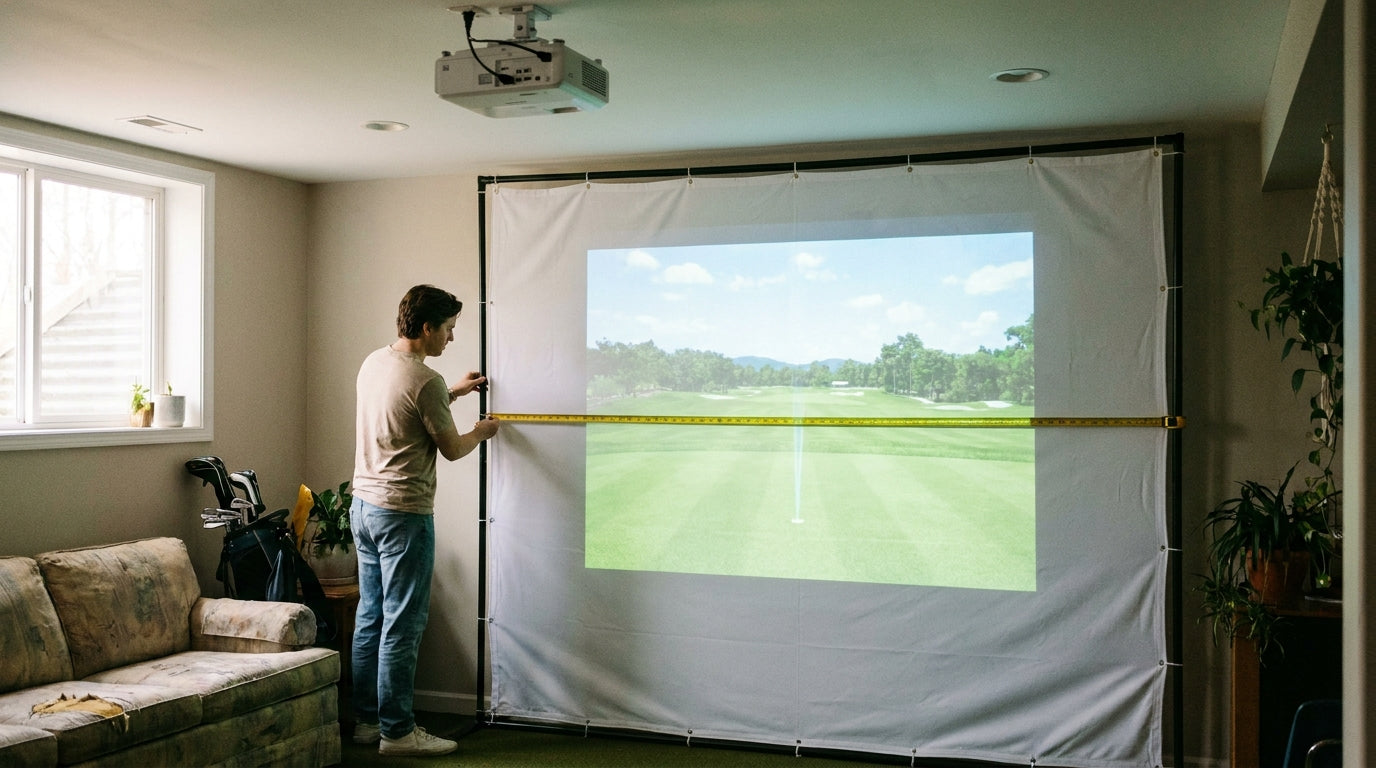
Here's a number that stings: a native 16:9 projector puts out a picture that's 1.78 times as wide as it is tall, while a 16:10 image is only 1.60x and an old 4:3 is 1.33x (Source: ShopIndoorGolf Aspect Ratio Guide). Same projector, same wall — wildly different rectangle. And if your screen shape doesn't match the shape your projector actually throws, you get black bars, wasted brightness, and a hitting area that's smaller than the one you paid for.
Most buyers never think about this until the projector's mounted and there's a two-inch dark band riding across the top of their screen. Let's fix that before you cut a single frame rail.
The core problem: aspect ratio is a shape, not a size
Your projector doesn't throw a "big" or "small" image. It throws a specific rectangle, and that rectangle's proportions are baked into the chip. Native 16:9 projectors run 1920x1080. Native 16:10 (WUXGA) projectors run 1920x1200 (Source: ShopIndoorGolf / Carl's Place).
Ready to shop impact screens?
Browse the full Carl's Place lineup — every screen ships ready to mount with real size specs.
Shop Carl's Place Impact Screens →Most modern golf simulator projectors ship 16:9. The 16:10 and 4:3 models — think Panasonic PT-VZ580U at 16:10, or an Optoma ZH406 at 4:3 — are the exceptions, not the rule (Source: ShopIndoorGolf Aspect Ratio Guide & Carl's Place).
So the golden rule is simple: match your screen shape to your projector's native aspect ratio. A 16:9 projector wants a 16:9 screen. Fight that, and physics fights back.
What a mismatch actually looks like
Put a 16:9 image on a 16:10 screen and you get white or black bands along the top or bottom. Flip it — a 16:10 image on a 16:9 screen — and the bands jump to the sides (Source: My Golf Simulator).
Either way, you're lighting up screen material that shows nothing. That dead space isn't just ugly. It's projected lumens you spent money on, landing where no golf ball ever will.
The other trap is forcing the ratio in the projector menu. Switch a native 16:9 unit into a 16:10 mode and it doesn't magically grow — it drops pixels and softens the image (Source: ShopIndoorGolf / Carl's Place). You're literally throwing away the resolution you paid for to chase a shape your projector was never built to make.
By the Numbers: how much the ratio changes the rectangle
The width-to-height multiplier is the whole game. It's the single number that decides whether your image comes out wide-and-short or tall-and-boxy.
Projected Image Width-to-Height Ratio by Aspect Ratio
Source: ShopIndoorGolf Aspect Ratio Golf Simulator Guide
Read it left to right and the story is obvious: a 16:9 image is dramatically wider relative to its height than a 4:3 image. Same projector distance, and a 16:9 setup buys you a wider, more immersive picture — which is exactly why it dominates sim builds.
One more stat that takes the pressure off: quality golf impact screens are rated to eat ball impacts up to roughly 250 MPH (Source: My Golf Simulator). Material durability doesn't change with aspect ratio, so you're free to pick the shape purely on your image — the fabric can take it either way.
How to size a 16:9 screen that uses every pixel
Since most of you are running 16:9, here's the cheat sheet. These widths and heights hold the 1.78 ratio exactly, so the projected image fills the screen with no letterboxing anywhere.
16:9 Impact Screen Sizes That Fully Use the Projected Image
Swipe to compare →
| Screen Width | Screen Height | Best For / Room Fit |
|---|---|---|
| 10 ft | 5 ft 8 in | Tight rooms / minimum immersion |
| 12 ft | 6 ft 9 in | Medium rooms, common home build |
| 14 ft | 7 ft 11 in | Wide rooms, strong immersion |
| 16 ft | 9 ft | Full HD 16:9 image, no distortion |
Notice how fast the height climbs. A 16-ft-wide 16:9 screen needs a full 9 feet of height — and that's where the ceiling becomes your real constraint, not the wall width. For the complete build-ready numbers, our golf simulator projector screen size chart lays out every dimension before you commit.
Don't size the screen without checking your swing envelope
A screen that perfectly fills the image is useless if you can't swing in front of it. Builders should reserve at least 7 ft of unobstructed space behind the tee and 9–10 ft of ceiling, using a 0.69–0.89 short-throw ratio to keep the hitting zone shadow-free (Source: Carl's Place / BenQ US).
That's the balancing act. The screen has to fill the projected rectangle and leave a safe swing box. On a tall 16:9 image, ceiling height decides how wide you can realistically go — which is why low rooms often land at 10–12 ft wide instead of 14.
Two things go hand in hand with getting the shape right: brightness and mounting. If your image is dimmer than expected once it's sized, our guide on how many lumens a golf impact screen needs will square that away. And if you're running a high-res projector, check whether your fabric can actually resolve the detail of a 4K image before you assume the pixels are the problem.
The 60-second decision
Find your projector's native aspect ratio (it's on the spec sheet — usually 16:9). Buy a screen in that exact shape. Size it to your room using the table above, then double-check the height against your ceiling and swing space. Do that and every lumen your projector throws lands on active screen — no bars, no wasted brightness, no cropped resolution.
Skip it, and you'll spend the rest of your sim life staring at a black band you can never quite un-see.
Ready to match your screen to your projector — perfectly?
Shop 16:9 & Custom Impact Screens →


Not sure which simulator fits your room?
The two-minute Simulator Finder Quiz checks your space and budget against every system we carry.

Keep Reading
Related guides

golf simulatorGolf Simulator Enclosure Lighting Plan: Where to Mount Fixtures So They Never Wash Out Your Screen

golf simulatorGolf Simulator Basement Conversion Checklist: The 7 Steps to Run Before You Buy Anything

DIY golf simulatorGolf Simulator Garage Build Cost Breakdown: Every Line Item at Three Budget Tiers