
golf impact screen for 4k projector
Golf Impact Screen for 4K Projector: Does Your Screen Actually Resolve the Detail?
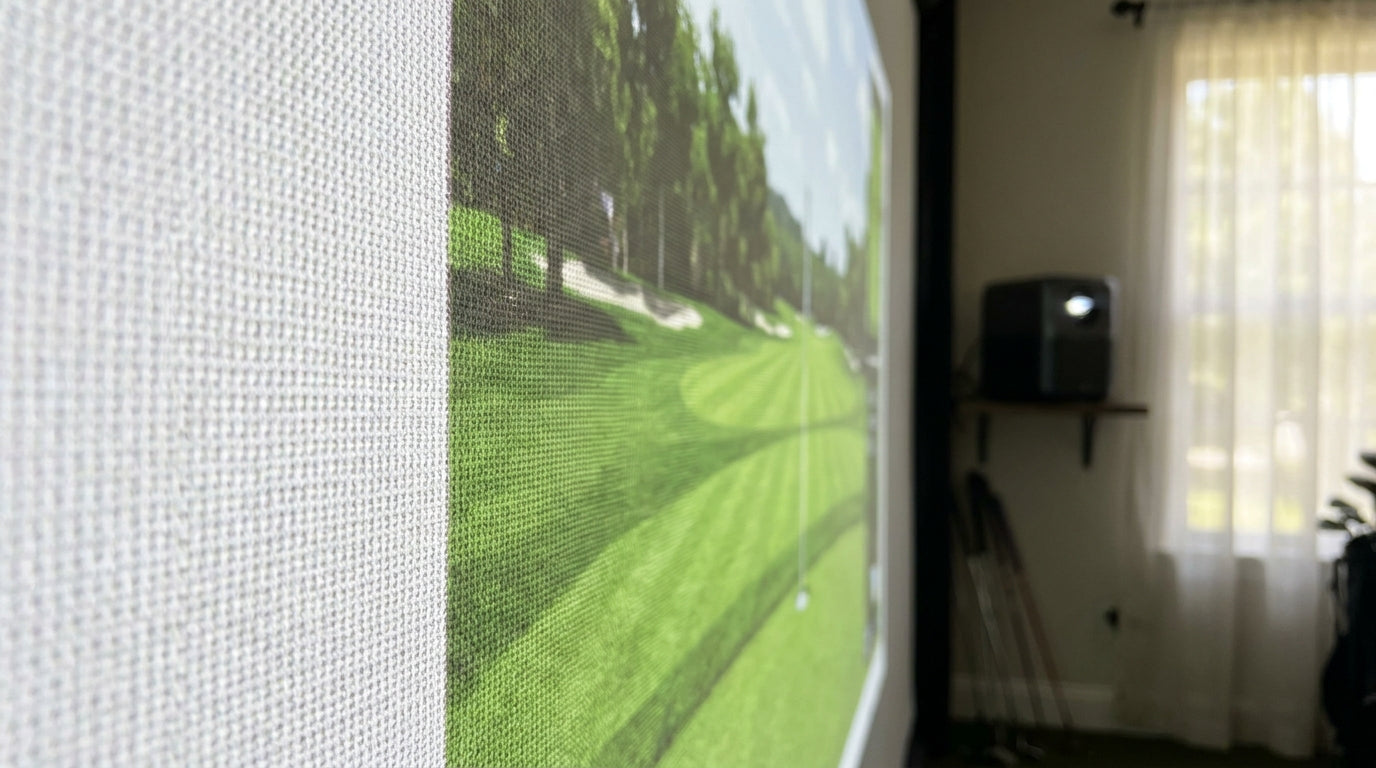
Here's the number that stops most 4K projector upgrades cold: a premium tight-weave impact screen improves perceived sharpness by up to 18% at native 4K, but only about 7% at 1080p (Source: Canvas ETC — Weave Construction & Image Quality analysis). Read that again. The screen barely matters at 1080p. At 4K, it becomes the thing that decides whether you actually see the detail you paid for.
So if you're shopping for a golf impact screen for a 4K projector, the projector isn't your bottleneck anymore. The fabric in front of it is. Let's break down why, and exactly what to look for.
Why a 4K Projector Changes the Rules
A true 4K projector renders 3840×2160 — roughly 8.3 million pixels, about 4× the pixel count of a 1080p unit (Source: Swing Lix / BenQ golf simulator projector guides). Each individual pixel gets tiny. And once pixels get that small, the surface they land on starts to matter.
Building one now? BenQ TH671ST short-throw projector — from $949.
Think of it like printing a photo. At low resolution, cheap paper is fine. Crank the detail up, and suddenly the paper's texture shows through every fine line. Your impact screen is that paper.
With 1080p, the pixels are big enough that a slightly coarse weave doesn't hurt much. With 4K, the weave texture is right up against the pixel size — so a loose, bumpy surface literally scatters the detail before your eyes ever get to it.
The Weave Is the Whole Game
Impact screens are woven fabric, not smooth glass. That weave has a physical grid, and your projector has a pixel grid. When those two grids are close in scale and misaligned, they fight — and you get moiré: that shimmery, wavy interference pattern that makes text and thin lines look unstable.
This is where tight weaves earn their price. Optimized tight-weave patterns showed a moiré-frequency reduction exceeding 75% in 4K DLP projection tests versus standard weaves (Source: Canvas ETC weave construction analysis). That's not a subtle tweak — that's the difference between a crisp scorecard and a rippling mess.
If you want to go deeper on how the weave itself behaves, our breakdown on screen grain direction and weave orientation covers how the same fabric can look sharper depending on how it's hung.
What the Data Says
Let's put the numbers side by side, because this is where the 4K screen argument gets concrete.
- 18% vs 7%. Tight-weave screens improve MTF-measured sharpness by up to 18% at 4K, but only ~7% at 1080p (Source: Canvas ETC — Weave Construction & Image Quality analysis). The finer your source, the more the screen matters.
- 75%+ less moiré. Tight weaves cut moiré interference by more than 75% in 4K projection tests (Source: Canvas ETC weave construction analysis).
- 600-denier, ~9.5 oz/sq yd. Premium impact fabric is typically a tightly woven 600-denier polyester at roughly 9.5 ounces per square yard, versus loosely woven budget polyester in entry screens (Source: Canvas ETC fabric specification).
- 150,000+ strikes. Premium screens like Carl's Place SIGPRO are rated for 150,000+ ball strikes before sagging or image degradation, where budget nets often get replaced yearly (Source: MyGolfSpy / Carl's Place; Home Performance Lab screen guide).
Perceived Sharpness (MTF) Improvement of Tight-Weave vs Standard Screens, by Resolution
Source: Canvas ETC — Weave Construction & Image Quality analysis
Matching a Screen to Your 4K Projector
Not every screen is built for 4K, and industry guides are blunt about it: a quality screen in roughly the $800–$1,500 range is "essential to appreciate 4K resolution improvements," while cheaper coarse screens can negate the upgrade entirely (Source: Carl's Place — When a 4K Golf Simulator Projector Makes Sense). Pairing an $8,000 projector with a $150 net is like putting street tires on a race car.
Here's how the tiers actually stack up for 4K.
Golf Impact Screen Tiers: Weave, 4K Suitability & Price
Swipe to compare →
| Screen Tier | Weave / Construction | 4K Suitability | Typical Price |
|---|---|---|---|
| Practice net / budget | Loose knit or loosely woven polyester | Poor — visible texture & moiré blur 4K detail | $80–$250 |
| Standard impact screen | Single-layer, loosely woven polyester | Fair — 1080p fine, softens 4K | $300–$600 |
| Preferred / mid-tier | Tightly woven, smoother surface polyester | Good — resolves most 4K detail | $600–$1,000 |
| Premium (e.g. SIGPRO) | Triple-layer, tight-weave 600D polyester + spacer mesh | Best — preserves fine 4K detail, minimal moiré | $1,000–$1,500+ |
Don't Forget Where You Stand
Weave isn't the only variable. Viewing distance interacts with it. A 4K projector on a 7-foot-tall screen looks sharpest — true "retina" clarity — from about 11 to 20 feet of viewing distance (Source: Carl's Place 4K projector blog).
Stand too close and you'll start seeing the weave texture and pixel structure no matter how nice the fabric is. In a tight room, that matters as much as the screen you buy.
And once you've got the right fabric, the rest of your image quality comes down to setup. Getting your projector's output matched to the screen is its own skill — our guide on brightness vs gain walks through the spec pairing that makes or breaks a bright, even picture on a 4K feed.
The Short Version
A 4K projector is only as sharp as the surface it lands on. Loose-weave budget screens and nets scatter and soften that detail, add moiré, and quietly waste your upgrade. A tight-weave polyester screen — think 600-denier, smooth surface — is what lets those 8.3 million pixels actually reach your eyes.
If your projector is the color and gray-scale question too, our take on white vs gray screen material pairs well with this one before you commit.
Ready to give your 4K projector a surface that can keep up? Browse our tight-weave impact screens built to resolve every pixel — and take the strikes for years.


Not sure which simulator fits your room?
The two-minute Simulator Finder Quiz checks your space and budget against every system we carry.

Keep Reading
Related guides

golf simulatorGolf Simulator Hitting Mat Sizing Guide: Exact Dimensions for 10x12, 12x15, and 16x18 Rooms

golf simulatorGolf Simulator Enclosure Cost to Build: Every Line Item, DIY vs Pre-Made (2026 Numbers)

golf simulatorGolf Simulator Room Electrical Plan: Where Every Outlet Goes Before the Frame Closes Up