
best projector for golf simulator impact screen
Best Projector for Golf Simulator Impact Screens: Throw Ratio, Lumens, and Resolution Explained
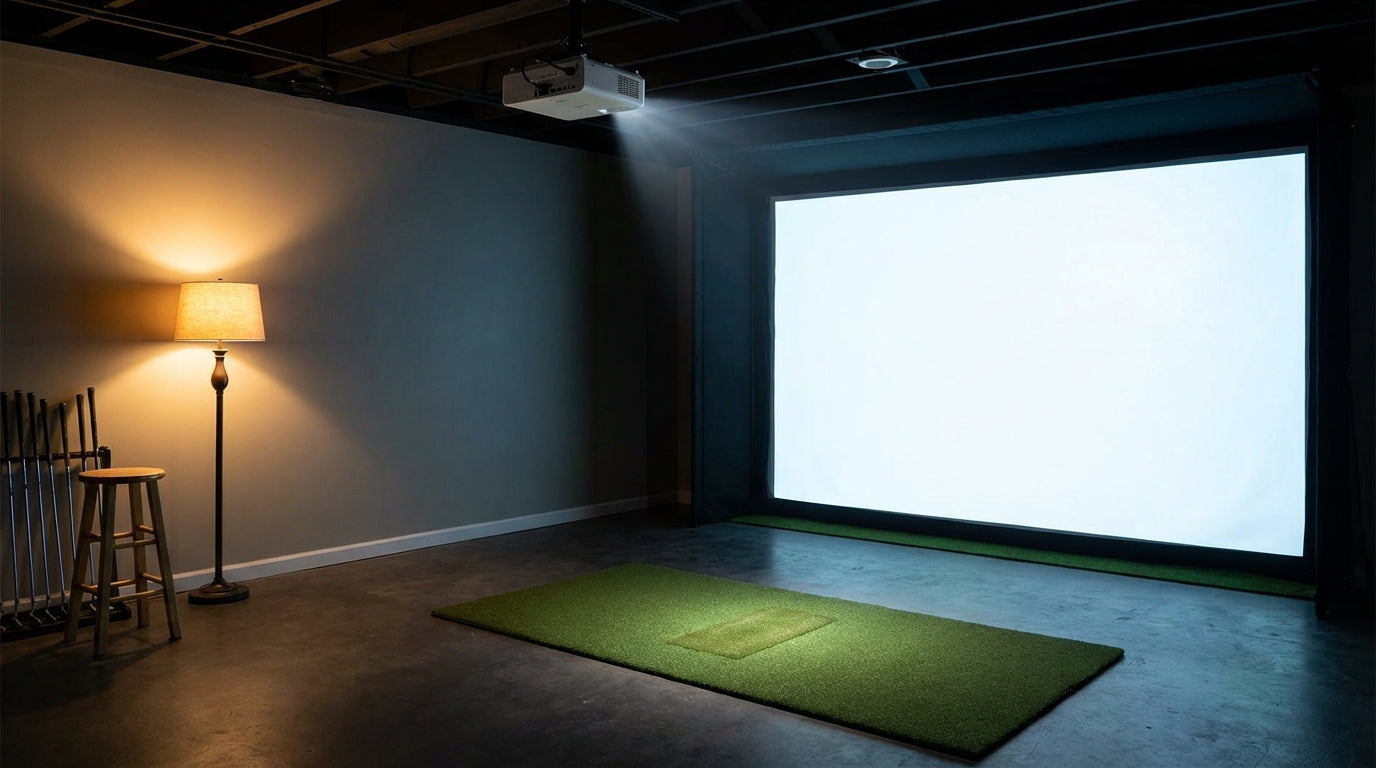
Almost 7 in 10 golf simulator owners end up replacing their projector after their first purchase — and resolution is the number-one reason they do it. (Source: BenQ Golf Simulator Projector Resources survey data) That's an expensive lesson. Buy the wrong projector for your impact screen and you're either squinting at a soft, washed-out image or realizing too late that a standard throw unit physically doesn't fit your room.
Buying a projector for a golf simulator isn't like buying one for your living room. The throw distances are shorter. Impact screens absorb light differently than a painted wall. And you're staring at that image for hours of practice — every spec choice shows up. Here's what actually matters when you're pairing a projector with an impact screen.
Throw Ratio: The Spec You Need to Check First
Throw ratio tells you how far back a projector needs to sit to fill a given screen width. A 1.0:1 ratio means 1 foot of distance per 1 foot of screen width. A 0.5:1 ratio means the projector only needs to be half the screen width away from the surface.
Ready to shop impact screens?
Browse the full Carl's Place lineup — every screen ships ready to mount with real size specs.
Shop Carl's Place Impact Screens →For most simulator rooms, you want a short throw projector with a ratio between 0.5 and 0.9:1. Here's why: a short throw unit at a 0.83:1 ratio only needs 8.3 feet to fill a 10-foot-wide impact screen. A standard throw projector (1.5–2.0 ratio) would need 15–20 feet for the same screen. (Source: My Golf Simulator / Top Shelf Golf / BenQ throw distance guides) In a basement or garage, that extra distance simply doesn't exist.
Throw ratio should be your first filter — not resolution, not lumens. A beautiful 4K projector that needs 18 feet of throw is useless in a 12-foot room. If you're still sorting out your room layout, our Golf Simulator Room Setup guide covers the planning mistakes that cost people the most money.
Also check lens offset before you buy. Many short throw projectors have vertical lens shift built in. Ceiling-mounted units need that offset to align with the screen without tilting the body and introducing keystone distortion you can't fully correct in software.
Free tool — 30 seconds
Where should your projector go?
Pick your projector and screen size — get the exact mounting distance, image size, and brightness for your build. No math required.
Open the projector calculator →Lumens: More Than You Think, Less Than the Box Claims
Here's the thing the spec sheet won't tell you: the lumen rating is almost always measured in maximum brightness mode, which cranks contrast and blows out colors. Usable lumens in a color-accurate mode are significantly lower.
The BenQ AH700ST, for example, is rated at 4,000 lumens — but delivers approximately 2,200 usable lumens in color-accurate Golf Mode. That's a 45% real-world reduction from the spec sheet figure. (Source: My Golf Simulator / BenQ projector testing data) When you're spec-shopping, mentally apply that discount to any lumen rating you see.
The minimum recommended brightness for a dedicated, light-controlled simulator room is 3,000 lumens. Screens wider than 12 feet or rooms with any ambient light push that to 4,000–5,000 lumens. (Source: Carl's Place Projector Guide / PlayBetter Golf Simulator Projector Guide) The chart below shows the minimums by screen width for a fully dark room — if you have any light leakage, add a tier.
Recommended Minimum Lumens by Impact Screen Width
Source: Carl's Place Projector Guide / BenQ Golf Simulator Buying Guide / PlayBetter Guide
Resolution: Is 4K Actually Worth It?
Yes — if you can hit the mid-range price tier. A conjoint analysis survey of 406 golf simulator owners found that 84% prefer true 4K over 1080p. (Source: BenQ Golf Simulator Projector Resources / conjoint analysis survey) And it shows. On a 10-foot screen from 8 feet back, you're essentially inside the image. Grass texture, ball flight arc, fairway undulation — all of it looks noticeably better at 4K than 1080p.
One distinction worth making: 4K UHD (pixel-shifted) and True 4K (native panel) are not the same thing. Pixel-shifted 4K is better than 1080p but falls short of a native 4K panel side by side. In the mid-range tier, check the specs carefully. Native resolution is always listed explicitly when it's genuine.
If you're still working out which screen to pair with your projector, our guide on How to Choose the Right Golf Impact Screen covers how screen material affects image sharpness and light absorption.
What the Data Says: Specs by Price Tier
Here's how the 2025 projector market breaks down across four tiers, from entry-level 1080p to pro-grade laser:
Golf Simulator Projector Specs by Price Tier (2025)
Swipe to compare →
| Tier | Price Range | Lumens | Throw Ratio | Resolution |
|---|---|---|---|---|
| Budget | $500–$1,000 | 2,000–3,000 | 0.8–1.2:1 | 1080p |
| Mid-Range | $1,500–$2,500 | 3,200–4,000 | 0.65–0.9:1 | 4K UHD |
| Premium | $2,500–$4,000 | 4,500–5,500 | 0.5–0.7:1 | True 4K |
| Pro/Laser | $4,500–$6,000+ | 5,500–6,500 | 0.4–0.65:1 | True 4K Laser |
The sweet spot for most home simulator builds is the mid-range tier ($1,500–$2,500). You get 4K UHD resolution, a short throw ratio that works in tight rooms, and enough lumens for a light-controlled space. The premium tier makes sense for rooms with ambient light or screens over 12 feet wide. Laser at $4,500+ has a real lifespan advantage (20,000+ hours vs. 3,000–5,000 for lamp-based), but most home setups won't come close to justifying the cost. (Source: ProjectorScreen.com / Golf Simulator Forum / BenQ buying guide 2025)
Budget units at $500–$1,000 can work for casual use, but 2,000–3,000 lumens and 1080p will feel limiting on a premium impact screen from day one. That's exactly the setup profile that produces the 69% upgrade rate.
How to Match Your Projector to Your Setup
Step 1 — Measure your throw distance first. Measure from where the projector will sit (ceiling mount or shelf) to the screen surface. Divide that number by your screen width. That's the throw ratio you need. Filter every projector purchase by this number before looking at anything else.
Step 2 — Be honest about your light situation. A fully blacked-out room with blackout curtains? 3,000 usable lumens is fine for a 10-foot screen. Any windows, open doorways, or light from a PC monitor nearby? Add at least 1,000 lumens to your target.
Step 3 — Check resolution tier against budget. If your budget lands below $1,500, 1080p is fine for getting started. If you're above $1,500, push for at least 4K UHD — you'll be glad you did when you're staring at a 10-foot fairway.
Step 4 — Prioritize throw ratio over resolution if space is the constraint. A 1080p short throw in a 10-foot room beats a 4K standard throw you can't physically fit. Space first, resolution second.
If you haven't locked in your screen yet, our screen sizing guide walks through every size option so you can confirm your dimensions before committing to a projector that's built around them.
Bottom Line
The projector spec sheet is engineered to sell you on peak numbers that don't reflect real-world use. In a simulator room, three specs actually matter: throw ratio (does it physically fit?), usable lumens in color mode (not peak brightness), and native resolution. Nail those three and the image looks exactly like it should. Miss any one of them and you'll be back shopping before the end of the year.
If you're still choosing your screen before pulling the trigger on a projector, browse our full line of golf simulator impact screens — Standard, Preferred, and Premium tiers to match every room size and budget.
Ready to pick one? Browse our short-throw & 4K golf simulator projectors, and use the projector calculator to confirm throw distance for your room.
Not sure which simulator fits your room?
The two-minute Simulator Finder Quiz checks your space and budget against every system we carry.


Keep Reading
Related guides

golf simulatorGolf Impact Screen for a Two-Car Garage: How to Size, Center, and Hang One Across the Wide Bay

golf simulatorGolf Impact Screen Max Ball Speed Rating: What Your Screen Really Survives at 110+ MPH

corner setupGolf Simulator Impact Screen for a Corner Setup: How to Angle It Without Wrecking Your Bounce-Back