
ball marks screen image
Do Golf Impact Screen Ball Marks Ruin the Image? What Really Happens After 10,000 Shots
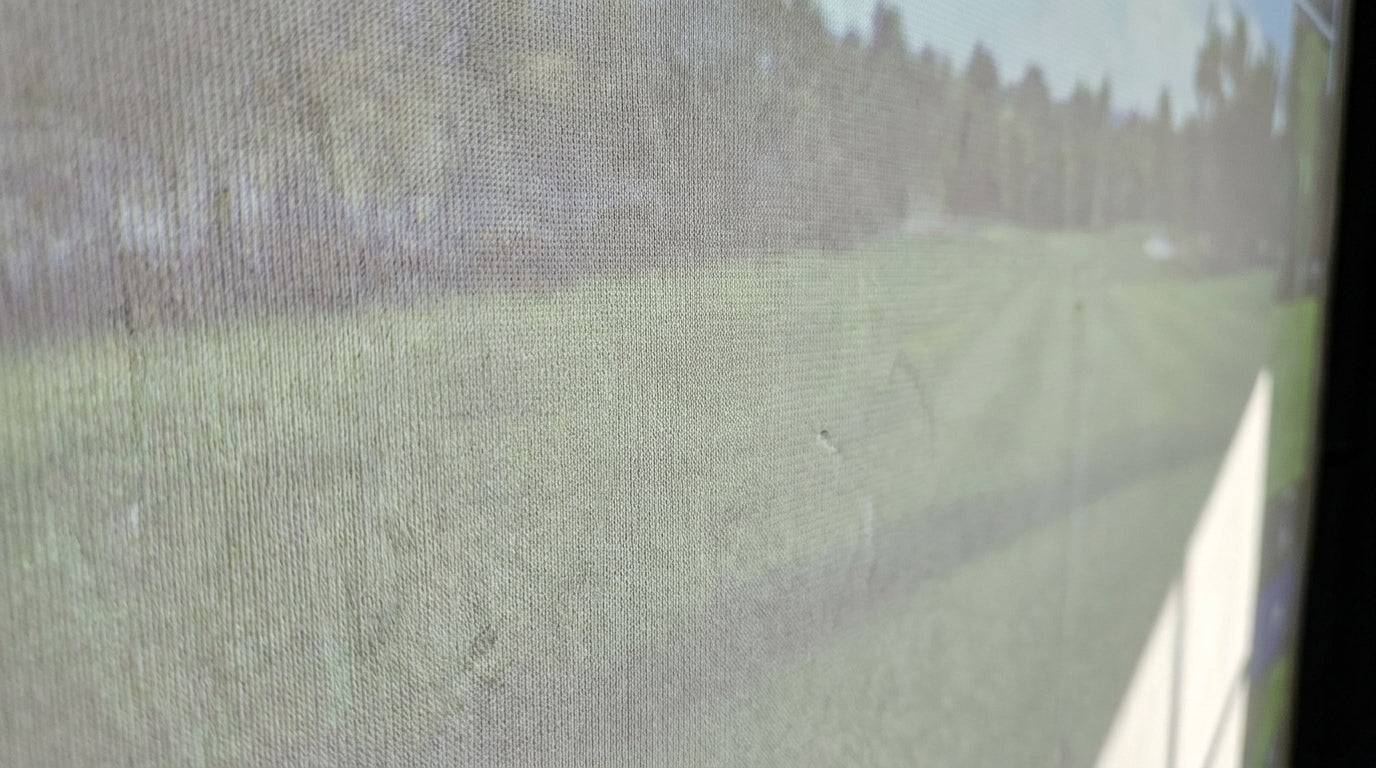
Here's a number that should calm your nerves before you swing: independent testers at MyGolfSpy logged more than 14,000 shots on premium impact screens with excellent durability and no image degradation (Source: MyGolfSpy, via Home Performance Lab). Fourteen thousand drivers. Zero picture problems.
If you've ever stood behind your sim staring at the faint pockmarks your driver leaves and wondered whether they'll slowly wreck the projected image, you're asking the right question. The answer isn't a flat yes or no — it depends almost entirely on what your screen is made of and how tightly it's hung.
Let's get into what actually happens when a golf ball meets your screen thousands of times, and whether those ball marks ruin the image or just look scary up close.
Building one now? Carl’s Place Preferred impact screen — from $299.
What a Ball Mark Actually Is
Every strike leaves a temporary dimple impression in the fabric. The question is whether the material springs back or holds the dent.
A golf ball hits your screen with serious force — between 500 and 2,000 Newtons depending on swing speed and ball type (Source: Canvas ETC — Golf Impact Screen Durability). That's the exact reason thin, soft screens hold dimple impressions while thicker multi-layer screens absorb the blow and recover.
So a "ball mark" is really a race: impact force versus the material's ability to recover its shape. Win that race, and the mark disappears before you notice it. Lose it, and the impression becomes permanent surface wear.
Do the Marks Show Up in the Projected Image?
On a quality screen, no. On a cheap one, eventually yes.
The projected image sits on the surface fibers. When those fibers recover fully after each hit, the surface stays flat and the image stays crisp. When fibers stay compressed — the story with off-roll fabric and open-weave screens — you get a stippled texture that scatters projector light and softens the picture.
A documented premium 3-layer screen ran 5+ years at 150–165 mph driver speeds with "images as crisp as day one" (Source: Home Performance Lab). That's the whole ballgame: premium tiers recover from repeated high-speed impacts without permanent, image-ruining marks. This is the same reason a good screen can still resolve fine 4K detail years into its life.
What the Data Says
The gap between tiers is bigger than most buyers expect. A few numbers worth sitting with:
- A tighter-weave screen showed a 25% increase in lifespan versus a looser ~150 TPI weave (Source: Canvas ETC — Golf Impact Screen Durability). Denser weave resists permanent marking and stretching.
- Polyester fibers lost 15% of tensile strength after 500 hours of simulated UV exposure (Source: Canvas ETC, referenced UV study). UV-weakened fibers recover slower from dimples, so sun-exposed screens mark faster.
- Properly tensioned premium screens deflect several inches under hand pressure and return the ball 1–3 feet toward you (Source: Home Performance Lab). That flex is what saves the surface — the screen bends instead of bruising.
Notice the theme: weave density, fiber health, and tension all decide whether a mark recovers or sticks. Price is just a proxy for those three things.
Impact Screen Price Range by Material Tier (Standard ~8x10.5 ft)
Source: Home Performance Lab (2026) — tier ranges: $100–300, $180–400, $280–600, $460–1,060+
Marking Recovery by Tier
Here's how the tiers actually behave when the driver comes out. The pattern is consistent: pay for recovery, or pay in a fuzzy image a year later.
Impact Screen Tiers: Marking Recovery, Image Clarity & Lifespan
Swipe to compare →
| Material Tier | Image Clarity / Marking Recovery | Typical Lifespan (light use) |
|---|---|---|
| Premium 3-Layer Poly Spacer | Excellent (4K), marks recover fully | 3–5+ years |
| Mid-Tier Silicone-Reinforced | Good (HD), minor lasting marks | 2–4 years |
| Entry-Level Open-Weave | Acceptable, visible texture/marks | 1–2 years |
| Raw Fabric Off-Roll | Poor, marks and wrinkles persist | Under 1 year |
How to Keep Marks From Ruining Your Image
You can't stop dimple impressions from forming — but you can control whether they recover. Three levers matter most.
1. Get the tension right
This is the big one. A properly tensioned screen flexes on impact and bounces back flat. Over-tension it and the surface goes rigid, so every strike bruises instead of bending — and rigid screens show wear faster. Dial it in with our tensioning system guide before you blame the material.
2. Buy enough weave
That 25% lifespan jump from a tighter weave isn't marketing — it's the fabric physically resisting permanent marking. If image longevity is your priority, the tier you pick matters more than anything you do afterward.
3. Keep it out of direct sun and keep it clean
UV robs fibers of the strength they need to recover, so avoid parking your screen in direct window light. Routine care helps too — see how long screens actually last in our real lifespan-by-tier breakdown.
The Bottom Line
Do golf impact screen ball marks ruin the image? On a raw off-roll sheet, yes — the marks stick, the surface stipples, and the picture goes soft within a season. On a premium multi-layer screen, no — the fabric recovers fully, and testers have proven images stay crisp past 14,000 shots and five-plus years of driver abuse.
The marks you see up close aren't the enemy. Cheap material and sloppy tension are. Pay for recovery once and you'll be looking at a sharp image for years.
Ready to build a setup that shrugs off ball marks and stays crisp? Shop our impact screens and pick the tier that keeps your picture looking like day one.


Not sure which simulator fits your room?
The two-minute Simulator Finder Quiz checks your space and budget against every system we carry.

Keep Reading
Related guides

golf simulatorGolf Simulator Enclosure Lighting Plan: Where to Mount Fixtures So They Never Wash Out Your Screen

golf simulatorGolf Simulator Basement Conversion Checklist: The 7 Steps to Run Before You Buy Anything

DIY golf simulatorGolf Simulator Garage Build Cost Breakdown: Every Line Item at Three Budget Tiers