
golf simulator
How to Clean a Golf Impact Screen: The Step-by-Step Routine That Adds Years
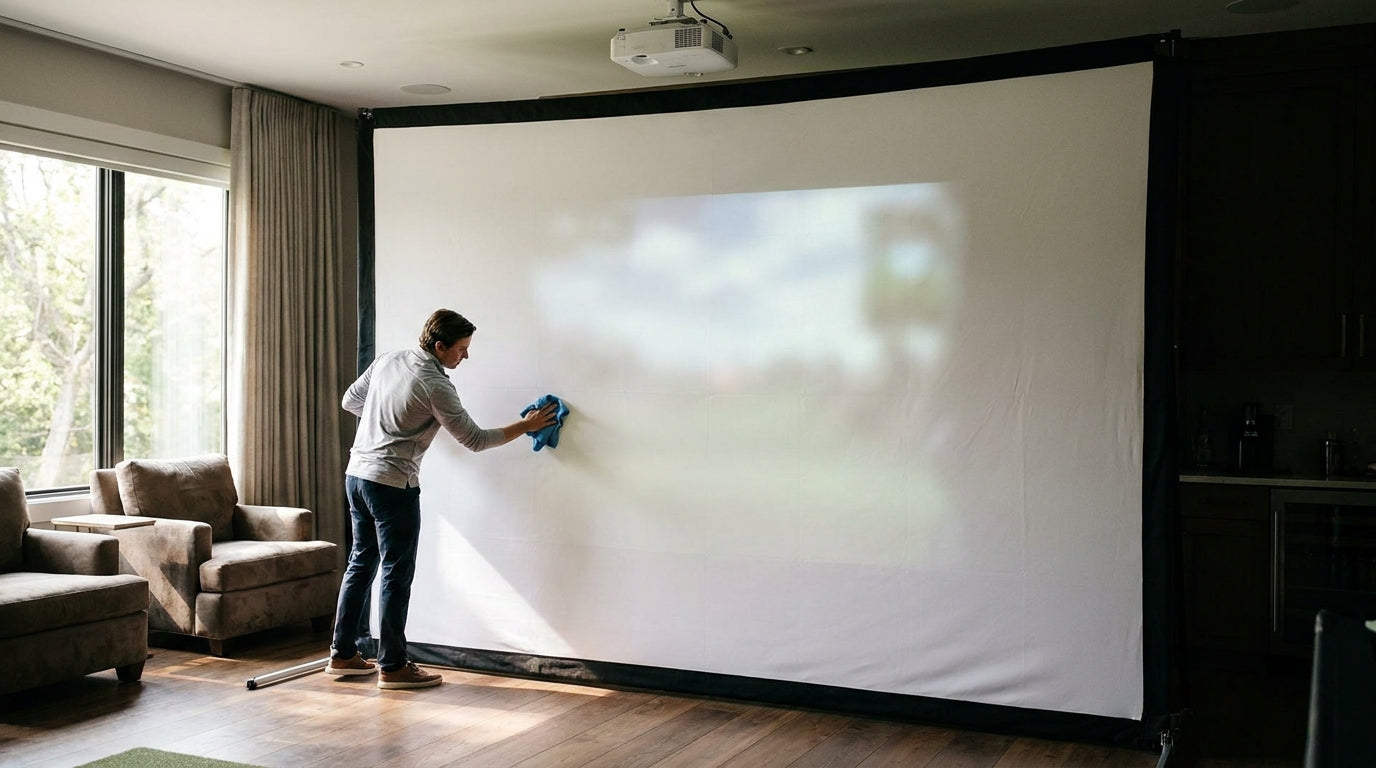
A high-quality golf impact screen can shrug off more than 15,000 shots. A cheap one can start falling apart after only about 2,000. (Source: Canvas ETC – Golf Impact Screen Durability Guide) That gap isn't only about material — a big chunk of it comes down to whether you ever actually clean the thing.
Here's the part most sim owners miss: good maintenance alone adds 20–30% to a screen's usable life. (Source: GolfingSim – Golf Impact Screen Lifespan by Tier) That's an extra season or two out of the same fabric, for the price of a microfiber cloth and ten minutes a week.
So let's walk through exactly how to clean a golf impact screen — the safe way, step by step, including what you should never let near the fabric.
Building one now? Carl’s Place Preferred impact screen — from $299.
Why Cleaning a Golf Impact Screen Actually Matters
Every ball you hit leaves something behind. Dirt, grass, and marker ink transfer onto the fabric at impact speed — and at those speeds it bonds permanently and slowly degrades the projected image. (Source: GolfingSim – Best Golf Balls for Impact Screen Longevity)
Left alone, that grime does two things. It dulls your picture, so your $1,000 projector starts looking like a $200 one. And it works grit into the coating, where it grinds at the fibers every time a ball slams home.
Cleaning isn't cosmetic. It's the cheapest performance upgrade and the cheapest insurance policy you'll ever buy for your setup. If you've ever wondered whether those brown smudges are actually hurting you, our breakdown of what really happens to your screen after 10,000 shots spells it out.
Screen finally past saving? Start fresh with fabric built to take the abuse.
Shop Impact ScreensWhat the Data Says
Screen lifespan isn't a fixed number — it's a range, and your habits decide where you land in it.
Most high-quality impact screens last 2–5 years. A premium three-layer screen can go 3–5+ years, while a budget single-layer screen barely survives 1–2 years of heavy use. (Source: GolfingSim / Home Performance Lab, 2026)
Stack maintenance on top of that and the numbers move. Good care adds 20–30% of usable life (Source: GolfingSim – Golf Impact Screen Lifespan by Tier) — the difference between a screen that stays usable for years and one that's sagging by next winter. Carl's Place impact screens are wear items and are not covered by a manufacturer warranty.
The money matters too. A ~$150 single-layer screen that develops holes within a season never actually beats a multi-layer screen ($440–$1,120) lasting 5+ years once you do the cost-per-session math. (Source: Carl's Place / Big Horn Golfer pricing guides)
Estimated Golf Impact Screen Lifespan by Material Tier
Source: Compiled from GolfingSim & Home Performance Lab (2026); maintenance uplift per Canvas ETC (20–30%)
The Step-by-Step Cleaning Routine
1. Vacuum first — never scrub dry dirt
Start with a vacuum on low suction and a soft brush attachment. Run it gently over the surface, top to bottom, to lift loose dust and debris before it grinds into the coating.
Skipping this step is the most common mistake. Wipe a dry, dusty screen and you're just dragging grit across the fabric like sandpaper.
2. Spot-treat ball marks with a damp cloth
Dampen a microfiber cloth with water and a single drop of mild dish soap. Blot and wipe the scuffs and ball-mark residue — don't soak it. This lifts most light stains without any abrasion.
3. Work stubborn marks with a soft brush
For marks that won't budge, use a soft-bristled brush in gentle circular motions, working top to bottom. That handles the tough spots while preventing streaking and pilling.
4. Dry it properly
Don't let a wet screen air-dry — water stains love that. Point a fan at it, or use a hairdryer on the low or no-heat setting so it dries evenly.
What Cleans vs. What Damages a Golf Impact Screen
Not every cleaner is your friend. The wrong product can strip the coating in a single pass. Here's the safe list versus the stuff that ruins fabric.
What Cleans vs. What Damages a Golf Impact Screen
Swipe to compare →
| Method / Product | Safe or Avoid | Why |
|---|---|---|
| Gentle vacuum (soft brush attachment, low suction) | Safe | Lifts loose dust and debris before it grinds into the coating |
| Damp microfiber cloth + a drop of mild dish soap | Safe | Removes most light stains and ball marks without abrasion |
| Soft-bristled brush, gentle circular motion, top-to-bottom | Safe | Handles stubborn marks while preventing streaking and pilling |
| Fan or hairdryer on low/no heat | Safe | Prevents water stains from air-drying a wet screen |
| Harsh chemicals, solvents, or abrasive scrubbing | Avoid | Strips the fabric coating and permanently dulls image clarity |
The golden rule: harsh chemicals, solvents, and abrasive scrubbing strip the fabric coating and permanently dull image clarity. When in doubt, the less aggressive option wins.
How Often Should You Clean It?
You don't need to deep-clean after every round. A simple cadence keeps the image sharp without over-handling the coating.
Wipe the bottom section — the highest-contact zone — once a week. Clean the entire screen once a month, and do a deeper clean every one to two months depending on how hard you're using it. (Source: Compiled guidance from Carl's Place & Virtual-Golf-Simulator.com care guides)
If your room fights humidity, frequency matters even more. Damp basements invite mildew, so pair your routine with the steps in our guide to humidity and mold prevention.
Prevention Beats Scrubbing
The best cleaning is the cleaning you never have to do. Since dirt and ink bond permanently at impact, wiping your golf balls before every session is the single highest-leverage habit you can build.
Clean, undamaged balls transfer far less residue — which is why the ball you choose matters as much as the cloth. Our rundown of the best golf balls for impact screen longevity covers what actually saves your fabric.
Do the small stuff — wipe balls, vacuum weekly, spot-treat early — and you'll bank that 20–30% life extension instead of watching your image fade a year too soon.
The Bottom Line
Cleaning a golf impact screen isn't complicated: vacuum gently, spot-treat with a damp microfiber cloth and mild soap, brush the stubborn marks, and dry it without heat. Skip the harsh chemicals entirely.
Do it on a weekly-to-monthly rhythm and you protect both your image quality and a several-hundred-dollar investment. When it's finally time to replace, browse our impact screens for fabric that's built to take the abuse.


Not sure which simulator fits your room?
The two-minute Simulator Finder Quiz checks your space and budget against every system we carry.

Keep Reading
Related guides

enclosure pipe frame kitGolf Simulator Enclosure Pipe Frame Kit: What Size to Buy for Your Room

enclosure kit what's includedGolf Simulator Enclosure Kit: What's Included, What's Missing, and What to Add Before You Order

enclosure build orderGolf Simulator Garage Conversion Step by Step: The Build Order That Saves You Rework