
best golf balls for impact screen longevity
Best Golf Balls for Impact Screen Longevity: What Actually Saves Your Screen
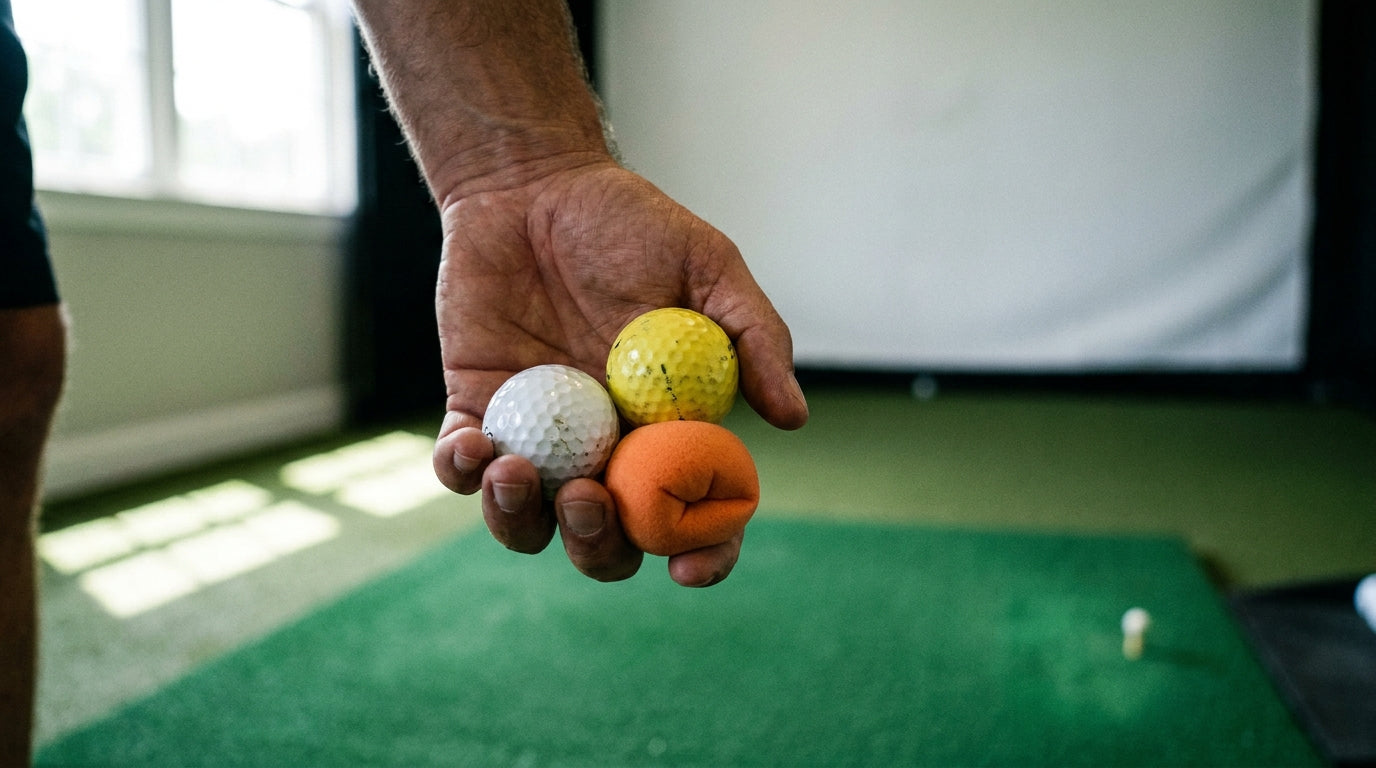
Here's something most sim owners never think about until their screen has a hole in it: the ball you tee up matters almost as much as the screen you bought. A premium three-layer impact screen lasts 3–5+ years under regular multi-weekly use at driver speeds of 150–165 mph, while a budget single-layer screen barely survives 1–2 years of heavy wedge work (Source: Carl's Place / Home Performance Lab, 2026 Impact Screen Guide).
That gap isn't only about screen quality. Ball type, ball condition, and ball compression quietly decide whether you land at the top of that range or the bottom. If you care about getting the best golf balls for impact screen longevity, this is the breakdown nobody at the pro shop gives you.
Why Your Golf Ball Choice Wears the Screen at All
Every shot you hit transfers energy into the fabric. The harder, faster, and rougher the ball, the more abrasion the weave absorbs over thousands of swings.
Ready to shop impact screens?
Browse the full Carl's Place lineup — every screen ships ready to mount with real size specs.
Shop Carl's Place Impact Screens →And here's the part that surprises people: a dirty, sandy, or scuffed golf ball acts like sandpaper on the screen at impact, dramatically accelerating wear (Source: Carl's Place, How to Choose a Golf Impact Screen Material). Clean, unmarked balls aren't a nice-to-have — they're a longevity tool.
So before you blame the screen material, look at what's in your shag bag. If you want the deeper science on what shreds fabric, our breakdown of the impact screen ball speed rating pairs perfectly with this.
The Four Ball Types, Ranked by Screen Wear
Premium Urethane (Pro V1 and friends)
These give the best spin and flight data, but they scuff fast indoors and can throw erratic backspin readings. They also hit the screen hardest. Best performance, worst longevity.
Two-Piece Ionomer / Surlyn
The sweet spot for most sim owners. Durable ionomer covers offer better longevity, more predictable numbers, and gentler screen wear than urethane (Source: GolferHive / ProteinJug, Best Golf Balls for Simulators). You give up a sliver of spin fidelity and gain real screen life.
Limited-Flight Balls
Softer, quieter, lower wear. Great with camera-based systems, though radar units lose some ball-speed accuracy.
Foam Practice Balls
Foam practice balls like AlmostGolf are virtually silent and eliminate screen-damage risk — but their low mass produces inaccurate ball-speed readings on radar-based launch monitors (Source: GolferHive, Best Golf Balls for Simulators).
Relative Impact-Screen Wear by Golf Ball Type (higher = faster screen wear)
Source: Industry estimates synthesized from GolferHive, ProteinJug & Carl's Place wear guidance
What the Data Says
The trade-off is real and measurable. Foam balls protect your screen almost completely, but they limit radar monitors to only swing speed, angle of attack, and horizontal launch direction — full ball-flight data like ball speed, spin, and carry is lost on most Doppler units (Source: Golf Simulator Forum / Keiser University College of Golf).
That's the ceiling on "gentlest possible." Maximum protection costs you the numbers that make sim practice worth doing.
On the money side, premium triple-layer screens use a 3-layer impact-resistant build with a foam noise-dampening center, and spending an extra $200–$400 on a quality screen pays back immediately versus a cheap screen that develops holes within a season (Source: Home Performance Lab / virtual-golf-simulator.com, 2026). Pair a good screen with a screen-friendly ball and you protect both ends of the investment.
Golf Ball Types: Screen Longevity vs. Launch Monitor Accuracy
Swipe to compare →
| Ball Type | Screen-Wear / Noise | Launch Monitor Accuracy |
|---|---|---|
| Premium urethane (e.g., Pro V1) | High wear, loud impact, scuffs screen fastest | Best — full spin & flight data on radar and camera units |
| Two-piece ionomer/surlyn | Moderate wear, durable cover, gentler on screen | Strong & predictable; slightly less spin fidelity |
| Limited-flight (restricted distance) | Low wear, softer/quieter impact | Good with camera systems; reduced speed accuracy on radar |
| Foam practice (e.g., AlmostGolf) | Lowest wear, near-silent, near-zero damage risk | Poor on radar (low mass); swing-path metrics only |
So Which Ball Should You Actually Use?
Match the ball to your monitor and your priorities. Radar-based unit and you want full data? Two-piece ionomer is the smart default — you keep predictable numbers and stop torching the screen with urethane scuffs.
Camera-based system? Limited-flight balls become genuinely viable, since cameras read them well while the softer impact spares the fabric.
Late-night sessions with a sleeping house? Foam is your friend for swing-path work, just don't trust the ball speed. And it pairs beautifully with proper room treatment — see our sound dampening guide if noise is the real enemy.
Don't Forget: Clean Balls Beat Fancy Balls
You can buy the gentlest ball on the market and still wreck a screen if those balls are gritty. Wipe them down. Keep a damp towel on the mat. Rotate out anything scuffed or cracked.
Maintenance compounds, too. Regular cleaning can make your screen last 20–30% longer on its own — we cover the routine in our cleaning and maintenance guide. Combine a screen-friendly ball with a clean ball and a clean screen, and you stack every longevity advantage at once.
The Bottom Line
There's no single "best" ball — there's the best ball for your setup. For most sim owners chasing both good data and a screen that survives years, durable two-piece ionomer balls are the practical winner. Foam and limited-flight are protection plays; urethane is a performance play you pay for in wear.
Whichever you choose, the screen behind it has to be built to take real driver speeds shot after shot. Browse our impact screens collection to start with a screen engineered to outlast your shag bag — then feed it the right ball and make it last.


Not sure which simulator fits your room?
The two-minute Simulator Finder Quiz checks your space and budget against every system we carry.

Keep Reading
Related guides

golf simulatorGolf Simulator Hitting Mat Sizing Guide: Exact Dimensions for 10x12, 12x15, and 16x18 Rooms

golf simulatorGolf Simulator Enclosure Cost to Build: Every Line Item, DIY vs Pre-Made (2026 Numbers)

golf simulatorGolf Simulator Room Electrical Plan: Where Every Outlet Goes Before the Frame Closes Up