
best golf balls for indoor simulator use
Best Golf Balls for Indoor Simulator Use: Real vs. Foam vs. Limited-Flight Compared
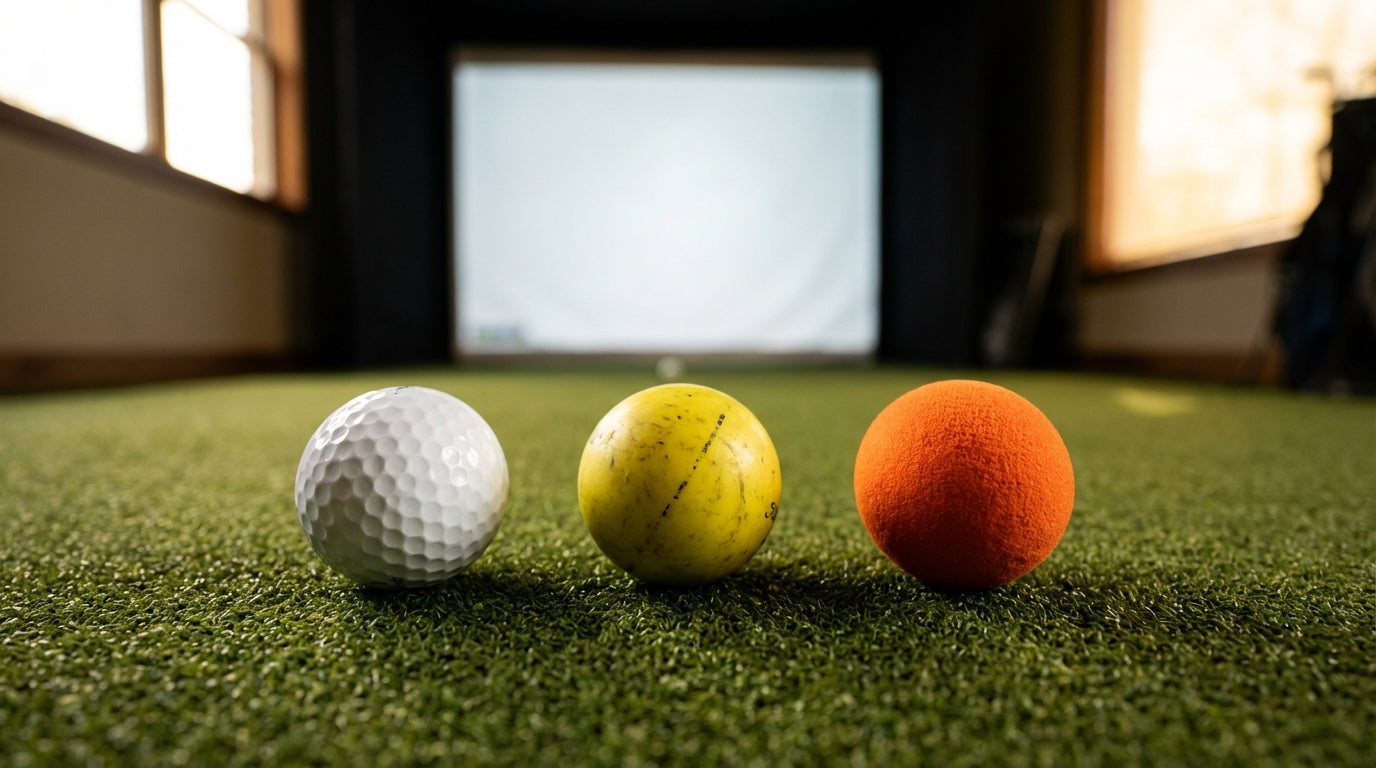
Here's something most simulator owners get wrong when choosing the best golf balls for indoor simulator use: they spend thousands on a launch monitor, then stuff foam balls into the mix — and wonder why their spin numbers look like they were generated by a blindfolded intern. The ball choice matters more than you'd think. And it's not just about screen safety.
The global golf simulator market hit approximately $2.207 billion in 2024 and is projected to reach $2.366 billion in 2025 (Source: Market Research Future). Most of that growth is home setup buyers who then immediately ask: what ball should I actually be hitting in here? The answer depends almost entirely on your launch monitor type and the quality of your screen.
Let's break it down clearly.
Why the Right Golf Ball for Your Indoor Simulator Matters Beyond Safety
Most simulator owners fixate on screen safety and stop thinking there. That's only half the equation. The other half is launch monitor accuracy — and the ball you hit has a direct, measurable impact on the quality of the data coming out of your system.
Ready to shop impact screens?
Browse the full Carl's Place lineup — every screen ships ready to mount with real size specs.
Shop Carl's Place Impact Screens →The gap between ball types isn't subtle. It affects spin capture rates, carry distance simulation, and how closely your indoor numbers match what you'd actually do on a real course. Get this wrong and your fitting sessions are fiction.
Camera vs. Radar: The Distinction That Changes Everything
Photometric (camera-based) systems like Uneekor or Foresight GC Quad photograph the ball at impact and don't rely on radar reflection. They handle standard balls well and give you a lot of flexibility on ball choice.
Radar-based monitors like the FlightScope Mevo+ or Garmin R10 are a different animal. Indoors, with no ball flight to track through the air, they estimate spin from the radar return signal — and a standard ball gives them less to work with than a ball designed for radar capture. Our guide on radar vs. camera launch monitors is worth reading before you settle on a ball type — because the right ball depends heavily on which category your monitor falls into.
Best Golf Balls for Indoor Simulator Use: Real Balls Win on Quality Screens
If you have a quality impact screen, using real golf balls is not just acceptable — it's the recommended approach. The "real balls will destroy your screen" narrative mostly comes from golfers who were hitting into cheap nets or improperly installed setups.
Carl's Place impact screens are tested to withstand direct ball strikes at speeds up to 250 MPH (Source: Carl's Place / RSGolf) — exceeding the swing speed of any amateur or tour pro on the planet. A properly rated and installed screen handles real balls at full speed without issue. Screen damage is a non-issue when the equipment is right.
When to Upgrade to RCT Balls
If you're on a radar-based monitor and care about accurate spin numbers, Titleist's RCT (Radar Capture Technology) Pro V1 balls are worth the price premium. An embedded reflective marker gives radar systems a precise target for measuring spin indoors rather than estimating it.
RCT balls achieve 99%+ spin capture accuracy indoors, tracking within 15 RPMs of TrackMan's outdoor numbers (Source: Titleist / TrackMan via Golf.com ClubTest, GolfWRX). The FlightScope Mevo+ records 6% more accurate spin data with RCT balls versus standard balls (Source: My Golf Simulator). That's the difference between useful fitting data and expensive noise when you're trying to dial in wedge spin rates.
Running a camera-based monitor? Save the money. Your system already handles standard balls with high accuracy and won't see meaningful improvement from RCT technology.
Limited-Flight Balls: A Real Middle Ground for Tight Spaces
Hard limited-flight balls — dense plastic or rubber construction — are the most sensible compromise for golfers in smaller spaces. They typically fly about 80% as far as a real ball at the same swing speed, reducing the risk of a mishit escaping your hitting area without completely wrecking your data quality.
Most launch monitors track limited-flight balls reasonably well for club speed and path data. Where they fall short is ball flight simulation: the software is working from a ball that doesn't behave like the real thing, so simulated carry distances won't be accurate. They're better for swing mechanics work than for simulating an actual round.
For small-space setups where this tradeoff comes up constantly, our apartment simulator setup guide covers how to design a bay that works with real balls even in tight rooms — which is almost always a better solution than reaching for foam.
Foam Balls: Fine for One Specific Setup (And Nothing Else)
Foam balls exist for one scenario: a screen or net setup with no launch monitor. If you're building a swing station purely for reps — no data, no software, just ball-to-screen — foam balls are completely fine. Quiet, low rebound, cheap to lose.
The moment you add a launch monitor, foam balls become a liability. Callaway HX Soft Flight foam balls travel roughly 30% of real ball carry distance at the same swing speed (Source: Callaway Golf). Your launch monitor will output numbers that bear almost no resemblance to real performance — making any software simulation essentially meaningless.
High-end photometric monitors already carry a ±0.5–1.5% margin of error indoors; radar-based systems typically run ±2–5% (Source: PlayBetter / The DIY Golfer). Stack foam ball inaccuracy on top of that and you're not pulling simulator data — you're pulling noise.
By the Numbers
Estimated Ball Flight Distance as % of Real Golf Ball (Same Swing Speed)
Source: Callaway Golf product specs; Golf Simulator Forum user testing; Industry estimates
Golf Ball Type Comparison for Home Simulator Use
Swipe to compare →
| Ball Type | Screen Safety | Launch Monitor Accuracy | Best For |
|---|---|---|---|
| Real Golf Ball (standard) | Safe on rated impact screens | Excellent on camera; spin estimated on radar | Full simulator setups with software + screen |
| Real Golf Ball (RCT — e.g. Pro V1 RCT) | Safe on rated impact screens | Excellent on camera and radar (99%+ spin accuracy) | Radar-based simulators needing precise spin data |
| Hard Limited-Flight Ball | Safe on rated impact screens | Good club data; ball flight ~80% of real distance | Small spaces; radar setups; swing practice focus |
| Soft Foam Ball (e.g. Callaway HX) | Maximum safety, minimal rebound | Poor — ~30% distance, unreliable data | Screen-only setups with no launch monitor |
The Quick Decision Guide
Camera-based monitor + quality impact screen: Use any real golf ball. Whatever you play on the course works fine. Your system doesn't care about radar reflectivity — just hit it.
Radar-based monitor + quality impact screen: Real balls are still your default. Upgrade to RCT versions if you're doing fitting work or serious practice where accurate spin numbers matter. The 6% accuracy gain is real and measurable.
Tight space, worried about ball escape: Hard limited-flight balls are a reasonable practice tool. For geometry tips to reduce stray ball risk while still using real balls, the launch monitor placement guide is a solid starting point — sometimes bay design solves the problem without switching balls.
No launch monitor: Foam balls work great. Swing away.
The Real Variable: Your Screen
The reason you can confidently hit real golf balls indoors comes down to one thing — having the right impact screen. The foam-ball-is-safer myth was born from golfers using inadequate equipment. A properly rated screen removes the safety concern entirely and lets you focus on the actual question: what ball gives you the best data?
If you're still choosing your screen, that's the place to start. Browse our full lineup at GolfingSim — Impact Screens and get that piece locked in first. Once it's up and rated for full-speed real balls, you can stop thinking about ball safety and start thinking about your game.
Related reading: Best Indoor Putting Green for Home Simulator: Stimp Speed, Size, and What Actually Matters


Not sure which simulator fits your room?
The two-minute Simulator Finder Quiz checks your space and budget against every system we carry.

Keep Reading
Related guides

golf simulatorGolf Simulator Enclosure Lighting Plan: Where to Mount Fixtures So They Never Wash Out Your Screen

golf simulatorGolf Simulator Basement Conversion Checklist: The 7 Steps to Run Before You Buy Anything

DIY golf simulatorGolf Simulator Garage Build Cost Breakdown: Every Line Item at Three Budget Tiers