
dehumidifier for golf simulator room
Golf Simulator Room Temperature and Humidity Control: How to Protect Your Setup Year-Round
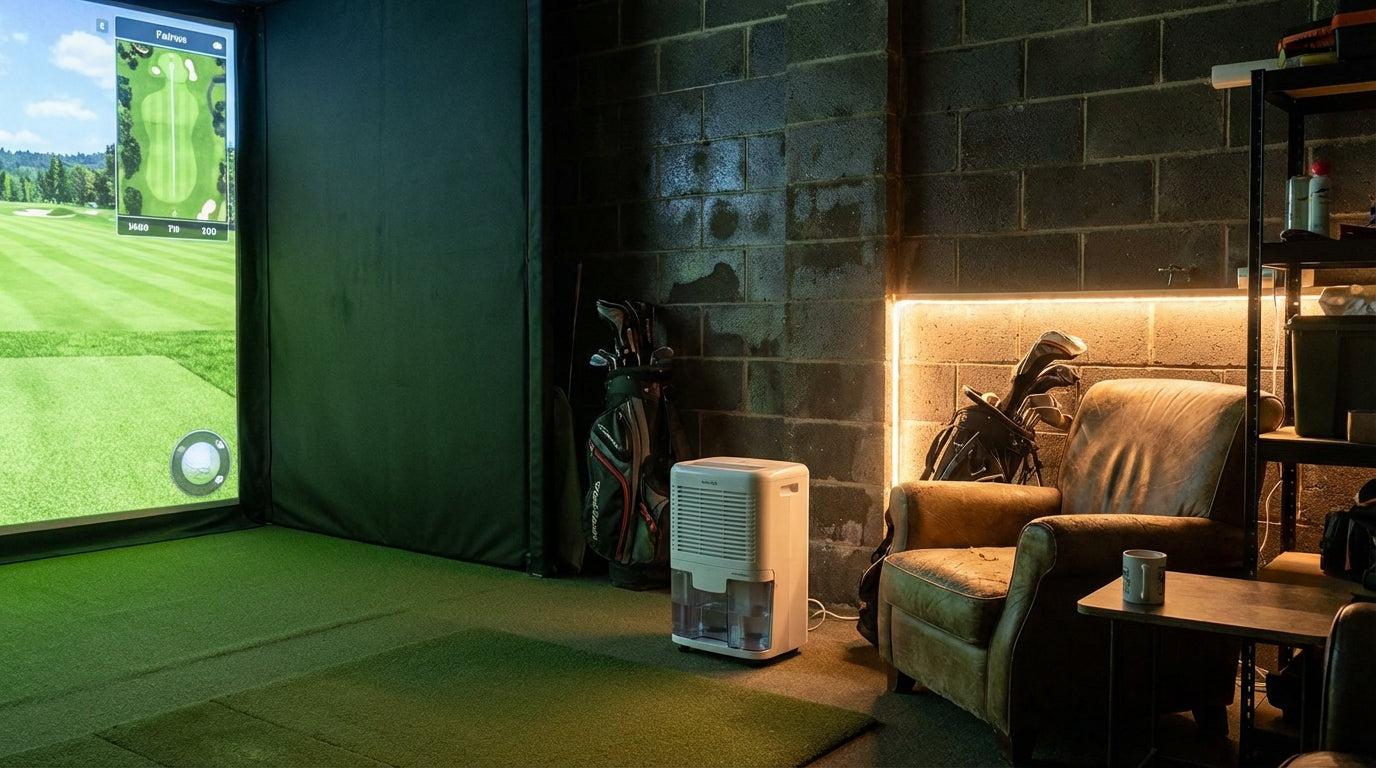
Most golfers obsess over projector specs and impact screen material. Almost nobody thinks about golf simulator room temperature and humidity control — or what that neglect is quietly doing to their equipment. Here's a number that should get your attention: when indoor relative humidity climbs above 60%, the EPA says you're in territory where corrosion and condensation damage inside sensitive electronics accelerates fast. (Source: U.S. Environmental Protection Agency) Your projector, your launch monitor, your PC — all of it sits in that room every single day, absorbing whatever conditions you've created around it. A $300 dehumidifier can protect a $10,000 setup. That math really isn't complicated.
Why Your Simulator Room's Climate Is Quietly Wrecking Your Gear
The two variables that destroy golf simulator equipment over time aren't dramatic events — they're the slow grind of a room that runs too hot in July, too dry in January, and swings between extremes every other month.
Electronics don't like that range. The ideal zone for sensitive components is 40–50% relative humidity. Drop below 30% and you've got electrostatic discharge (ESD) risk — the kind that fries sensors and circuit boards with no warning. Push above 60% and conductivity shifts inside your PCBs, corrosion starts forming, and components begin behaving erratically. (Source: AntiStaticGuy.com; Oracle server room specs)
Building one now? Carl’s Place Preferred impact screen — from $299.
Garages and unfinished basements are the worst offenders. Garages absorb outdoor temperature swings directly. Basements trap moisture. Neither is naturally close to that 40–50% sweet spot — and most golfers never even think to check.
What Specifically Gets Damaged
Your Projector
Heat is the projector's main enemy. A few degrees of sustained ambient temperature elevation can reduce lamp lifespan by 10–20%. (Source: Projector Display / SSA Digital) If your projector is ceiling-mounted in an unventilated garage in August, the air around that lamp housing is getting ugly fast. Add humidity above 60% and you've got condensation risk on internal optics and corrosion forming on lamp contacts. A projector that should last 5–7 years might start failing at 3.
For advice on projector placement that also affects heat buildup, check out our ceiling mount vs. floor stand comparison — airflow clearance is one of the key factors there.
Your Impact Screen
Fabric screens are more durable than people assume, but they're not immune to climate stress. Sustained high humidity weakens woven fibers over time — especially at seams and grommets where moisture collects. Screens in uninsulated garages that cycle through freeze and thaw develop micro-tears faster than they should. A screen built to last years gets a shortened lifespan in a bad environment.
Your Launch Monitor
Launch monitors below 50°F start producing less reliable data. Battery drain increases. Radar-based units tend to drift in calibration when ambient temperature changes significantly between sessions. If your garage swings from 45°F in winter to 90°F in summer, your unit is effectively recalibrating its baseline constantly — which compounds accuracy issues over time.
By the Numbers
The data on climate and electronics damage is clear. The cost of ignoring it adds up fast.
- Indoor relative humidity should stay between 30% and 50% and should never exceed 60% — above this threshold, corrosion and condensation damage inside sensitive electronics accelerates significantly. (Source: U.S. Environmental Protection Agency, cited by Beck Electric Company)
- Electronics operate best at 40–50% relative humidity. Below 30% creates critical ESD risk. Above 50%, altered conductivity and early corrosion begin. (Source: AntiStaticGuy.com; Oracle server room specs)
- A few degrees difference in ambient temperature can reduce projector lamp lifespan by 10–20%, with hot or poorly ventilated environments accelerating degradation the fastest. (Source: Projector Display / SSA Digital)
- Quality golf simulator projectors cost $1,500–$4,000 to replace — with 4K short-throw laser models at the top of that range. Losing one years early to humidity-driven corrosion is an expensive problem a $300 dehumidifier could have prevented. (Source: BenQ Golf Simulator Projector Cost Guide, 2024)
Climate Control Solution Costs for a Golf Simulator Room (Installed)
Source: Angi 2026, HomeAdvisor 2025, Homeguide 2025
Golf Simulator Room Climate Control Options: What Actually Works
Portable Dehumidifier ($150–$450)
If your simulator is in a finished basement or a room that's already temperature-controlled, a portable 50-pint dehumidifier handles most moisture problems without a big investment. Run it on a schedule or with a humidistat so it cycles automatically. This is the easiest, lowest-cost entry point — and for enclosed rooms, it genuinely works.
Whole-House or Ducted Dehumidifier ($800–$2,000 installed)
If your HVAC already serves the simulator space, adding a ducted dehumidifier integrates cleanly with your existing system. No portable unit in the corner, quieter operation, and better year-round control. Higher upfront cost, but a cleaner long-term result. (Source: HomeAdvisor / Angi Dehumidifier Cost Data, 2025–2026)
Ductless Mini-Split ($2,200–$5,000 installed)
For garage builds, a mini-split is the single most effective climate investment you can make. An 18,000 BTU unit handles 600–1,000 sq ft and manages both temperature and humidity simultaneously, year-round. (Source: Angi 2026 Garage Mini-Split Installation Cost Data) Yes, it's $3,000+ installed. But you're protecting a setup that likely cost $8,000–$20,000 to build. The math works.
One note on fans: ventilation fans help with airflow but do not control humidity. Moving humid air around is still humid air. Don't confuse circulation with climate control.
Humidity & Temperature Ranges: Risk Level by Golf Sim Component
Swipe to compare →
| Condition | Risk to Projector / Screen | Risk to Launch Monitor / Electronics |
|---|---|---|
| Below 30% RH (dry winter air) | Low direct damage risk; static buildup possible | High ESD risk — can damage radar sensors and circuit boards |
| 30–50% RH (ideal zone) | Minimal risk; normal operating conditions | Minimal risk; components perform within spec |
| 50–60% RH (elevated) | Condensation risk on cold lamp housings; early corrosion | Conductivity shifts in PCBs; potential for erratic readings |
| Above 60% RH (danger zone) | Fabric screen weakens; projector internals corrode | Short circuit risk; corrosion on solder joints and connectors |
| Temperature below 50°F | Screen fabric stiffens; projector cold-start stress | Launch monitors may misread ball data; battery drain increases |
| Temperature above 85°F | Lamp lifespan drops 10–20%; thermal throttling begins | Radar drift increases; calibration requires more frequent checks |
Practical Tips You Can Implement This Week
You don't need to overhaul the whole room overnight. Start here:
- Buy a hygrometer. A $15 digital humidity and temperature monitor tells you exactly what's happening at projector height. Hang it in the room, check it after a few hot or cold days, and you'll know quickly whether you have a problem worth solving.
- Insulate before you climate-control. Trying to dehumidify an uninsulated garage is like cooling a room with no walls. Insulation first, active climate control second.
- Keep your screen off concrete. Concrete wicks moisture. Don't store a rolled impact screen directly on it — that moisture will work its way into the fabric over time. Hang it or store it elevated.
- Mind projector clearance. Less than 12 inches of ceiling clearance means heat builds with nowhere to go. Factor ventilation into your mount decision from day one.
If you're working with a basement build, our guide on golf simulator screens for basement setups covers the moisture considerations specific to below-grade rooms. And if you're planning to shut the room down for a few months, the same climate rules apply — our off-season storage guide walks through exactly what to do before you go dark.
The Bottom Line
Climate control isn't a luxury add-on for people with extra budget. It's basic equipment protection. If you've put serious money into a simulator setup, the last thing you want is a $300 fix being the difference between your projector lasting 5 years or 3.
Check your humidity levels. Get a dehumidifier if you're in a basement or a poorly ventilated space. If you're in a garage, put a mini-split on the build list. Treat your room like the electronics lab it actually is.
And when you're ready to spec or upgrade your screen — one built to handle real home simulator environments, not just lab conditions — browse our full impact screen lineup and find the right fit for your room and budget.
Related reading: The Ultimate Florida Golf Simulator Guide: Beat the Heat and Humidity


Not sure which simulator fits your room?
The two-minute Simulator Finder Quiz checks your space and budget against every system we carry.

Keep Reading
Related guides

golf simulatorGolf Simulator Enclosure Lighting Plan: Where to Mount Fixtures So They Never Wash Out Your Screen

golf simulatorGolf Simulator Basement Conversion Checklist: The 7 Steps to Run Before You Buy Anything

DIY golf simulatorGolf Simulator Garage Build Cost Breakdown: Every Line Item at Three Budget Tiers