DIY golf simulator screen install
Golf Simulator Impact Screen Installation Tips: The Complete DIY Guide
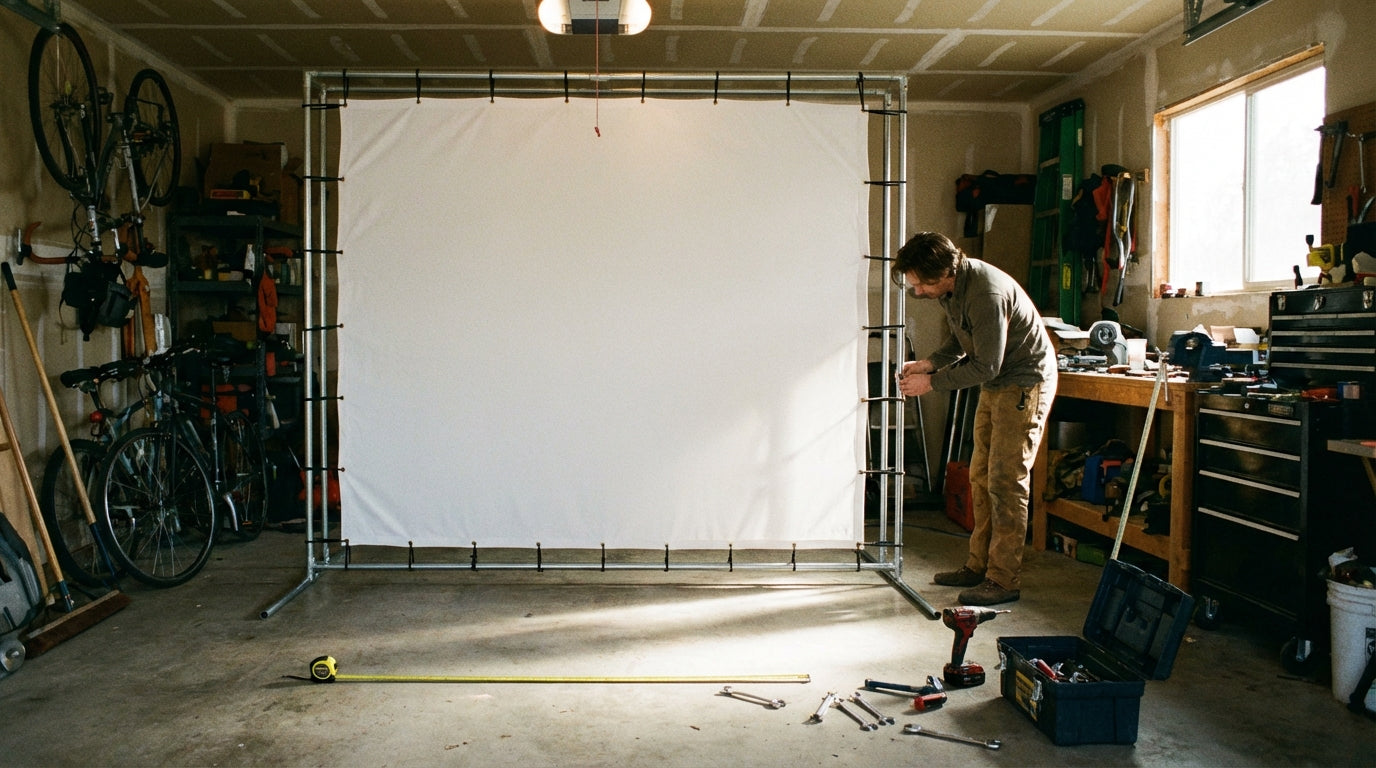
Here's the installation mistake that kills more screens than anything else: zero gap between the screen and the rear wall. Most first-timers assume tighter is better. It's the opposite — and it's also the most preventable error in any DIY golf simulator build. Leaving a 12–16 inch gap between the screen and the rear wall is required to allow the screen to flex on ball impact and reduce rebound speed. Skip it, and you're looking at premature screen failure and a ball bouncing back into your launch monitor. (Source: Ace Indoor Golf / Canvas ETC – DIY Golf Impact Screen & Enclosure Build Guides)
These golf simulator impact screen installation tips cover everything in the right order: room sizing, frame options, mounting hardware, tension, and which screen tier actually makes sense for your build. Get these details right once and you won't touch the setup again for years.
Measure the Room Before You Buy Anything
Your screen position isn't a preference — it's a calculation. Room dimensions determine where the screen goes, not the other way around.
The Three Numbers That Drive Everything
The recommended tee-to-screen distance is 10–12 feet, with a minimum room depth of 13 feet and an optimal ceiling height of 9–10 feet for most golfers. (Source: Rain or Shine Golf / Shop Indoor Golf / Indoor Golf Design room dimension guides) If your ceiling is under 9 feet, you'll need to adjust your setup accordingly — we break down the math in detail in our guide to ceiling height requirements for a golf simulator home setup.
Once you have your tee line, mark where the screen face will sit. Then add the 12–16 inch gap behind it. That's your rear wall clearance. Nothing gets drilled until those numbers are confirmed and taped out on the floor.
Screen Width Follows Room Width
Most rooms work with a 10-foot-wide screen. Going wider gives a more immersive projected image if your room supports it. Our guide to selecting the right golf screen size covers this in full if you're still deciding.
Frame Options: What's Actually Holding the Screen
Three main paths for DIY golf impact screen frame setup: conduit or PVC, lumber, or a pre-built enclosure kit. The right one depends on your budget and how permanent you want the build to be.
Conduit or PVC
The cheapest entry point. You source pipe, fittings, and bungees and rig a frame from scratch. It works, but it takes real time to dial in, doesn't hold up as well to years of impact, and usually looks rough. Best for a proof-of-concept or a temporary garage setup.
Lumber Frame
2x4 framing is rigid and durable. Ideal for a dedicated simulator room where nothing is moving. The downside is permanence — reconfiguring later is a project in itself. You'll also need to plan ceiling and wall anchoring before you cut the first board.
Pre-Built Enclosure Kit
This is what most serious DIYers end up using. A mid-tier DIY enclosure and screen build using a Carl's Place-style kit costs $1,000–$2,000 and can be fully assembled in approximately 2 hours with two people. (Source: Virtual Tee Golf / Home Performance Lab – DIY Golf Simulator Enclosure Guide 2026) The pieces are pre-engineered, the screen mounting points are already positioned correctly, and the margin for error is much smaller than a scratch build. If this is your first install, start here.
Mounting the Screen: Grommets, Height, and Tension
Grommets Are the Standard — Use Bungees Through Them
All Carl's Place impact screens come with grommets around the perimeter. These are the attachment points. Run bungee cords through the grommets and connect them to your frame — not zip ties fastened rigid, not cable ties, bungees. The screen needs to flex on every ball impact and return to position. Rigid attachment transfers all the stress directly to the grommet holes and causes tearing over time.
Height and Centering
Center the screen horizontally in your frame. The bottom edge should sit roughly 6–12 inches off the floor — this catches low shots and prevents ball rebound under the screen. Before setting final height, confirm your projector's throw angle and top line. A screen mounted 2 inches too low can clip the top of your projected image. Confirm projector geometry before committing the screen position.
Tension: Flat, Not Floppy
A loose screen distorts the projected image. An over-tensioned screen beats up the grommets. The target is a flat, taut surface with just enough flex to press a hand into the center and feel slight give. Adjust bungee tension evenly around the perimeter to avoid pulling the screen off-center.
The Gap Rule: This One Gets Its Own Section
We covered it in the intro. It's worth repeating.
The 12–16 inch gap behind the screen isn't optional — it's what allows the screen to absorb ball impact instead of bouncing it straight back. Without it, the ball hits a surface that has nowhere to go and returns hard. That's a hazard to your equipment and your shins, and it shortens the screen's lifespan dramatically.
If your room is genuinely tight, 10 inches is a reasonable minimum. But 12–16 inches is the range that gives proper shock absorption and keeps your screen in good shape for the long run. If you can't get that gap, reconsider where the tee line sits before you build anything.
By the Numbers: What the Data Says
Home simulator installs aren't a niche hobby anymore. The global golf simulator market was valued at $2.12 billion in 2025 and is projected to reach $4.12 billion by 2033, growing at a CAGR of 8.7%. (Source: Straits Research / Business Research Insights Golf Simulators Market Report 2025) Most of that growth is residential — the home-use segment now accounts for 39.11% of total U.S. golf simulator market value. (Source: Mark Spark Solutions – U.S. Golf Simulator Market Report)
That means nearly 4 in 10 simulator dollars are going into garages and basements right now — and almost all of those buyers need to hang a screen. Getting the install right matters at scale.
One spec that surprises a lot of buyers: multi-layer impact screens with a sound-dampening core reduce ball impact noise by up to 42% compared to single-layer polyester screens. (Source: Shop Indoor Golf – Golf Simulator Impact Screen Guide) If your simulator room is attached to the house, near a bedroom, or in a shared space, that number is the difference between a tolerable setup and one that creates friction with everyone else in the house.
DIY Golf Simulator Enclosure Build Cost by Tier
Source: Virtual Tee Golf, Home Performance Lab, Rain or Shine Golf, OptiShot/RS Golf DIY cost breakdowns 2026
Choosing the Right Carl's Place Screen Tier for Your Install
All three Carl's Place tiers ship with grommets, mount the same way, and work with any standard enclosure frame. The differences are in layer count, noise performance, and long-term durability — which is exactly what should drive your decision based on where and how you're building.
For most first-time DIY builds in a dedicated garage or basement, the Preferred tier is the right call. Better noise dampening than Standard, meaningfully more durable, and priced in a range that doesn't eat the entire budget. If noise is a real concern — attached garage, main floor room, shared wall — move up to Premium. The 42% noise reduction from a multi-layer, sound-dampening screen isn't marketing copy; it's a measurable spec that changes how the room feels.
Carl's Place Impact Screen Tiers — Installation & Spec Comparison
| Screen Tier | Layers | Approx. Price Range | Grommet Mounting | DIY-Friendly |
|---|---|---|---|---|
| Standard | 1 layer | $250–$400 | Yes — grommets all around | Best for budget builds |
| Preferred | 2 layers | $400–$600 | Yes — grommets all around | Recommended for most DIY setups |
| Premium | 3 layers, ultra-durable | $600–$900+ | Yes — grommets all around | Best noise reduction, longest lifespan |
If you're still deciding between tiers, our full breakdown on how to choose the right golf impact screen material walks through exactly when each tier makes sense.
Five Installation Mistakes to Avoid
- No gap behind the screen. Already covered twice. Still the #1 error. Minimum 12 inches — aim for 16 if the room allows it.
- Rigid grommet attachment. Hard-fastening zip ties to a rigid frame works until the first hard impact tears a grommet. Use bungees.
- Not confirming projector throw before mounting. The screen position and projector position are interdependent. Confirm throw distance and angle before you commit the screen location. Moving it later means pulling everything apart.
- Sizing the screen to the frame instead of the room. Start with room dimensions and tee line distance. Build the frame around those numbers, not the other way around.
- Uneven bungee tension. Too much pull on one side causes the screen to hang off-center and distorts the projected image. Adjust tension evenly all the way around after hanging.
Ready to Build?
The actual installation is straightforward once you have the right numbers. Tee-to-screen distance confirmed, rear wall gap measured, frame up, bungees through the grommets, tension even. Most Carl's Place enclosure builds are done in an afternoon.
Browse the full lineup of Carl's Place impact screens — all sizes, all three tiers, all with grommets installed — at our impact screen collection. Every screen is compatible with standard DIY enclosure frames and ships ready to hang.
Not sure which simulator fits your room?
The two-minute Simulator Finder Quiz checks your space and budget against every system we carry.


Keep Reading
Related guides

golf simulatorGolf Simulator Impact Screen Tear Repair: When to Patch and When to Replace

ambient light rejecting golf impact screenAmbient Light Rejecting Golf Impact Screen: Why True ALR Can’t Survive Your Driver (and What Actually Works)

chipping and puttingGolf Simulator Impact Screen for Chipping and Putting: Does Your Screen Actually Handle the Short Game?