
golf simulator
Golf Impact Screen Gain Rating Explained: Why Chasing a Bigger Number Backfires
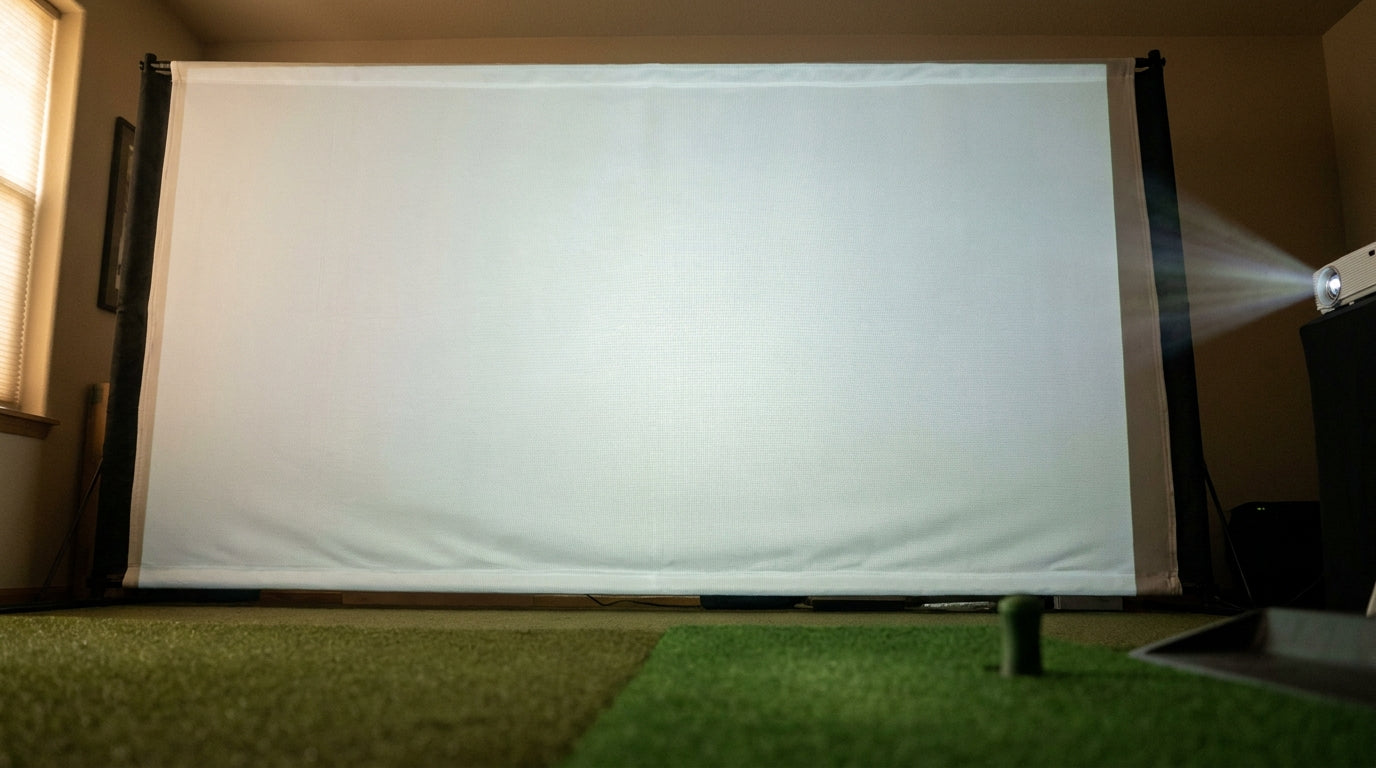
Here's the part nobody selling you a screen wants to lead with: a golf impact screen with a gain of 1.0 doesn't reflect any "extra" light at all. A 1.0 gain rating just means the screen bounces back exactly as much light as it receives — the same reflectivity as a plain magnesium-carbonate whiteboard. (Source: Pieratt's 'Screen Gain 101' / Elite Screens material specs)
So when a buyer sees one screen advertised at 1.0 and another at 1.3 and assumes the 1.3 is "brighter and better," they're usually about to overpay for a spec that makes their image worse. Let's get the gain rating on a golf impact screen explained properly, so you buy for your room instead of for a marketing number.
So What Is Screen Gain, Actually?
Gain is a reflectivity ratio, not a quality score. A perfectly neutral surface that reflects 100% of the light hitting it — no more, no less — is your reference point of 1.0, also called unity gain.
Building one now? Carl’s Place Preferred impact screen — from $299.
Go above 1.0 and the screen is engineered to reflect more light back toward a narrow zone. Go below 1.0 and it deliberately absorbs some, trading raw brightness for other things you might want more (like contrast).
The trap is thinking "more gain = more brightness = better." It doesn't work that way, because higher gain doesn't create light out of nowhere. It just steals it from one part of the room and piles it into another.
Why Most Quality White Screens Sit at Unity (1.0)
Neutral-gain white impact screens deliver a roughly 180° viewing angle. Higher-gain screens narrow that cone and cause "hotspotting" — a bright blown-out center with dark edges — once you climb to around 1.3 gain and above. (Source: Elite Screens ImpactWhite / Draper 'How to Stop Hot Spots')
Think about who's actually in a golf bay. You, a buddy waiting to hit, maybe a phone camera off to the side. You want a uniform image everyone can see, not a spotlight aimed at one perfect seat.
That's why the good white screens cluster at unity. It's the honest baseline, not a downgrade. If your screen is already glowing in the middle, that's a hotspot problem worth reading up on in our projector hot spot fix guide before you go blaming the fabric.
What the Data Says
Gain only makes sense next to two other numbers: your projector's lumens and your room's ambient light. A few figures worth burning into memory:
- Golf simulators need at least 3,000–4,000 ANSI lumens (5,000+ for 10-ft-plus screens in bright rooms), well above home-theater norms, because impact-screen fabric is far less reflective than a standard projector screen. (Source: Carl's Place / ViewSonic / BenQ projector buying guides)
- The recommended pairing: 2,000–3,000-lumen projectors suit neutral 1.0–1.5 gain screens, while 3,000+ lumen projectors pair best with low 0.8–1.0 gain screens to avoid a washed-out, over-bright image. (Source: Nothing Projector / XGIMI 'Match Screen Gain to Ambient Light')
- Gray impact screens carry a gain of roughly 0.6 versus 1.0 for white, and absorb about 40% more ambient light to deepen blacks and boost contrast in lit rooms. (Source: Carl's Place 'How to Choose a Golf Impact Screen Material')
Notice the pattern: the brighter your projector, the lower the gain you actually want. The projector is your brightness lever. Gain is your light-management dial.
Recommended Screen Gain by Projector Brightness
Source: Synthesized from Nothing Projector, XGIMI, and Elite Screens gain-matching guides
Not sure which gain fits your projector and room? Start with a proven unity-gain screen and skip the guesswork.
Shop Impact ScreensMatch Gain to Your Projector, Not the Marketing
Here's the cheat sheet. If your projector is dim, a slightly higher gain helps claw back brightness. If your projector is a lumen monster, a lower gain keeps the image from washing out and blooming.
Impact Screen Gain vs. Performance Trade-offs
Swipe to compare →
| Screen type / gain | Viewing angle & uniformity | Best-fit room & projector |
|---|---|---|
| High gain (~1.3+) | Narrow cone, prone to hotspotting | Dim room, low-lumen projector, single viewer |
| Unity white (1.0) | ~180°, uniform, neutral brightness | Most bays; balanced with 2,500–3,500 lumens |
| Low gain (~0.8) | Wide, uniform, slightly dimmer | Bright/lit room with a 3,500+ lumen projector |
| Gray (~0.6) | Wide, best contrast, ~40% more ambient-light absorption | Rooms with overhead lighting; higher-lumen projector |
If you're still nailing down the projector side of this, our breakdown of how many lumens a golf impact screen needs pairs perfectly with this chart. Lock the lumens first, then pick the gain.
When Lower Gain Actually Wins
This is the part that surprises people. In a room with overhead lights or a window you can't fully black out, a lower-gain or gray screen is often the smarter buy.
Because it absorbs more of that stray ambient light, a gray screen deepens the blacks and boosts perceived contrast instead of glowing gray-white like a lit-up white screen would. Gain, in other words, is a light-management tool — lower can absolutely be better. If you're torn between the two, our full white vs gray impact screen guide walks through the exact decision.
What You're Actually Paying For
Quality golf impact screens start around $244.95, and here's the kicker: the real price jump is in the weave and durability tiers, not the gain rating. A three-layer premium screen runs about $200–$300 more than a mid-tier one, while premium gray costs only $10–$15 more than white. (Source: Carl's Place shop pricing)
Translation: nobody is charging you a fortune for a magic gain number. You're paying for how the screen is built — how flat it hangs, how quiet it is, how many driver strikes it survives. Gain shouldn't be driving the purchase at all.
The Bottom Line on Gain
Stop shopping for the biggest gain number. Unity (1.0) is the honest baseline that gives you a wide, even image for the whole bay. Go higher only if your projector is genuinely dim and you sit dead center. Go lower or gray if your room fights you with ambient light.
Match the gain to your projector's lumens and your lighting, then spend your money where it counts — on the weave and build quality that actually lasts.
Ready to buy the right screen instead of the flashiest spec? Browse our impact screens collection and pick the one that fits your room, your projector, and your budget.


Not sure which simulator fits your room?
The two-minute Simulator Finder Quiz checks your space and budget against every system we carry.

Keep Reading
Related guides

golf simulatorGolf Simulator Hitting Mat Sizing Guide: Exact Dimensions for 10x12, 12x15, and 16x18 Rooms

golf simulatorGolf Simulator Enclosure Cost to Build: Every Line Item, DIY vs Pre-Made (2026 Numbers)

golf simulatorGolf Simulator Room Electrical Plan: Where Every Outlet Goes Before the Frame Closes Up