
best indoor putting green for home simulator
Best Indoor Putting Green for Home Simulator: Stimp Speed, Size, and What Actually Matters
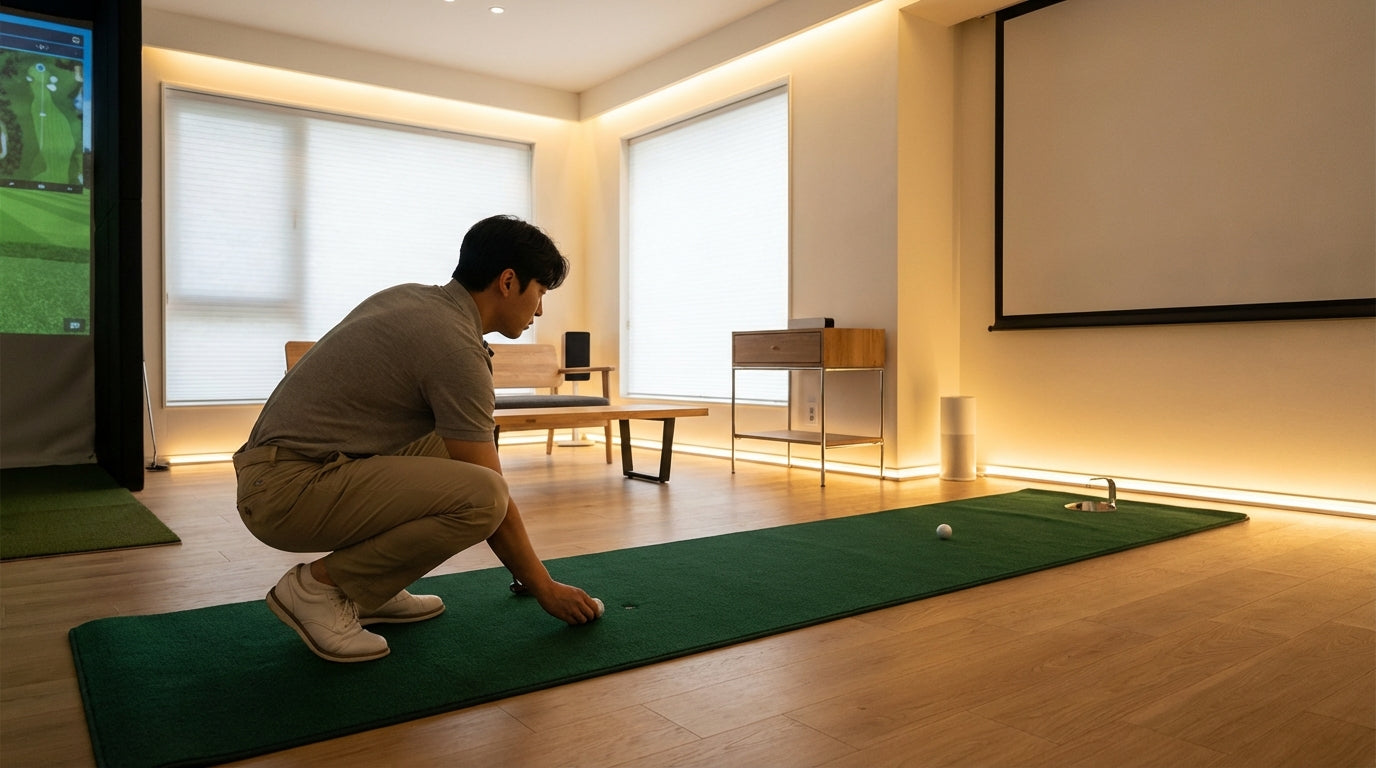
Putting accounts for roughly 35% of every stroke you take in a typical recreational round. (Source: PGA.com and GolfInfluence) That is more than your driver, your irons, and your wedges — combined. Yet most home simulator setups end at the hitting bay. Launch monitor, mat, screen, done.
Your launch monitor is capturing spin rate, carry distance, and attack angle. It cannot track the three-putt you made on the 18th to blow an 83. That part of your game gets zero data and zero reps.
The right indoor putting green for your home simulator costs less than a single lesson with a putting coach — and it is there every day. Here is how to pick one that actually transfers to a real course.
Building one now? Carl’s Place Preferred impact screen — from $299.
Why the Putting Green Belongs in Your Simulator Bay
The average amateur takes 34 putts per round. The PGA Tour average is approximately 29. (Source: The DIY Golfer — Strokes Gained Putting Analysis) That is a 5-stroke gap sitting entirely on the green — and it does not close by hitting more seven irons into a simulator screen.
Your hitting bay handles everything from driver to wedge. But the 35% of your score that happens on the putting surface? Completely unaddressed unless you add a mat.
If you have already put in the work to convert a room to a full simulator setup, a putting green is the highest-ROI addition you can make. No extra ceiling height, no extra wiring, no extra software. Just a strip of quality mat behind your hitting area.
The One Metric That Actually Matters: Stimpmeter Speed
Before you look at a single brand or price tag, understand one thing: Stimpmeter speed.
The Stimpmeter measures how fast a golf ball rolls across a surface. Real greens range from Stimp 8 (slow, shaggy municipal turf) to Stimp 13+ (fast, tournament-weekend conditions). Most courses you will actually play fall around Stimp 9–10.
Here is why this matters: a mat that rolls at Stimp 6 or 7 trains you to hit putts too hard. Every session on that mat is building muscle memory for the wrong distance. You step on a real green, blast your lag putt six feet past the hole, and wonder what happened. What happened is your mat lied to you for months.
Premium nylon putting mats roll at Stimp 9–11 straight out of the box. Specialty aerated-foam mats — like BirdieBall — achieve Stimp 11–13, matching fast tournament greens. (Source: PrimePutt product data and BirdieBall Classic Depth product page) Budget polypropylene mats typically roll at Stimp 7–8. That is the line between a training tool and an expensive rug.
By the Numbers: The Real Case for Indoor Putting Practice
- Putting accounts for approximately 35% of all strokes in a typical recreational round — the single largest shot category by percentage. (Source: PGA.com and GolfInfluence — How to Improve Putting)
- The average amateur takes 34 putts per round vs. the PGA Tour average of ~29 — a direct 5-stroke improvement opportunity that no launch monitor stat can address. (Source: The DIY Golfer — Strokes Gained Putting Analysis)
- The global indoor golf equipment market was valued at $1.03 billion in 2024 and is projected to reach $2.43 billion by 2033, growing at a 9.8% annual rate. (Source: Business Research Insights — Indoor Golf Equipment Market Report 2033)
- 58% of all golf simulator installations in 2023 were in the residential segment — meaning the majority of simulator buyers are building complete home practice environments, not just playing for fun. (Source: Grand View Research — Golf Simulator Market Report 2033)
Stimpmeter Speed Range by Indoor Putting Green Tier
Source: PrimePutt, BirdieBall, Fiberbuilt, and Golfstead product/review data. Values represent midpoint of published Stimpmeter ranges per tier.
Size and Space — What Actually Fits
Good news: most quality putting mats are 9–10 feet long and 2–3 feet wide. That is a compact footprint that works in almost any simulator room, including the tight setups people build into small garages and spare bedrooms.
You need a minimum of 8 feet to practice putts that actually matter on a real course. Shorter than that and you are only training 3-footers. The sweet spot for most home setups is 9–10 feet: long enough to work on lag putting and distance control, short enough to fit in any room without rearranging the furniture.
If you have a dedicated room with space to spare, a permanent multi-hole custom installation changes the practice equation entirely. Realistic break, multiple distances set up simultaneously, actual putting drills. But for most simulator owners, a 9-foot rollout mat handles 90% of what needs to happen.
Slope and Break — Do You Actually Need It?
Most flat mats include a return ramp or an end wall. That handles stroke mechanics, speed control, and alignment training well. What a flat mat cannot replicate is reading break — which is where amateur putters lose the most strokes they do not even notice losing.
If break practice is a priority, look at BirdieBall's foam-cushion mats. The aerated foam creates realistic undulation, so you are reading and playing actual slopes instead of grinding on a pool table. It is the closest you will get to real green simulation without a full custom install.
For most simulator owners in the $150–$300 range, a flat nylon mat is the right call. Consistent Stimp speed, durable surface, alignment feedback that transfers. The break work can come later when you are ready to commit to a bigger build.
Popular Indoor Putting Greens: Feature Comparison by Price Tier
Swipe to compare →
| Model | Price | Size | Stimp Speed | Slope | Best For |
|---|---|---|---|---|---|
| SKLZ Accelerator Pro | ~$60 | 9 ft x 16 in | ~7–8 | No | Beginners / tight spaces |
| Perfect Practice Putting Mat | ~$150 | 9 ft x 2 ft | ~9–10 | No | Alignment training; tour-pro endorsed |
| PrimePutt Tour Quality | ~$250 | 10 ft x 3 ft | ~10–11 | No | Realistic speed; nylon tour-feel |
| Fiberbuilt Putting Green | ~$350 | 9 ft x 3 ft | ~10 | No | Durability; nylon-polyester blend |
| BirdieBall Classic Depth | ~$400 | 10 ft x 3 ft | 11–13 | Yes (foam cushion) | Fast green simulation; break practice |
| StarPro Greens Custom | $800+ | Up to 15x28 ft | ~10–11 | Yes (multi-hole) | Full simulator room; multi-hole layout |
Which Price Tier Makes Sense for You
Budget ($50–$75): Something to roll putts while your simulator boots up. Stimp speeds are inconsistent, surfaces wear fast, and the distance feel does not transfer well. Use it if you want to test whether you will actually use a putting mat before spending more.
Mid-range nylon blend ($75–$150): The Perfect Practice Putting Mat lives here. Tour-pro endorsed, consistent Stimp 9–10, solid alignment guides. A real improvement tool without serious money. If your putting is the weak link and you need to fix it on a budget, start here.
Premium nylon ($150–$300): The sweet spot for serious home simulator owners. PrimePutt and similar mats roll consistently at Stimp 10–11, hold up to daily use, and deliver distance feel that transfers to real greens. This is the tier that buyers and review sites consistently identify as the best value. (Source: Golfstead — 10 Best Indoor Putting Greens Buying Guide 2025)
Pro foam and custom ($300+): BirdieBall runs Stimp 11–13 and gives you real break practice without a full custom install. Multi-hole custom greens from companies like StarPro are for dedicated rooms where putting is a serious daily training priority. Serious investment — and serious results to match.
Build Out the Complete Practice Bay
A putting green adds the one practice element your launch monitor literally cannot measure. It rounds out your simulator setup in a way that no software upgrade, projector swap, or mat thickness change can replicate.
But the putting green is only as useful as the hitting bay it is paired with. If you are still dialing in your impact screen — material, size, finishing options — we have covered all of it in our 2026 impact screen buyer's guide.
Build out both sides of your practice space and you are working on the whole game — not just the 65% that shows up on a data sheet.
Browse our full selection of golf simulator impact screens — and build the bay that makes every session count, from your first drive to your last putt.
Related reading: Best Golf Simulator for Winter Practice Indoors: What Actually Works When It's Cold · Golf Simulator Impact Screen for Chipping and Putting: Does Your Screen Actually Handle the Short Game?


Not sure which simulator fits your room?
The two-minute Simulator Finder Quiz checks your space and budget against every system we carry.

Keep Reading
Related guides

golf simulatorGolf Simulator Enclosure Lighting Plan: Where to Mount Fixtures So They Never Wash Out Your Screen

golf simulatorGolf Simulator Basement Conversion Checklist: The 7 Steps to Run Before You Buy Anything

DIY golf simulatorGolf Simulator Garage Build Cost Breakdown: Every Line Item at Three Budget Tiers