
golf simulator
How to Extend the Life of Your Golf Simulator Mat (And Stop Burning Through Mats Every Year)
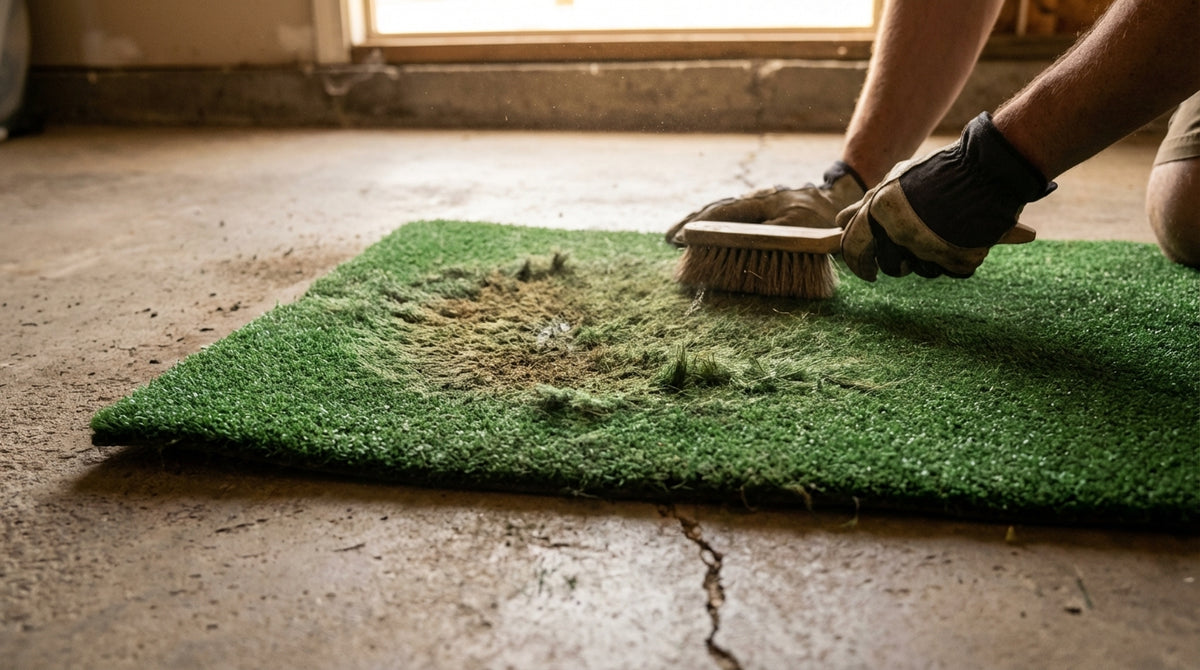
Budget hitting mats typically wear out in just 500–1,000 practice rounds — roughly one year of regular use. (Source: SimTurf Longevity Guide) If that stat stings a little, it should. Most golfers treat their mat like it's indestructible, hit from the exact same spot every session, and then wonder why there's a bald patch in the middle with perfectly good turf on either side.
The good news: mat lifespan is largely in your hands. Premium mats with replaceable inserts can outlast budget options by a factor of 30 to 60x — but even a mid-range mat lasts significantly longer with the right habits. Here's exactly how to extend the life of your golf simulator mat, backed by real shot-count data from the manufacturers themselves.
Why Golf Simulator Mats Wear Out Faster Than They Should
The physics are simple: every iron strike compresses synthetic turf fibers in the exact same spot. Without any intervention, you're hammering a 4-inch patch thousands of times while the rest of the mat barely sees use. That's how a $400 mat ends up bald in the center with pristine turf at the edges.
Building one now? Carl’s Place HotShot mat system — from $500.
Three wear culprits account for most premature mat death:
- Strike zone concentration — repetitive impact in one spot permanently crushes fibers long before the rest of the mat is even broken in
- UV degradation — UV exposure is the single biggest environmental threat to synthetic turf fibers; some manufacturers warrant only 50% pile fiber retention over a product's rated lifespan (Source: Global Syn-Turf Synthetic Turf Buying Guide)
- Moisture and grit — trapped water combined with shoe debris and sand infill breaks down the backing over time, especially in garages and basements
Know your enemy, and you can fight back on all three fronts.
The Single Highest-Impact Habit: Rotation (And It's Free)
Rotate your mat or hitting insert 180 degrees every two to four weeks. That one move does more to extend mat life than everything else combined. Fiberbuilt — one of the industry benchmarks for simulator mats — recommends it explicitly on their product care page to distribute wear evenly and extend service life. (Source: Fiberbuilt Product Care Page)
If you have a modular mat with a replaceable hitting insert, rotate the insert on the same schedule. Mark it in your phone. It takes 30 seconds and pays off for years.
For a deeper look at what separates a well-constructed mat from a flimsy one, our Golf Simulator Mat Thickness and Quality Guide breaks down exactly what to look for before you buy — including what backing construction actually tells you about durability.
Brushing, Cleaning, and Keeping It Dry
After every session — or at minimum once a week — brush the turf fibers back upright with a stiff synthetic turf brush. Matted fibers lead to inconsistent ball lie, which corrupts your feedback and accelerates wear in the strike zone. A few passes in alternating directions takes two minutes and makes a real difference over time.
A few ground rules:
- Use a synthetic turf brush or stiff utility brush — never wire bristles, which pull fibers out rather than lifting them
- If your mat has deep-pile turf or sand infill, vacuum before brushing to clear debris from the base layer
- For Fiberbuilt-style systems, an annual pressure wash of the base unit is manufacturer-approved and recommended
Moisture is the other thing most golfers overlook. A damp mat left rolled up between sessions is a fast track to backing delamination and mold. Always dry your mat completely before storage, and in high-humidity environments — garages in Florida, we're looking at you — a small dehumidifier near the mat makes a measurable difference. For the full picture on building a garage sim that handles environmental variables well, check out Best Golf Simulators for Small Garages (2026).
UV protection matters too, especially near windows or in sun-exposed rooms. When not in use, cover the mat or store it away from direct sunlight. UV damage accumulates silently — you won't notice until the fibers start breaking down at the surface.
By the Numbers: What the Data Actually Says About Mat Lifespan
Here's where things get concrete. Budget, mid-range, and premium mats aren't just different in quality — they represent completely different ownership economics once you factor in replacement frequency and insert costs.
Fiberbuilt mats are rated for 300,000 shots from the same divot area before the hitting strip needs replacement. Standard budget mats wear out in 5,000–10,000 shots from the same zone. Rotate correctly and use replaceable inserts, and you extend effective lifespan by a factor of 30–60x. (Source: Fiberbuilt manufacturer claim, corroborated by On The Green Golf 4-year owner review)
TrueStrike's gel strike surface is rated for approximately 55,000 iron shots, with the full gel section rated for up to 150,000 shots. (Source: TrueStrike manufacturer specs, cited by Plugged In Golf) Knowing your mat's shot-count rating means you replace on schedule — not after the mat has already failed your wrists.
The cost angle is the most compelling part: the TrueStrike modular replacement hitting area costs just $55, versus $635–$1,349 for a full mat replacement — a 95%+ cost savings by swapping only the worn insert. (Source: TrueStrike product pages, cited by Golfer Logic mat roundup) Mats with replaceable inserts aren't just more durable. They're a fundamentally better investment structure.
Estimated Shot Capacity Before Wear by Mat Tier
Source: SimTurf Longevity Guide; Fiberbuilt manufacturer claim; Library Innovation Mat Guide; industry estimates for tier midpoints
Golf Simulator Mat Lifespan & Maintenance Comparison by Tier
Swipe to compare →
| Mat Tier | Est. Lifespan | Replaceable Insert? | Key Maintenance Tip |
|---|---|---|---|
| Budget ($100–$300) | ~1 year / 500–1,000 rounds | No | Rotate 180° monthly; replace when fibers flatten |
| Mid-Range ($300–$800) | 1–3 years / 2,000–5,000 rounds | Sometimes | Brush fibers upright after each session; keep dry |
| Premium ($800–$2,500+) | 3–5+ years / 10,000+ rounds | Yes (most models) | Rotate insert every few weeks; vacuum weekly |
| Fiberbuilt (insert system) | Base lasts indefinitely | Yes ($55–$375 insert) | Rotate 180° every few weeks; pressure wash annually |
When to Stop Maintaining and Just Replace
There's a point where maintenance stops helping. Here's how to know you've crossed it:
- Fibers won't stand back up — if brushing no longer restores the pile, fibers have permanently deformed
- Inconsistent ball lie — the ball sits noticeably lower in your strike zone than at the edges of the mat
- Backing separates or bubbles — structural failure in the base layer, no maintenance fix available
- Wrist or elbow fatigue increases — a dead mat loses shock absorption; your joints are the first to notice
If your mat has a replaceable insert — most premium and many mid-range models — the answer is to swap the insert, not the whole mat. That's the entire value proposition of modular systems. If you're on a flat budget mat with no modular option, it's full replacement time. For planning the rest of your space around a new mat purchase, The Complete Guide to Golf Simulator Room Setup covers every component decision in one place.
The Full Mat Maintenance Checklist
Here's the quick-reference version of everything above:
- Rotate mat or insert 180° every 2–4 weeks
- Brush turf fibers upright after each session with a synthetic turf brush
- Vacuum weekly if you have deep-pile turf or sand infill
- Never store damp — always dry completely before rolling or folding
- Cover or store away from UV exposure when not in use
- Pressure wash the base unit annually (Fiberbuilt-approved method)
- Know your mat's rated insert lifespan and track shot volume against it
- Replace inserts proactively — don't wait until they've already failed your game
A well-maintained mat gives you consistent ball lie, consistent feedback, and consistent practice. Once the mat side of your setup is locked in, the next upgrade most serious sim golfers make is the impact screen. A quality screen transforms every session — browse our full lineup at GolfingSim Impact Screens, built to handle thousands of shots without fading, tearing, or losing projection quality.
Related reading: Golf Simulator Hitting Mat Thickness Guide: How Much Cushion Do You Actually Need? · Golf Simulator Impact Screen for Left-Handed Golfers: Does Swing Side Actually Wear It Differently?


Not sure which simulator fits your room?
The two-minute Simulator Finder Quiz checks your space and budget against every system we carry.

Keep Reading
Related guides

golf simulatorGolf Simulator Enclosure Lighting Plan: Where to Mount Fixtures So They Never Wash Out Your Screen

golf simulatorGolf Simulator Basement Conversion Checklist: The 7 Steps to Run Before You Buy Anything

DIY golf simulatorGolf Simulator Garage Build Cost Breakdown: Every Line Item at Three Budget Tiers