
golf simulator
Golf Simulator Impact Screen vs Projector Screen: Why Substituting One for the Other Destroys Your Setup
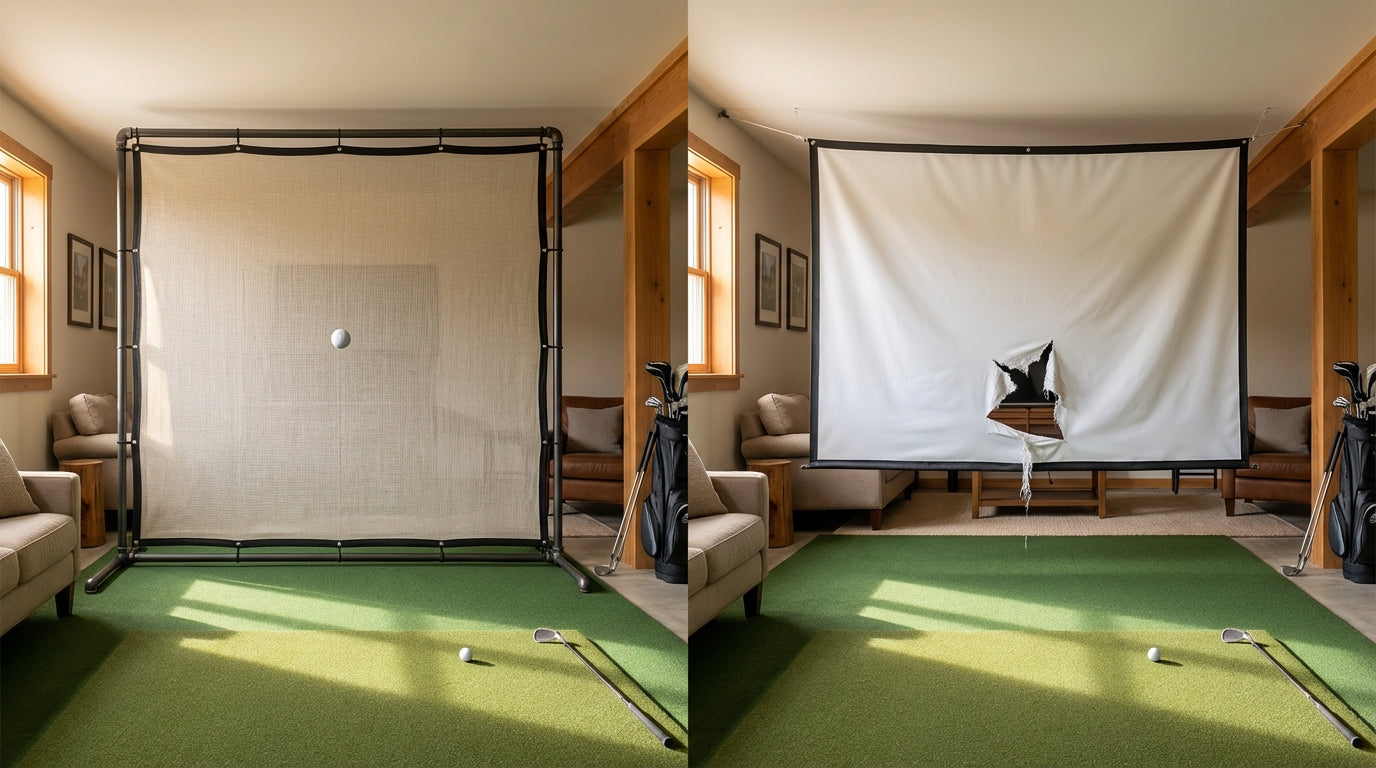
Here's a question that comes up in every simulator forum thread: can I just use a regular projector screen? They're cheaper, widely available, and look almost identical when hanging empty. The answer is no — and the reason isn't just about longevity. A standard projector screen will fail on the first direct ball strike. Not after a few sessions. Not gradually. Hit number one.
That's not a sales pitch. That's physics. Impact screens and projector screens are engineered for entirely different jobs, and confusing the two is how people destroy $2,000 projectors and walk away with zero shot data to show for it.
Let's break down exactly what separates them — and why the difference matters more than most setup guides will tell you.
What You're Actually Comparing
A standard projector screen is designed to reflect light. Full stop. The material is optimized for image gain, viewing angle, and color fidelity — not for absorbing kinetic energy from a 120 mph golf ball.
Ready to shop impact screens?
Browse the full Carl's Place lineup — every screen ships ready to mount with real size specs.
Shop Carl's Place Impact Screens →A golf impact screen is a purpose-built target. The woven fabric is engineered to absorb ball energy, control rebound direction, and hold consistent tension under tens of thousands of repeated strikes. It projects a decent image too — but that's a secondary feature, not the primary one.
These are different products solving different problems. Using a projector screen as an impact screen is like using a rain jacket as a life vest. They're both waterproof. One gets you killed.
The Safety Problem Nobody Talks About Enough
When a golf ball hits a standard projector screen at driver speed, the screen tears — or if it's rigid, the ball ricochets back with an uncontrolled trajectory. We're talking about a projectile moving at 130–160 mph.
A proper impact screen delivers 1–3 feet of controlled rebound. A standard screen that fails sends the ball back at an unpredictable angle — potentially at near-full speed. (Source: PlayBetter)
In a basement simulator bay, that's a ball headed toward your launch monitor, your projector, your shins. Not a hypothetical — a predictable outcome when you use the wrong material.
The ball speed side of this deserves its own deep dive: Golf Simulator Impact Screen Ball Speed Rating: What It Actually Means — worth reading before you finalize any screen decision.
By the Numbers
The gap between these two screen types isn't marginal. The data makes it stark.
- Premium impact screens like the SIGPRO Premier are rated for 200,000+ ball strikes before showing significant wear. A standard projector screen has a rated impact strike count of zero — it was never designed for this. (Source: Shop Indoor Golf)
- Purpose-built impact screens handle ball speeds up to 250 mph — the ImpactWhite® 350 material specifically certifies resistance up to 150 mph. A driver ball typically travels 130–160 mph. Right in the danger zone for any non-impact-rated material. (Source: Canvas ETC / Elite Screens)
- Impact screen gain values run 0.8–1.0 with 170° viewing angles, optimized for simulator bays. Standard projector screens often run 1.3+ gain — fine for home theaters, but a visible hotspotting problem on the shorter throw distances a simulator requires. (Source: Carl's Place)
- Entry-level impact screens cost $200–$500; premium models run $500–$1,500+ — still far less than replacing the projector they protect. One ball through a standard screen can destroy a $500–$3,000 projector on the first session. (Source: Big Horn Golfer)
Screen Durability: The Numbers Visualized
If you think a cheaper screen saves money, look at what that actually means across the life of your simulator.
Golf Screen Durability: Ball Strikes Before Failure
Source: Shop Indoor Golf / Big Horn Golfer / Canvas ETC (premium figure cited by SIGPRO Premier; entry/mid are industry estimates)
That near-zero bar for the standard projector screen isn't an exaggeration — it reflects the literal absence of an impact rating. Manufacturers don't rate these products for ball strikes because they were never designed for them.
Impact Screen vs. Projector Screen: Full Comparison
Here's every spec that actually matters for a home simulator build, side by side.
Impact Screen vs. Standard Projector Screen: Feature Comparison
Swipe to compare →
| Feature | Golf Impact Screen | Standard Projector Screen |
|---|---|---|
| Ball-Strike Durability | 20,000–200,000+ rated strikes | Fails on first direct strike |
| Max Ball Speed Tolerance | Up to 150–250 mph | Not rated; immediate tear risk |
| Ball Rebound Control | 1–3 ft controlled bounce-back | Unpredictable dangerous ricochet |
| Image Gain (Brightness) | 0.8–1.0 (wide-angle, even spread) | 1.0–1.3+ (hotspotting risk) |
| Shot Data Accuracy | Consistent surface preserves sensor reads | Irregular/torn surface skews camera data |
| Safety Rating | Engineered for impact absorption | No impact safety rating |
| Typical Price Range | $200–$1,500+ | $50–$400 (not simulator-safe) |
Pay close attention to the shot data accuracy row. Camera-based launch monitors track ball flight post-impact — if your screen surface is irregular, torn, or inconsistently tensioned, those sensor reads degrade from the start. A properly tensioned impact screen is part of your data capture system, not just a display surface. Our Golf Simulator Screen Material Durability Comparison breaks down how screen tier affects long-term performance across woven, multi-layer, and entry-level builds.
What About Image Quality?
This is where people assume projector screens win. A screen built purely for display should look better, right? In practice, it's more nuanced than that.
Impact screens use woven fabric that scatters light more evenly across wide angles. A 0.8–1.0 gain screen spreads brightness uniformly — no bright spot in the center, no dim corners. Standard projector screens with 1.3+ gain concentrate brightness toward the middle. Great for a dark theater with a long throw distance. A visible problem in a simulator bay where you're projecting from shorter range with more ambient bounce.
The gain and viewing angle specs on impact screens are designed specifically for simulator geometry — not theater geometry. We break this down fully in the Impact Screen Viewing Angle Guide: what makes a projector screen look brilliant in a home cinema makes it look noticeably worse in a simulator bay.
The Real Cost Math
Let's run the actual numbers.
A mid-range impact screen costs $300–$700. A standard projector screen costs $100–$300. You're saving $200–$400 upfront.
Your projector costs $500–$3,000. Your launch monitor costs $500–$3,000+. One ball through a standard screen eliminates those savings immediately. You're not saving $300 — you're gambling $3,000–$6,000 on a material that was never designed for this application.
Modern simulators with properly tensioned impact screens deliver ball-data accuracy within a few percentage points of outdoor launch monitors for ball speed and launch angle. (Source: The Ohio Golf House) Compromise the screen, and you compromise every data point your simulator generates from the first swing.
Bottom Line
A standard projector screen is not a budget impact screen. It's a different product category that happens to look similar when hanging empty. Use one in a golf simulator and you're risking equipment damage, dangerous ball rebound, and degraded shot data from session one.
The impact screen is the one component in your simulator that takes a direct hit thousands of times. It's not where you cut costs.
Browse our full lineup of golf simulator impact screens — from entry-level woven fabric to premium triple-layer builds — and find the right spec for your bay size and swing speed.


Not sure which simulator fits your room?
The two-minute Simulator Finder Quiz checks your space and budget against every system we carry.

Keep Reading
Related guides

golf simulatorGolf Simulator Hitting Mat Sizing Guide: Exact Dimensions for 10x12, 12x15, and 16x18 Rooms

golf simulatorGolf Simulator Enclosure Cost to Build: Every Line Item, DIY vs Pre-Made (2026 Numbers)

golf simulatorGolf Simulator Room Electrical Plan: Where Every Outlet Goes Before the Frame Closes Up