golf impact screen
Golf Impact Screen vs Practice Net: Which One Actually Makes You Better?
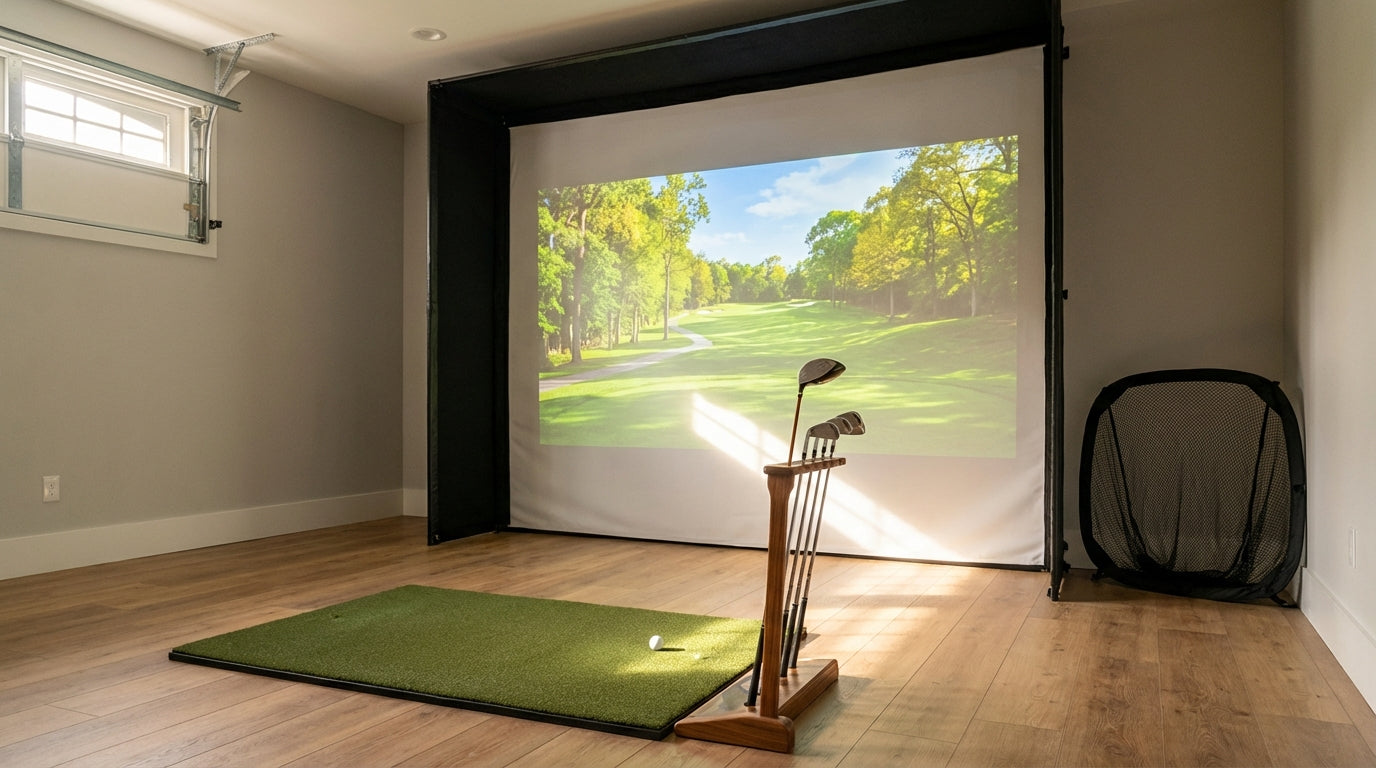
You started with a net. Most serious home golfers do. It was $150, it shipped in two days, and it fit in the garage without moving the car. Totally reasonable.
But then you hit your driver into it for a few months — and nothing changed. You're still coming over the top. Still can't feel the difference between a draw and a block. The net stopped the ball just fine, but it couldn't tell you anything.
That's the real question every home golfer faces sooner or later: golf impact screen vs practice net — which one is actually worth your money? This isn't a "well, it depends" answer. We're going to break it down across five real criteria so you can make a clear call.
1. Image Projection: One Does It, One Doesn't
Let's start with the most obvious difference. A practice net cannot project a golf course. Full stop. You hit into it, a number appears on your launch monitor, and you reset. That's the loop.
An impact screen is engineered to be a projection surface. The fabric is designed for light diffusion — tight enough to catch a ball traveling at 160+ mph, but woven in a way that allows a projector to display a sharp, high-contrast image across the full face.
The difference this makes to your practice quality is significant. When you can see a fairway narrowing, a pin tucked left, or water you're trying to avoid — your brain engages. You're not just hitting balls. You're playing golf. That feedback loop, combined with launch data, is what actually changes your swing over time.
If you ever plan to use simulator software like GSPro, E6 Connect, or TGC 2019, you need an impact screen. A net is simply incompatible with that workflow.
2. Ball Stopping: Both Work, but Not Equally
Here's where nets genuinely hold their own — and it's worth being honest about it.
A quality practice net will stop a full driver swing reliably. Entry-level nets starting around $80–$100 catch the ball without letting it blast through into your wall. That's real utility.
But here's the thing about impact screens: they're built to absorb and redirect energy, not just stop it. Premium impact screen materials handle forces between 500 and 2,000 Newtons per strike — the full range of what any golfer will throw at them, from a chip shot to a driver topped at 165 mph. (Source: Canvas ETC, Material Science & Golf Impact Screen Durability)
Nets handle ball stopping adequately. Impact screens handle it at a higher engineering standard, and they do it while holding a projected image flat. That's a more complex task with less tolerance for failure.
3. Golf Simulator Screen Durability: The Long Game
Durability is where the comparison gets interesting — and where a lot of golfers get surprised by the math.
A budget practice net runs $80–$150. But many golfers go through one or two per year under regular use. That $100 net starts looking less cheap at the 18-month mark.
Quality impact screens are rated to handle 20,000 to 150,000+ ball strikes depending on the tier. (Source: Golf Sim Spot, Golf Simulator Screens Complete Guide 2026) A serious home golfer hitting 200 balls a session three times per week logs roughly 30,000 strikes per year. A mid-tier screen handles that easily for multiple years.
Research on impact screen materials also found a 25% increase in lifespan when comparing tighter weave construction (200 TPI polyester) versus looser weave materials of the same thickness. (Source: Canvas ETC) That's not marketing — that's material science. Fabric construction matters.
The home golf simulator screen setup that costs more upfront often beats the practice net alternative on total cost over a 3-year window. Run the numbers for your own usage frequency.
4. Space Requirements: Nets Win Here (Be Honest)
This is where we give the net its due. Practice nets are designed to be portable. Many fold down and can be moved between the garage and the backyard. They require minimal ceiling clearance — some are angled or compact enough for tight spaces.
An impact screen setup requires more commitment. You need a dedicated frame or enclosure, a projector mounted behind you or overhead, and typically at least 10–12 feet of depth to allow for proper projector throw distance plus 12–16 inches of rebound space between the screen and any back wall. That rebound space is critical — without it, you'll wear through a screen far faster than the rated lifespan.
If you're in a tight space and a simulator isn't in the picture yet, a net makes sense as a temporary home golf simulator screen setup placeholder. Just understand it for what it is: a placeholder.
For ceiling height and room depth guidance before you commit to a screen, check out our post on ceiling height requirements for a home golf simulator — it covers the actual numbers you need before buying anything.
5. Price: Nets Win on Day One, Screens Win Long-Term
Let's put actual numbers on it:
- Practice nets: $80–$500 (most useful ones land $100–$250)
- Entry-level impact screens: ~$300–$500 (Carl's Place Standard tier)
- Mid-range impact screens: $500–$800
- Premium impact screens: $800–$1,100+ (SIGPRO Premium ranges from $460–$1,060 by size)
A $150 net that gets replaced annually costs more over three years than a $400 impact screen that lasts five-plus. And the impact screen gave you simulator capability the entire time.
The golf net vs screen ball stop debate often ignores this time horizon. Cheap upfront doesn't mean cheap overall.
What the Data Says
Three stats worth keeping in mind when you're making this call:
- Impact forces of 500–2,000 Newtons per ball strike — the range quality impact screens are engineered to absorb continuously. (Source: Canvas ETC)
- 20,000–150,000+ rated strikes on quality impact screens before significant wear — vs. most practice nets rated for no specific impact threshold. (Source: Golf Sim Spot 2026)
- $80–$500 price range for practice nets, with most "good" ones running $100–$250. Entry-level impact screen quality starts around the same price ceiling. (Source: Golf Monthly, Golfer Geeks)
Impact Screen vs Practice Net: Feature Score Comparison
Scored out of 10 across 5 key criteria for home golfers
| Criteria | Impact Screen | Practice Net |
|---|---|---|
| Image Projection | ✔ Full HD simulation | ✘ Not possible |
| Ball Stopping | ✔ Engineered absorption | ✔ Adequate for practice |
| Durability | 20,000–150,000+ strikes | No rated impact threshold |
| Setup Space Needed | 10–15 ft depth + frame | Compact, portable |
| Price Range | $300–$1,100+ | $80–$500 |
| Simulator Software Compatible | ✔ Yes | ✘ No |
| 3-Year Total Cost | Lower (one purchase) | Higher (annual replacement likely) |
Who Should Stick With a Practice Net (For Now)
We're not going to pretend a net is worthless. Here's when it actually makes sense:
- You're renting and can't permanently mount anything
- You don't own a launch monitor yet and you're still figuring out your setup
- Your ceiling is under 9 feet and a screen physically won't work
- You want outdoor backyard practice with maximum portability
In those cases, a net buys you time. Just don't pretend it's a long-term solution for serious practice.
When You're Ready for the Switch
The question isn't really whether serious home golfers make the move from net to screen — they almost all do. It's when.
If you have the space, a launch monitor, and you find yourself wishing you could see more than a number on a screen — that's the signal. The golf practice net alternative that gives you everything a net can't is an impact screen, and the entry point is more accessible than most people think.
The Carl's Place Standard Impact Screen is where we'd point most golfers who are making that transition. It hits the right balance: purpose-built for home simulator use, built to handle real ball speeds, and engineered for quality image projection. It's not the top-of-line — that's the Preferred and Premium tiers — but it's the right first screen for golfers who are serious but not trying to overbuild on day one.
Pair it with a quality frame and a short-throw projector, and your garage becomes something worth going to every single day. That's not hype — that's just what happens when your practice environment stops being passive.
For more on choosing the right material tier, check out our breakdown of Standard vs Preferred vs Premium impact screen materials — it walks through exactly what you get at each price point and which golfers each tier is actually built for.
And if you're still figuring out the room before committing, our 7 most common golf simulator room setup mistakes is worth 10 minutes before you buy anything.
Ready to make the switch? Browse the full Carl's Place Impact Screen lineup — from Standard to Premium, with sizing options for any room. One purchase, multiple years of real simulator practice.
Not sure which simulator fits your room?
The two-minute Simulator Finder Quiz checks your space and budget against every system we carry.


Keep Reading
Related guides

golf simulatorGolf Simulator Impact Screen Tear Repair: When to Patch and When to Replace

ambient light rejecting golf impact screenAmbient Light Rejecting Golf Impact Screen: Why True ALR Can’t Survive Your Driver (and What Actually Works)

chipping and puttingGolf Simulator Impact Screen for Chipping and Putting: Does Your Screen Actually Handle the Short Game?