
buyer guide
Carl's Place Standard vs Preferred vs Premium Impact Screen: Which Should You Buy?
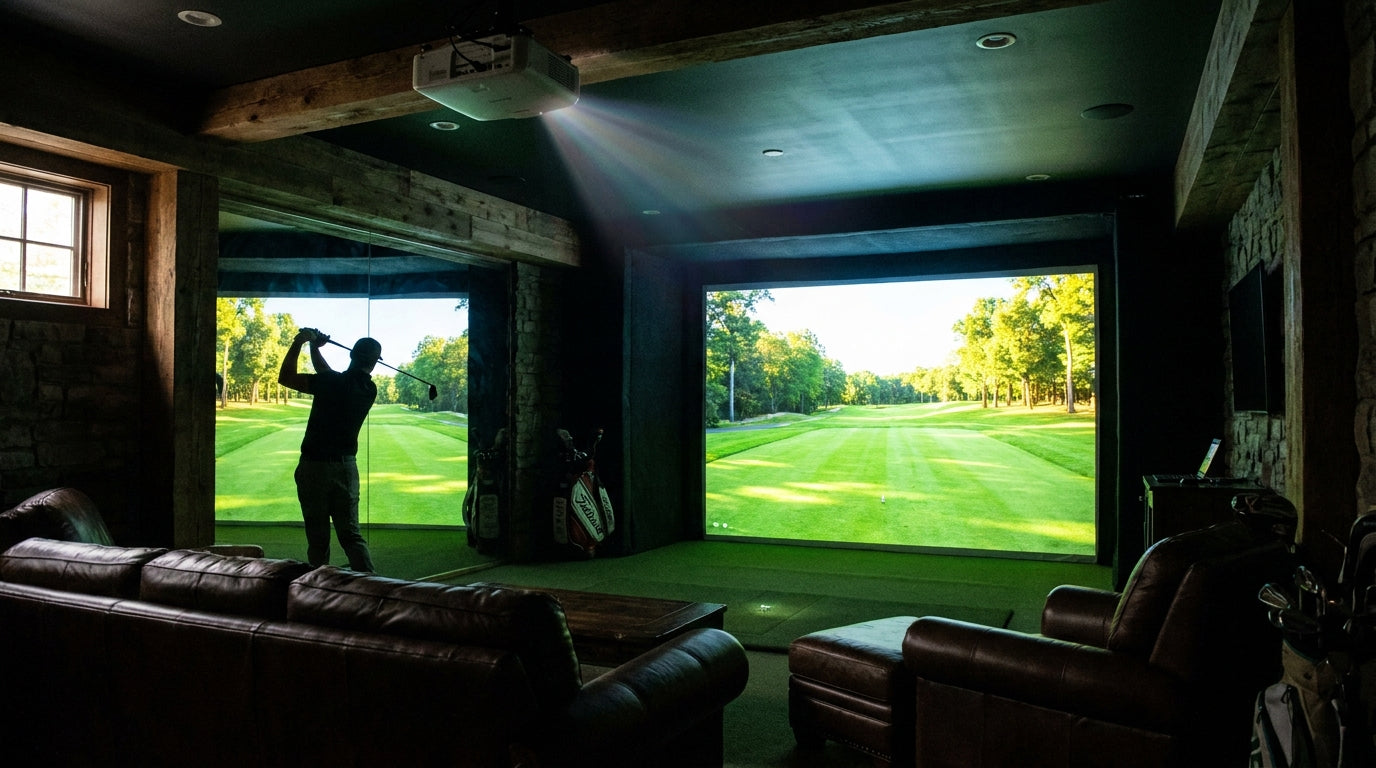
If you're building a golf simulator and you've landed on a Carl's Place impact screen, you've already made a good call. The harder question is which tier: Standard, Preferred, or Premium (plus the High-Contrast Gray option for bright rooms). They look similar in photos and they all stop a golf ball at full driver speed — so what are you actually paying more for?
This guide is for the buyer who has narrowed it down to Carl's and just wants a straight answer on which screen fits their room, their budget, and how hard they're going to hit into it. We sell all four, so we have no reason to push you up a tier you don't need. Here's the honest breakdown.
TL;DR — Quick-Pick Table
Swipe to compare →
Ready to shop impact screens?
Browse the full Carl's Place lineup — every screen ships ready to mount with real size specs.
Shop Carl's Place Impact Screens →| Tier | Price (from) | Construction | Image Quality | Bounceback / Durability | Best For |
|---|---|---|---|---|---|
| Standard | $179.95 | Woven polyester, more open weave | Bright, vivid — slight visible texture up close | Rated to 250 MPH; more bounceback than higher tiers | Budget builds, dark rooms, casual/moderate use |
| Preferred | $298.95 | Heavy-duty polyester w/ silicone reinforcement | Sharper text and cleaner edges than Standard | Rated to 250 MPH; quieter, less bounceback than Standard | The value sweet spot |
| Premium | $439.95 | 3-layer tight-knit polyester — quietest of the lineup | Smoothest surface, best for 4K | Rated to 250 MPH; quietest, least bounceback, longest life | Image-quality seekers, heavy/daily use |
| High-Contrast Gray | $449.95 | Heavy-duty gray, tight weave | Best contrast in rooms with ambient light | Rated to 250 MPH; minimal bounceback | Garages, rooms you can’t black out |
One key fact up front: all four screens are built to withstand thousands of strikes at ball speeds up to 250 MPH. None of them is “fragile.” What you pay more for is a smoother picture, a quieter strike, less ball bounceback, and a longer cosmetic lifespan — not basic safety or stopping power.
Carl's Place Standard Impact Screen — from $179.95
The Standard is the entry point, and it's a genuinely good screen — not a compromise you'll regret. It uses 100% heavy-duty polyester, loosely woven with an open weave, finished with a black vinyl border and metal grommets. It's rated for full-speed driver swings and works with most standard- and short-throw simulator projectors.
Pros: best price in the lineup by a wide margin; bright, vivid image in a properly darkened room; same 250 MPH impact rating as the pricier tiers; a huge range of size and aspect-ratio options.
Cons: the more open weave shows a bit more surface texture up close, so very fine 4K detail isn't as crisp as Preferred or Premium; more ball bounceback than the thicker screens; best results really do require a dark room.
Who it's right for: budget-focused builders, dark basements, and anyone with casual-to-moderate hitting volume. If this is your first sim and you're not sure how much you'll use it, the Standard is a smart, low-risk start.
Carl's Place Preferred Impact Screen — from $298.95
The Preferred is the middle tier, and for a lot of buyers it's the sweet spot. It uses 100% heavy-duty polyester with silicone reinforcement — a denser, smoother surface than the Standard, which does two things: a smoother projection surface (sharper text, cleaner edges, more accurate color) and better impact absorption — quieter ball strikes and less bounceback. Same vinyl border, grommet construction, and size range as the rest of the lineup.
Pros: noticeably sharper, cleaner image than Standard; quieter strikes and reduced bounceback; a big step up without paying full Premium price.
Cons: community reviewers describe the picture as slightly grainier than Premium side by side; costs about $120 more than Standard; like the Standard, it still wants a reasonably dark room.
Who it's right for: the buyer who cares about image quality and a quieter hitting experience but doesn't want to pay top dollar. Hitting several times a week? Preferred is the easy pick.
Carl's Place Premium Impact Screen — from $439.95
The Premium is the top of the white lineup and the durability and image-quality leader. It's built from three layers of heavy-duty, tight-knit, impact-resistant polyester — a thick, multilayer fabric using the tightest weave Carl’s makes, which also quiets the sound of impact and minimizes bounceback. The result is the smoothest surface Carl's makes — the one to get if you're running a 4K projector — plus the quietest strikes and the least bounceback of any tier. The tighter thread count also means less stretch and sag over time.
Pros: smoothest surface and sharpest image, especially with 4K projectors; “whisper-quiet” strikes and the lowest bounceback; holds image quality and resists sagging longest.
Cons: most expensive of the white screens; honest long-term owner reviews note that with heavy use, high-spin shots can eventually cause small outer-layer wear over a span of years — though owners consistently report it stays essentially invisible during play and the screen “still plays great” years in; overkill for a casual, low-volume setup.
Who it's right for: anyone who wants the best picture, the quietest experience, and the longest life — especially heavy or daily users, 4K projector owners, and shared setups where the screen takes a beating.
A note on the High-Contrast Gray (from $449.95) — the bright-room option
The three screens above are white, and white screens are the right answer only if you can control the light in your room. White reflects everything — which looks fantastic in a dark room and washed-out in a bright one.
If your sim lives in a garage, a basement with windows, or a bonus room you can't fully black out, look at the High-Contrast Gray instead. Its gray surface rejects ambient light while holding deeper blacks, so you get meaningfully better contrast and color in a lit room — without hanging blackout curtains. In a fully dark room a white screen is still the sharper choice, but in any room with stray light, gray is usually the smarter buy.
How to Choose: A Simple Decision Framework
1. How bright is your room? Can't fully darken it? → High-Contrast Gray. This decision comes first — it overrides the others. Dark or blackout-capable? → stay white and decide tier below.
2. What's your budget? Tightest budget / first sim → Standard. Room to spend for a clear upgrade → Preferred. Want the best and plan to keep it → Premium.
3. How much will you actually hit? Casual, a few times a month → Standard is plenty. Several times a week → Preferred. Daily or near-commercial volume → Premium.
4. What projector are you running? 1080p → the gap between tiers is smaller; Standard or Preferred is fine. 4K → spend up; a 4K projector's detail is wasted on a textured surface. (Deep dive: does your screen actually resolve 4K detail?)
If two answers point different directions, let room brightness and hitting volume be the tiebreakers.
FAQ
Can all of these screens take a real ball at driver speed?
Yes. Every tier is built to withstand thousands of strikes at ball speeds up to 250 MPH. Stopping power is not the reason to move up a tier.
Is the Premium really worth more than double the Standard?
It depends on use. Daily hitting, a 4K projector, or wanting the quietest, longest-lasting screen? Yes. Casual player in a dark room on a budget? The Standard delivers, and the upgrade is optional.
Will a Premium screen never tear?
No screen is immortal. With heavy use over years, high-spin shots can cause small outer-layer wear — but owners report it stays essentially invisible during play, and the screen keeps performing. The Premium's construction is the most resistant in the lineup.
Should I get white or gray?
Gray if you can't control ambient light. White if your room is dark — in a dark room, white is actually the sharper image.
Do I need to worry about bounceback?
Some bounceback is normal with any impact screen. The denser the weave, the less you get: Premium least, then Preferred, then Standard. Mount the screen flat-but-not-overly-tight regardless of tier.
Final Recommendation
On a budget, dark room: the Standard — genuinely good, safe, vivid. Start here with confidence.
Best all-around value for a regular player: the Preferred — a real jump in picture and quietness for a fair price.
Best picture, quietest, 4K + heavy use: the Premium — the one that ages best.
Any room you can't black out: skip the white-screen debate — High-Contrast Gray.


Not sure which simulator fits your room?
The two-minute Simulator Finder Quiz checks your space and budget against every system we carry.

Keep Reading
Related guides

enclosure pipe frame kitGolf Simulator Enclosure Pipe Frame Kit: What Size to Buy for Your Room

enclosure kit what's includedGolf Simulator Enclosure Kit: What's Included, What's Missing, and What to Add Before You Order

enclosure build orderGolf Simulator Garage Conversion Step by Step: The Build Order That Saves You Rework