
golf simulator
Single Layer vs Double Layer Golf Impact Screen: Which One Your Room Actually Needs
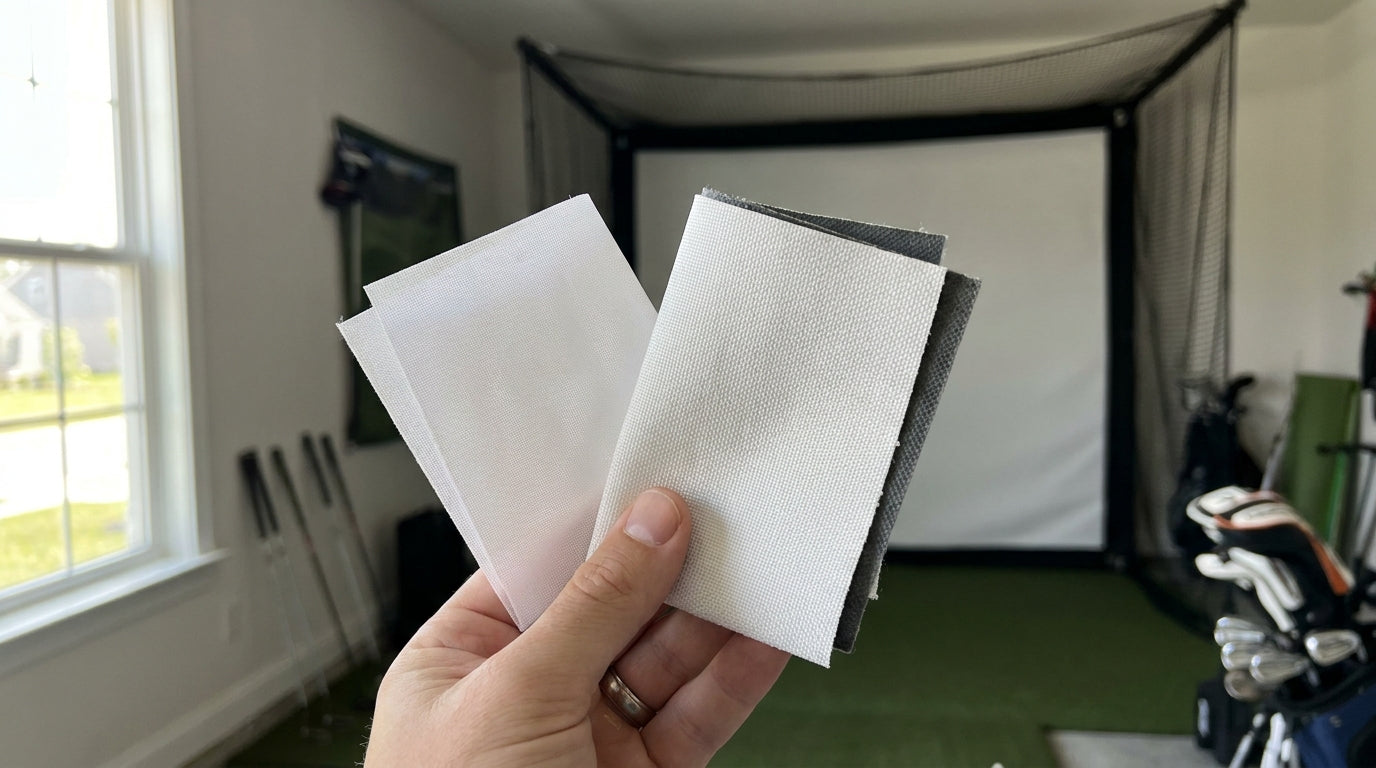
Here's a number that surprises most first-time sim builders: swapping from a single-layer screen to a double-layer build cuts impact noise by roughly 42% under standardized acoustic testing (Source: Elite Screens / Canvas ETC impact screen guides). That's not a minor tweak. That's the difference between a garage sim you can run at 10pm and one that rattles the room your family is trying to sleep in.
So when people ask about a single layer vs double layer golf impact screen, they usually think it's a picture-quality question. It's really a noise, durability, and long-term cost question wearing a picture-quality costume. Let's break down what actually changes when you double up the fabric, and how to pick the layer count that fits your room, your projector, and your budget.
What “layer count” actually means
The build is simpler than the marketing makes it sound. A single-layer screen is one sheet of noise-cancelling polyester, usually around 2.5 mm thick. A double-layer screen is two nearly identical pieces of that same fabric — often Velcroed together — stacking up to roughly 5.0 mm (Source: Virtual-Golf-Simulator / Spectrum Golf 2026 Impact Screen Guide).
That doubled thickness is the whole story. It's why a double-layer screen stops a ball more quietly, blocks more light, and survives more full-swing driver strikes before it shows wear. Everything else — the contrast bump, the durability, the price — flows from that one physical difference.
Some “double-layer” screens go a step further and add a dedicated blackout backing rather than a second identical face. Same idea, tuned specifically to kill light bleed. More on that below.
The noise difference is bigger than you'd expect
Noise is the number one complaint we hear from people running a sim in shared space — a basement under the bedrooms, a garage sharing a wall with the living room. A single-layer screen makes a sharp, slappy crack on impact. The second layer acts as a built-in dampener, which is where that 42% reduction comes from (Source: Elite Screens / Canvas ETC impact screen guides).
If your bay is a detached shop where nobody cares how loud it gets, this matters less. If you're the guy sneaking rounds after the kids are down, layer count might be the single most important spec on your list. Pair it with our sim room sound dampening guide and you can get a double-layer setup genuinely quiet.
Ready to feel the difference between builds?
Compare single- and double-layer impact screens side by side and match one to your room.
Shop Impact Screens →What the data says
Let's put the two builds next to each other on the numbers that actually drive the decision. Single-layer screens are the baseline here; the double-layer equivalents roughly double the thickness, cut noise by 42%, and last more than twice as long under daily use.
Single-Layer Impact Screen: Baseline Attributes
Source: Compiled from Virtual-Golf-Simulator, Elite Screens, Big Horn Golfer and Home Performance Lab guides. Single-layer values shown; double-layer ≈ 5.0mm, 42% quieter, price index 100, 5+ yr lifespan.
Three numbers do the heavy lifting on the buying side. First, single-layer “preferred” screens run roughly 40% cheaper than premium multi-layer options (Source: Big Horn Golfer 'Ultimate Guide to Golf Impact Screen Prices'). Second, that maps to real dollars: mid-range screens land around $500–$1,500, while premium multi-layer builds run $1,500 to over $5,000, with bargain single layers available for a few hundred (Source: Big Horn Golfer / Garage Golf buying guides).
Third — and this is the one that changes minds — a $150 budget single-layer screen that tears open in one season doesn't actually save you money versus a multi-layer screen that lasts 5+ years of daily hits. On cost-per-session, spending more upfront usually wins (Source: Home Performance Lab 'Best Golf Simulator Impact Screen (2026)').
Contrast, light bleed, and your projector
Here's where the double-layer (specifically, blackout-backed) build earns its keep visually. A blackout backing behind the impact screen drastically reduces projector light bleed, which intensifies brightness and contrast and kills the faint ghost image projecting onto the wall behind the screen (Source: Shop Indoor Golf / Golf Simulators Direct SIGPRO blackout screen data).
If your room has any ambient light — a window, a garage door with gaps, recessed cans you can't fully dim — a single layer will look washed out. The image loses punch. A blackout layer stops light from passing through and bouncing back, so blacks stay black and colors pop. We go deep on this in our breakdown of how a blackout layer kills light bleed.
Durability and cost-per-session
Double-layer screens have a repair trick single layers can't match. When the front face starts to wear, you can peel it off — or flip the screen and hit the other side — which effectively doubles usable lifespan while you order a replacement layer (Source: Leos Custom Golf / Big Horn Golfer). That's a built-in insurance policy for anyone grooving their swing daily.
For occasional players in a controlled, dark room, a single layer is genuinely fine and the cheaper call. For frequent players, the math flips fast. If you want the full breakdown by tier, our guide on how long a golf impact screen actually lasts puts real lifespan numbers on each build.
Single layer vs double layer: side-by-side
Single-Layer vs Double-Layer (Blackout-Backed) Impact Screens
Swipe to compare →
| Attribute | Single Layer | Double Layer / Blackout-Backed |
|---|---|---|
| Typical thickness | ~2.5 mm | ~5.0 mm |
| Impact noise | Baseline (louder) | ~42% quieter |
| Image contrast / light bleed | More light bleed, lower contrast | Blackout backing cuts bleed, higher contrast |
| Durability | Adequate for occasional play | Peel/flip front layer; 5+ yrs daily use |
| Typical price | A few hundred – ~$1,500 | $1,500 – $5,000+ |
| Best fit | Casual player, controlled/dark room, tight budget | Frequent player, bright room, premium image |
So which layer count should you buy?
Keep it simple. Go single layer if you play occasionally, your room stays dark, noise isn't a factor, and budget is the deciding line. It's a legitimately good screen for that use case — don't let anyone upsell you out of it.
Go double layer or blackout-backed if you play often, your room has ambient light, you share walls with living space, or you just want the image to look its best. The higher price buys quieter swings, better contrast, and a screen that outlasts two or three cheap ones. If you're weighing specific tiers, our Standard vs Preferred vs Premium screen comparison lines the options up by exactly this trade-off.
Bottom line: layer count isn't about being fancy. It's about matching the build to how loud, how bright, and how often your bay actually gets used. Nail that, and you buy the screen once.
Ready to pick your build? Browse our full lineup of single- and double-layer impact screens and match one to your room, projector, and budget — shop all impact screens here.
Not sure which simulator fits your room?
The two-minute Simulator Finder Quiz checks your space and budget against every system we carry.


Keep Reading


